

cancel
Showing results for 
Search instead for 
Did you mean: 

The Fabric community is now in read-only for platform upgrade. Learn more

Reply
harirao
Post Prodigy
Post Prodigy

DAX for Slicer using source Column

Hello All,


Required your assistance, i have a column from table called file flag, by using this i have created slicer call metrics.
File Flag
DTFC
CTS
S4 
OTD

Metric (Slicer)
DTFC combination of DTFC & S4 
OTD combination of CTS & S4
OTD only OTD

Column

Metrics = SWITCH(tbl_dep3_big_deal_perf_data_final_main[file_flag],"DTFC","DTFC", "S4", "DTFC","CTS","CTS", "S4", "CTS" ,"OTD")

I used above function to create slicer, DTFC & OTD is working correctly, for CTS its taking on CTS not taking S4

DTFC selection (DTFC & S4)

DTFC.PNG


CTS both has to be selected from FileFlag (CTS & S4)

DTFC_1.PNG

Only OTD from File flag

DTFC_2.PNG

Thanks for your help

Regards,

4 REPLIES 4
tex628
Community Champion
Community Champion

For this to work you need to get an additional row in your slicer table. The switch just replaces values and does not add new rows, this means that since the "S4" -> "DTFC" occurs before the "S4" -> "CTS" all references to "S4" will be converted to "DTFC". 

How does your metrix table currently look? 

/ J


Connect on LinkedIn

Hi @tex628 

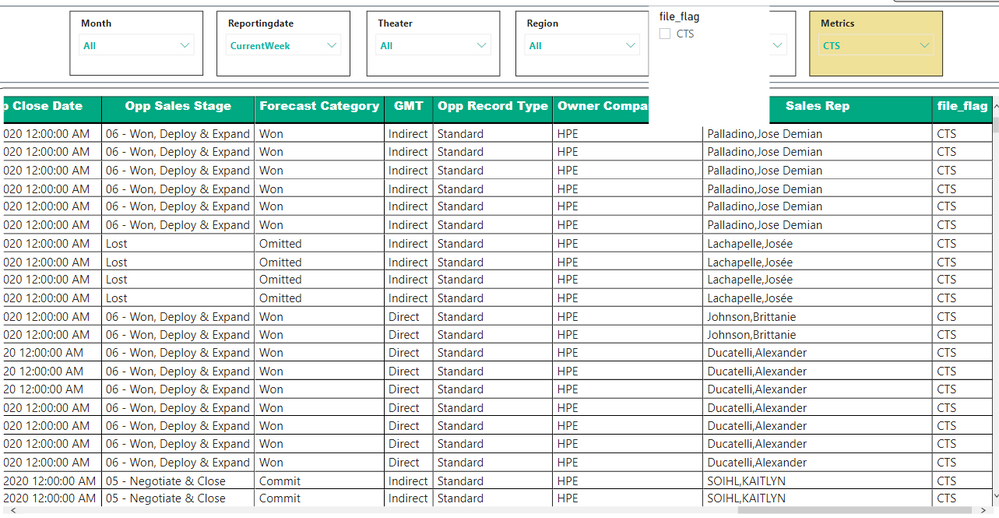
Please find the below screen print for your reference, i am showing only 15 columns in this matrix table and few slicers on top.


DTFC_3.PNG

tex628
Community Champion
Community Champion

Sorry, my bad, I meant the Metrics table 🙂

 /J


Connect on LinkedIn


Hello @tex628,


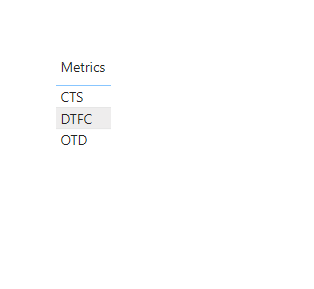
Hope your looking for the below table?


DTFC_4.PNG


Thanks

Helpful resources

Announcements
FabCon and SQLCon Barcelona 2026

FabCon & SQLCon – Barcelona 2026

Join us in Barcelona for FabCon and SQLCon, the Fabric, Power BI, SQL, and AI community event. Save €200 with code FABCMTY200.

Power BI DataViz World Championships carousel

Power BI DataViz World Championships - June 2026

A new Power BI DataViz World Championship is coming this June! Don't miss out on submitting your entry.