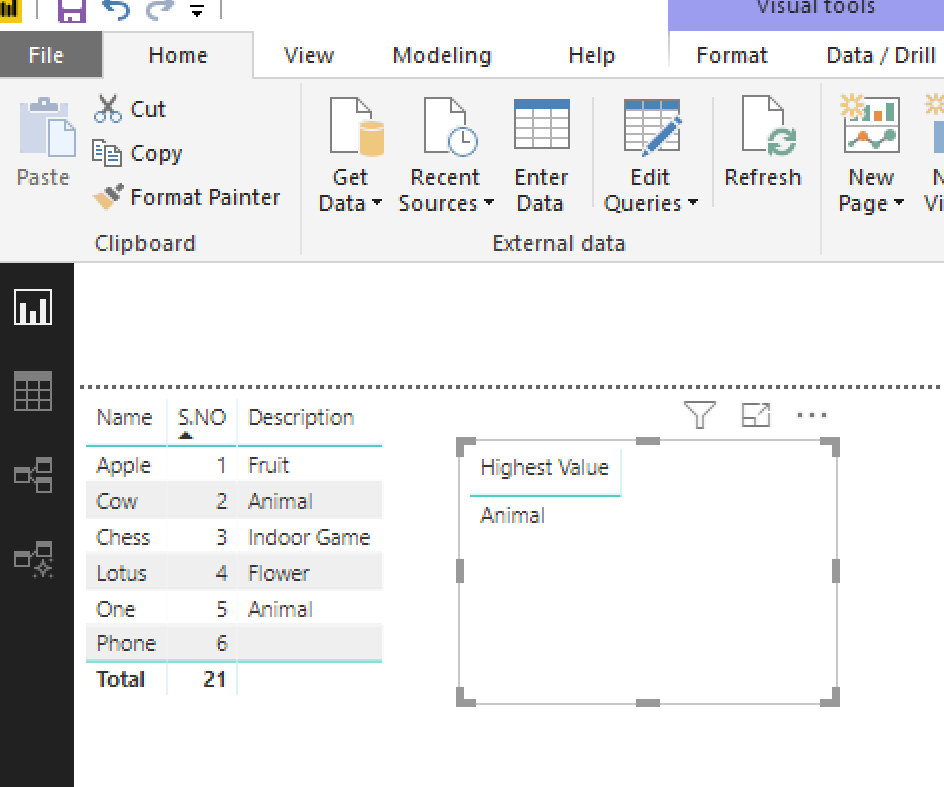
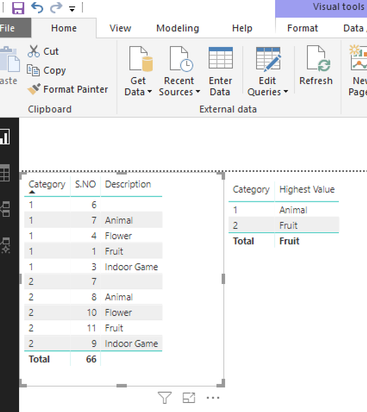
Hi @Sowmiya
In your Query editor, you can use that code (you just need to customize the source or just to start from the lines you need, such as Inserted Merged Columns).
let
    Source = Table.FromRows(Json.Document(Binary.Decompress(Binary.FromText("i45WMlTSUXIsKMhJBdJuRaWZJUqxOtFKRkCec345SC4vMzcxByxoDBLMSC0uBtKeeSn5+UUK7om5qWA5E6CYT35JKUjOLSe/PLUILGwK5PrnpaKaYwbkBmTkg4WVYmMB", BinaryEncoding.Base64), Compression.Deflate)), let _t = ((type text) meta [Serialized.Text = true]) in type table [S.NO = _t, Name = _t, Description = _t]),
    #"Changed Type" = Table.TransformColumnTypes(Source,{{"S.NO", Int64.Type}, {"Name", type text}, {"Description", type text}}),
    #"Inserted Merged Column" = Table.AddColumn(#"Changed Type", "ID", each Text.Combine({[Description], Text.From([S.NO], "fr-FR")}, "_"), type text),
    #"Sorted Rows" = Table.Sort(#"Inserted Merged Column",{{"ID", Order.Ascending}}),
    #"Added Index" = Table.AddIndexColumn(#"Sorted Rows", "Index", 1, 1),
    #"Added Index1" = Table.AddIndexColumn(#"Added Index", "Index.1", 2, 1),
    #"Merged Queries" = Table.NestedJoin(#"Added Index1",{"Index.1"},#"Added Index1",{"Index"},"Added Index1",JoinKind.LeftOuter),
    #"Expanded Added Index1" = Table.ExpandTableColumn(#"Merged Queries", "Added Index1", {"Description"}, {"Added Index1.S.NO"}),
    #"Added Conditional Column" = Table.AddColumn(#"Expanded Added Index1", "LARGEST S.NO", each if [Added Index1.S.NO] = [Description] then "NO" else "YES")
in
    #"Added Conditional Column"
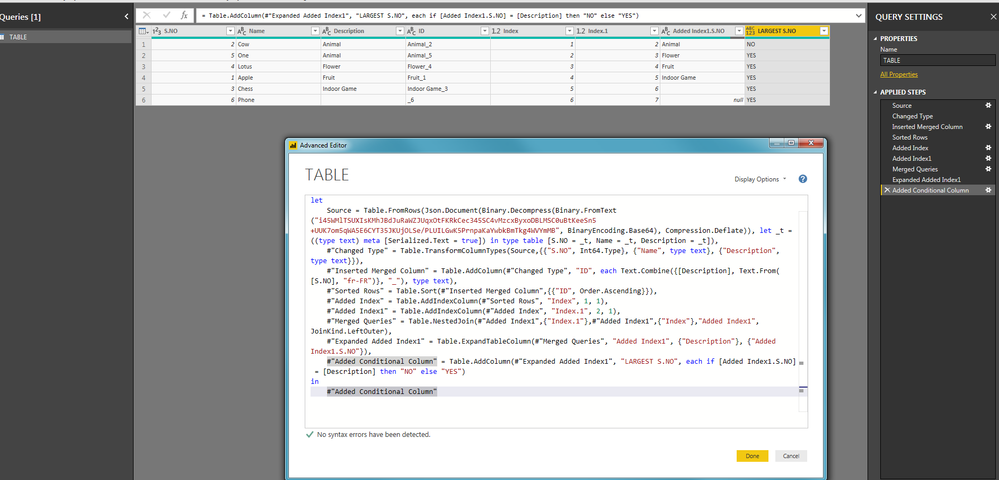
After having sort on the new ID column (concatenation of Description ad S.NO), I added 2 indexes to make a Merge Queries inside the same table (as PowerBi is working by line, not by cell, I cheat with double indexes to display the ClientID value from the next line). Then, I just need to add a calculated column saying that => IF Description from next line is the same as the current Description then display NO else YES.
Regards,
CR