Join us at FabCon Atlanta from March 16 - 20, 2026, for the ultimate Fabric, Power BI, AI and SQL community-led event. Save $200 with code FABCOMM.
Register now!The Power BI Data Visualization World Championships is back! It's time to submit your entry. Live now!
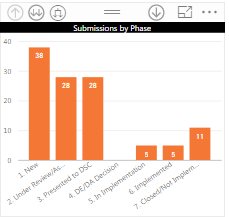
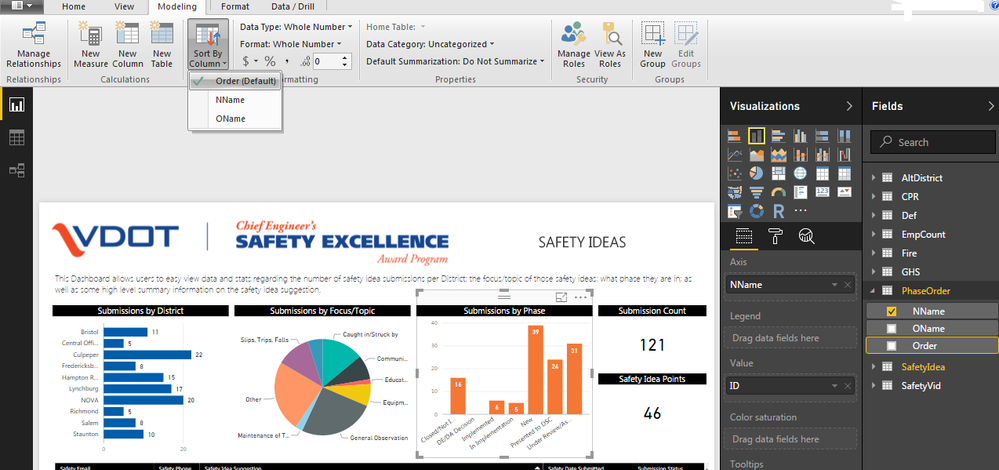
So I am trying to sort based on Submission Status and want to show the status in sequence order. Additionally, we have developed slightly different names that we want to display for users. I created a separate table to relate the old name (OName) to the new name (NNAme) and put in another column for the order in which we want them to show (Order).
I could not get it to sort based on the Order column no matter how I added it. As a temporary work around I added it to the NName column as shown above. Any thoughts on how I can get it to sort by the order column?
Solved! Go to Solution.
select the OName column - Modeling Tab - click Sort By Column - select Order from the dropdown ![]()
Hi @smithmc3,
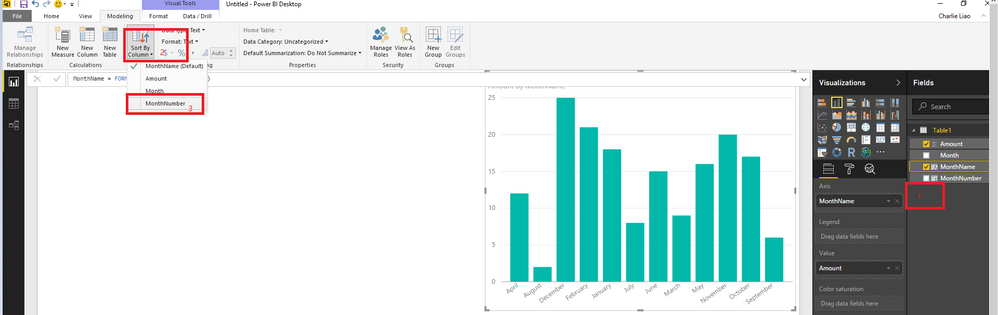
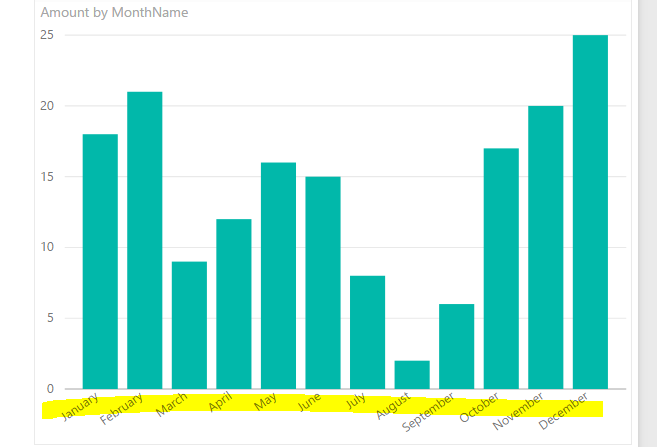
Please refer to the screenshot below to change oders of you Axis items.
Regards,
Charlie Liao
Hi @smithmc3,
Please refer to the screenshot below to change oders of you Axis items.
Regards,
Charlie Liao
So, I tried that and it stays the same, thoughts?
Thanks guys! I refreshed the data a few times and saved and now it seems to be working!
select the OName column - Modeling Tab - click Sort By Column - select Order from the dropdown ![]()
The Power BI Data Visualization World Championships is back! It's time to submit your entry.
| User | Count |
|---|---|
| 51 | |
| 41 | |
| 32 | |
| 26 | |
| 24 |
| User | Count |
|---|---|
| 131 | |
| 118 | |
| 57 | |
| 45 | |
| 43 |