This is best Fabric, Power BI, SQL and AI community event. How do we know? The last event sold out! Save €200 with code FABCMTY200.
Register nowA new Data Days event is coming soon! This time we’re going bigger than ever. Fabric, Power BI, SQL, AI and more. Don't miss out.
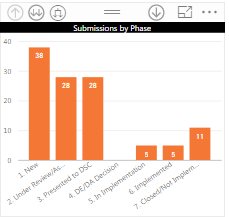
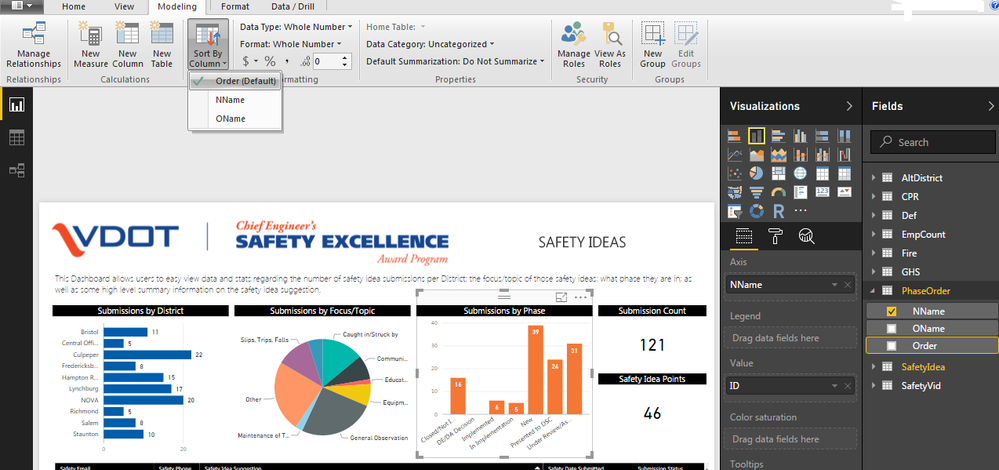
So I am trying to sort based on Submission Status and want to show the status in sequence order. Additionally, we have developed slightly different names that we want to display for users. I created a separate table to relate the old name (OName) to the new name (NNAme) and put in another column for the order in which we want them to show (Order).
I could not get it to sort based on the Order column no matter how I added it. As a temporary work around I added it to the NName column as shown above. Any thoughts on how I can get it to sort by the order column?
Solved! Go to Solution.
select the OName column - Modeling Tab - click Sort By Column - select Order from the dropdown ![]()
Hi @smithmc3,
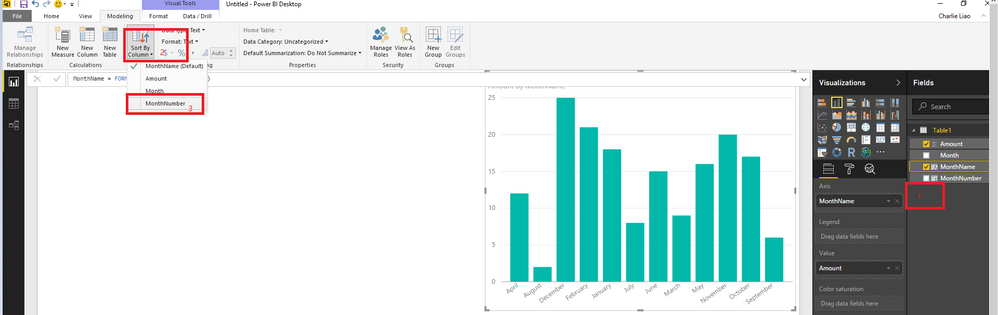
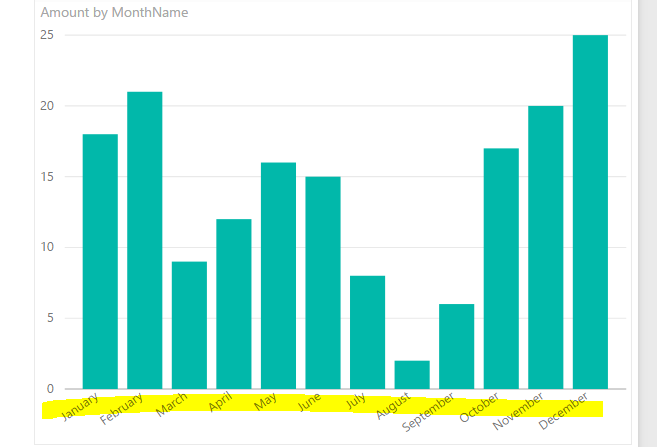
Please refer to the screenshot below to change oders of you Axis items.
Regards,
Charlie Liao
Hi @smithmc3,
Please refer to the screenshot below to change oders of you Axis items.
Regards,
Charlie Liao
So, I tried that and it stays the same, thoughts?
Thanks guys! I refreshed the data a few times and saved and now it seems to be working!
select the OName column - Modeling Tab - click Sort By Column - select Order from the dropdown ![]()
Check out the May 2026 Power BI update to learn about new features.
Sign up to receive a private message when registration opens and key events begin.
If you have recently started exploring Fabric, we'd love to hear how it's going. Your feedback can help with product improvements.
| User | Count |
|---|---|
| 31 | |
| 26 | |
| 23 | |
| 22 | |
| 13 |
| User | Count |
|---|---|
| 62 | |
| 47 | |
| 27 | |
| 23 | |
| 19 |