cancel
Showing results for 
Search instead for 
Did you mean: 

The Power BI Data Visualization World Championships is back! Get ahead of the game and start preparing now! Learn more

Reply
Anonymous
Not applicable

Custom Sort x-axis

Hi I have tried to find some similar issues but was not successful, so apologies if there is already many threads about this issue.:) I have a running total, which counts created issues pr month, this works fine, however on the chart i cannot split it in years. E.g. i want chart to show only the last 12 month , but still accumulated or only the months in 2017 Note, is it not possible to add pictures`?
1 ACCEPTED SOLUTION
Anonymous
Not applicable


@Anonymous wrote:

i tried, but cannot get it to work

Do you use the year and month from calendar? 

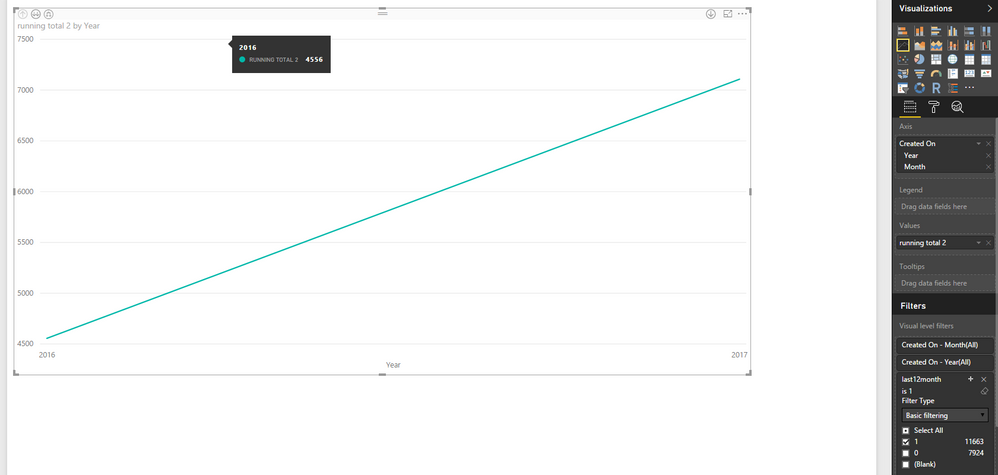
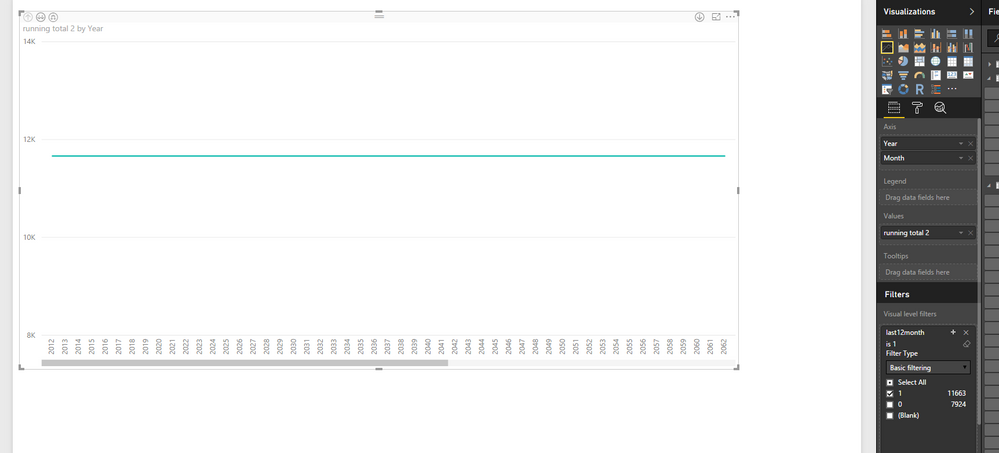
i tried both from calendar and from the table withcal1.PNGcal2.PNG


@Anonymous,

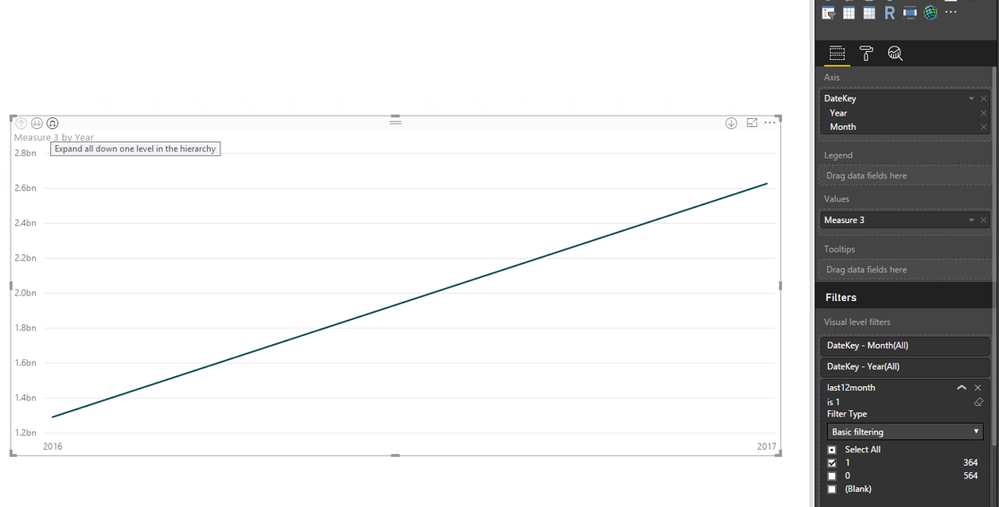
In your first screenshot, please choose the "Expand all down one level in the hierarchy" button to drill down your chart.
1.PNG

Regards,
Lydia

View solution in original post

5 REPLIES 5
Anonymous
Not applicable

@Anonymous,

How do you create the chart and what formula do you use to create the running total? You can upload screenshots using the button as below.
3.PNG

In my Desktop, I create a running total measure and a calculated column using the DAX below in my sample table.

running total = CALCULATE(SUM(Sheet5[SalesAmount]),FILTER(ALL('Calendar'),'Calendar'[DateKey]<=MAX('Calendar'[DateKey])))
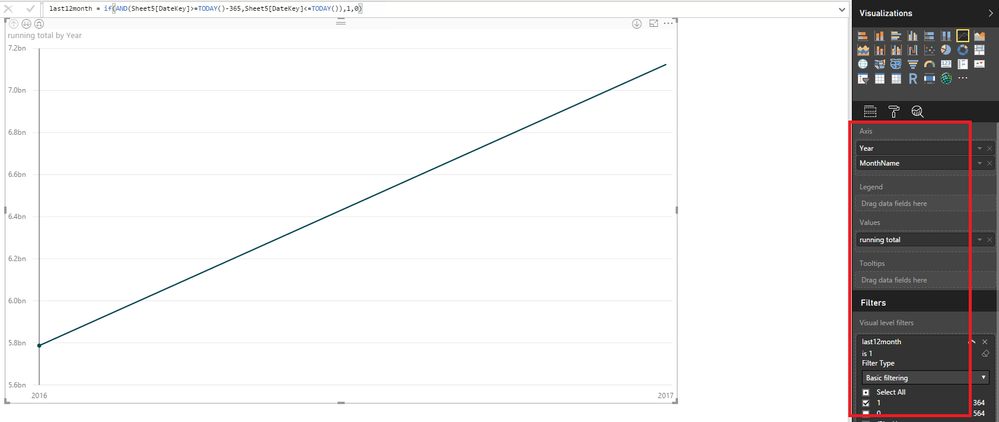
last12month = if(AND(Sheet5[DateKey]>=TODAY()-365,Sheet5[DateKey]<=TODAY()),1,0)

Then create a chart as follows.
1.PNG2.PNG


Regards,

Anonymous
Not applicable

i tried, but cannot get it to work

Do you use the year and month from calendar? 

i tried both from calendar and from the table withcal1.PNGcal2.PNG

Anonymous
Not applicable


@Anonymous wrote:

i tried, but cannot get it to work

Do you use the year and month from calendar? 

i tried both from calendar and from the table withcal1.PNGcal2.PNG


@Anonymous,

In your first screenshot, please choose the "Expand all down one level in the hierarchy" button to drill down your chart.
1.PNG

Regards,
Lydia

Anonymous
Not applicable

Smiley Happy

thank you very much, works fine

Anonymous
Not applicable

hi 


My running total is like this


Running total = CALCULATE(COUNT('Case Reg'[Case Number]);FILTER(ALLSELECTED('Case Reg');'Case Reg'[Created On].[Date]<=MAX('Case Reg'[Created On].[Date])))


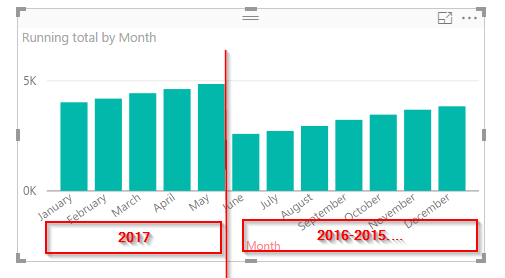
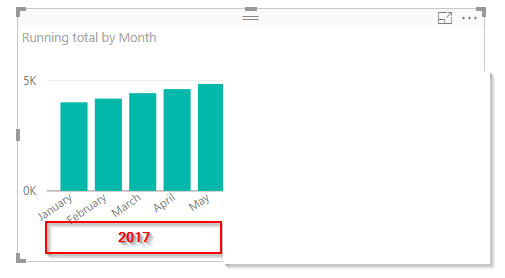
and yes the chart i would like to have shown is just like the one you have posted


example.pngex2.png

Helpful resources

Announcements
Power BI DataViz World Championships

Power BI Dataviz World Championships

The Power BI Data Visualization World Championships is back! Get ahead of the game and start preparing now!

December 2025 Power BI Update Carousel

Power BI Monthly Update - December 2025

Check out the December 2025 Power BI Holiday Recap!

FabCon Atlanta 2026 carousel

FabCon Atlanta 2026

Join us at FabCon Atlanta, March 16-20, for the ultimate Fabric, Power BI, AI and SQL community-led event. Save $200 with code FABCOMM.