Join us at FabCon Atlanta from March 16 - 20, 2026, for the ultimate Fabric, Power BI, AI and SQL community-led event. Save $200 with code FABCOMM.
Register now!The Power BI Data Visualization World Championships is back! It's time to submit your entry. Live now!
Solved! Go to Solution.
@Anonymous wrote:
i tried, but cannot get it to work
Do you use the year and month from calendar?
i tried both from calendar and from the table with
@Anonymous,
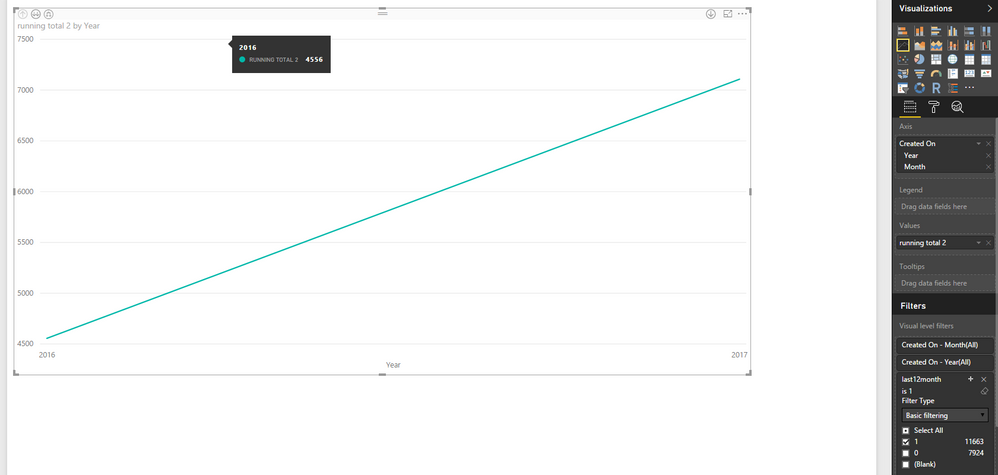
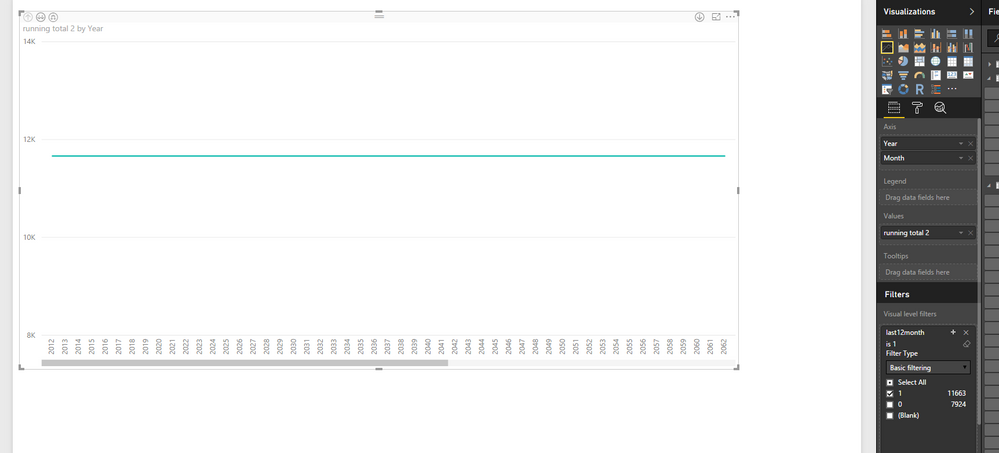
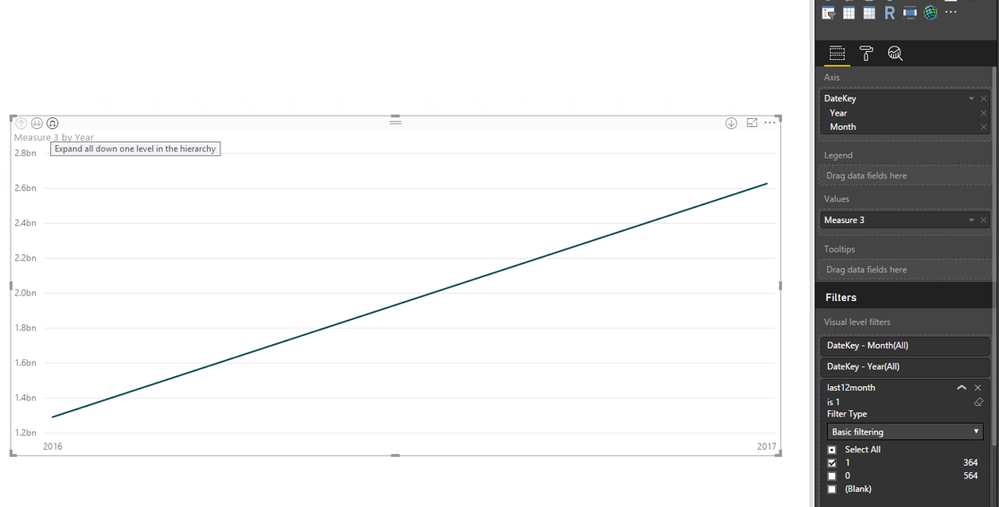
In your first screenshot, please choose the "Expand all down one level in the hierarchy" button to drill down your chart.
Regards,
Lydia
@Anonymous,
How do you create the chart and what formula do you use to create the running total? You can upload screenshots using the button as below.
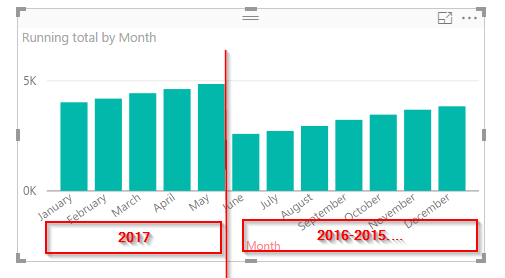
In my Desktop, I create a running total measure and a calculated column using the DAX below in my sample table.
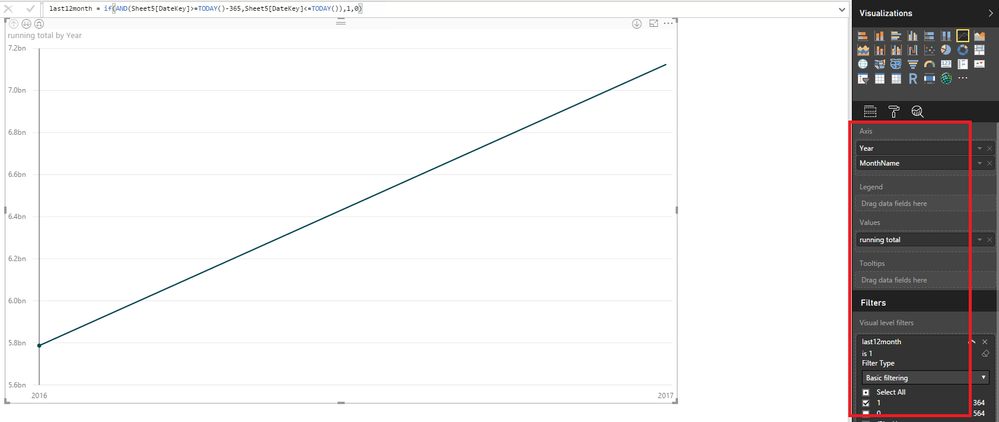
running total = CALCULATE(SUM(Sheet5[SalesAmount]),FILTER(ALL('Calendar'),'Calendar'[DateKey]<=MAX('Calendar'[DateKey])))
last12month = if(AND(Sheet5[DateKey]>=TODAY()-365,Sheet5[DateKey]<=TODAY()),1,0)
Then create a chart as follows.
Regards,
i tried, but cannot get it to work
Do you use the year and month from calendar?
i tried both from calendar and from the table with
@Anonymous wrote:
i tried, but cannot get it to work
Do you use the year and month from calendar?
i tried both from calendar and from the table with
@Anonymous,
In your first screenshot, please choose the "Expand all down one level in the hierarchy" button to drill down your chart.
Regards,
Lydia
![]()
thank you very much, works fine
hi
My running total is like this
Running total = CALCULATE(COUNT('Case Reg'[Case Number]);FILTER(ALLSELECTED('Case Reg');'Case Reg'[Created On].[Date]<=MAX('Case Reg'[Created On].[Date])))
and yes the chart i would like to have shown is just like the one you have posted
The Power BI Data Visualization World Championships is back! It's time to submit your entry.
| User | Count |
|---|---|
| 130 | |
| 128 | |
| 59 | |
| 45 | |
| 45 |