cancel
Showing results for 
Search instead for 
Did you mean: 

Data Days is here! Join us now for 60+ days of learning, challenges, and connection. Learn more

Reply
JimmyCeron_PBI1
Frequent Visitor

Custom Sort on a Matrix Help Pleaseeee!!!!!!

After having tried so many different things and failing, I decided to reach out to this incredible community.

I have a Matrix that need to be displayed in a specifc sort. I know how I can accomplishj this on a regular table visual, but the sam strategy using an Index column does not work on a Matrix visual.


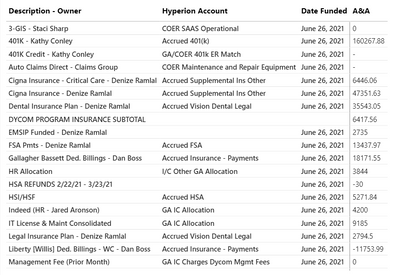
I have this Matrix:

JimmyCeron_PBI1_0-1626105605354.png

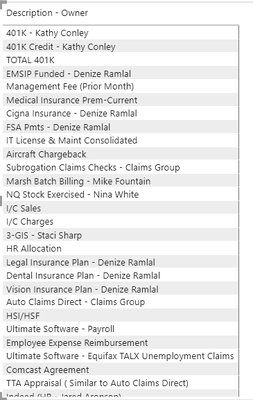
But I need to sort first Column with a specific Sort customed to show as:

JimmyCeron_PBI1_1-1626105710708.png

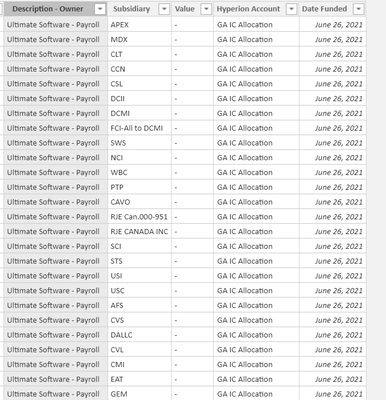
The table looks like the following, but creating an idex for a custom sort does not work because the matrix unpivots the columns resulting in multiple rows with the same value .

JimmyCeron_PBI1_2-1626105934274.png


If you have any suggestions, I will certainly appreciate it. ; )


1 ACCEPTED SOLUTION

Of course!!! I created Index colum after unpivotting other  columns; that create an idex for every single record. So i went back to PQ and created index then unpivot columns, and that worked as expected.


Thank you so muchhhhhh!

View solution in original post

4 REPLIES 4
Wimverh
Resolver IV
Resolver IV

You need to create an index column, just on the field Descripton-Owner
401 Kathy => 1
401 - Credit Kathy => 2

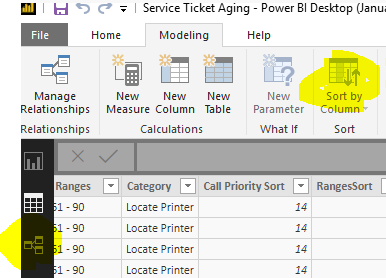
then add a custom sort to your column on the new index

Wimverh_0-1626107416280.png


then sort in the matrix on the description column

That doesn't work! I have tried already with an index. The data is unpivotted, so the are multiple values in the table for each sort item (index number).


Thank you for replying ,; )

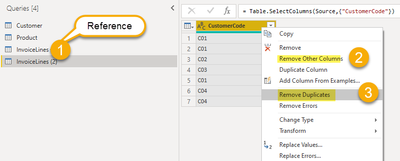
You have to model your data in a way, you have it as unique. 
In powerquery you could use reference, and then remove the duplicates. 

Wimverh_0-1626108450976.png

You can then link both tables in power bi relations, or create the link in power query

Of course!!! I created Index colum after unpivotting other  columns; that create an idex for every single record. So i went back to PQ and created index then unpivot columns, and that worked as expected.


Thank you so muchhhhhh!

Helpful resources

Announcements
Fabric Data Days is here Carousel

Fabric Data Days 2026

Don't miss out on Data Days, June 15 through August 7. Learn Fabric, Power BI, SQL, AI and more.

May Power BI Update Carousel

Power BI Monthly Update - May 2026

Check out the May 2026 Power BI update to learn about new features.

Power BI DataViz World Championships carousel

Power BI DataViz World Championships - June 2026

A new Power BI DataViz World Championship is coming this June! Don't miss out on submitting your entry.