Join us at FabCon Atlanta from March 16 - 20, 2026, for the ultimate Fabric, Power BI, AI and SQL community-led event. Save $200 with code FABCOMM.
Register now!The Power BI Data Visualization World Championships is back! Get ahead of the game and start preparing now! Learn more
Hello All
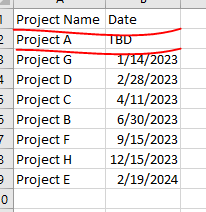
How to get this custom sort applied in tale matrix on Date column when date vaue is TBD, display project at the end of rows or as last project . Project,Date column is dynamic feed from oracle source.
Thanks
Rp
Solved! Go to Solution.
Hi @RMRaptor,
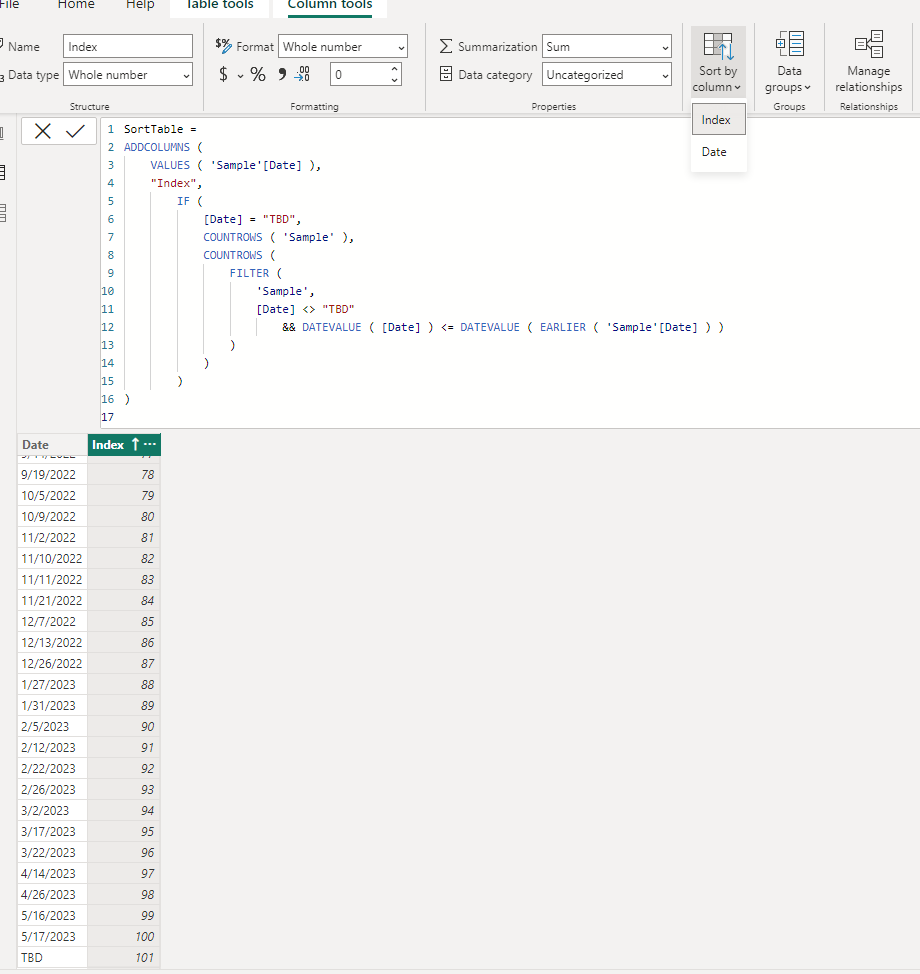
You can create a new table with corresponding date field values in text format and custom column with index based on date values to use on 'sort by column' property. (use if statement to check if current value equal to TBD and return a larger number to keep its order to bottom)
SortTable =
ADDCOLUMNS (
VALUES ( 'Sample'[Date] ),
"Index",
IF (
[Date] = "TBD",
COUNTROWS ( 'Sample' ),
COUNTROWS (
FILTER (
'Sample',
[Date] <> "TBD"
&& DATEVALUE ( [Date] ) <= DATEVALUE ( EARLIER ( 'Sample'[Date] ) )
)
)
)
)
Regards,
Xiaoxin Sheng
@Xiaoxin Sheng
Thank you , It worked.
RM
Hi @RMRaptor,
You can create a new table with corresponding date field values in text format and custom column with index based on date values to use on 'sort by column' property. (use if statement to check if current value equal to TBD and return a larger number to keep its order to bottom)
SortTable =
ADDCOLUMNS (
VALUES ( 'Sample'[Date] ),
"Index",
IF (
[Date] = "TBD",
COUNTROWS ( 'Sample' ),
COUNTROWS (
FILTER (
'Sample',
[Date] <> "TBD"
&& DATEVALUE ( [Date] ) <= DATEVALUE ( EARLIER ( 'Sample'[Date] ) )
)
)
)
)
Regards,
Xiaoxin Sheng
The Power BI Data Visualization World Championships is back! Get ahead of the game and start preparing now!
| User | Count |
|---|---|
| 39 | |
| 37 | |
| 33 | |
| 32 | |
| 29 |
| User | Count |
|---|---|
| 133 | |
| 88 | |
| 85 | |
| 68 | |
| 64 |