This is best Fabric, Power BI, SQL and AI community event. How do we know? The last event sold out! Save €200 with code FABCMTY200.
Register nowThe Fabric community is upgrading! Read all of the details including the timeline and what you can expect. Learn more
Hello All
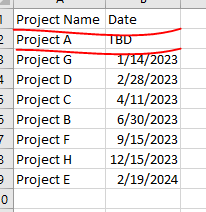
How to get this custom sort applied in tale matrix on Date column when date vaue is TBD, display project at the end of rows or as last project . Project,Date column is dynamic feed from oracle source.
Thanks
Rp
Solved! Go to Solution.
Hi @RMRaptor,
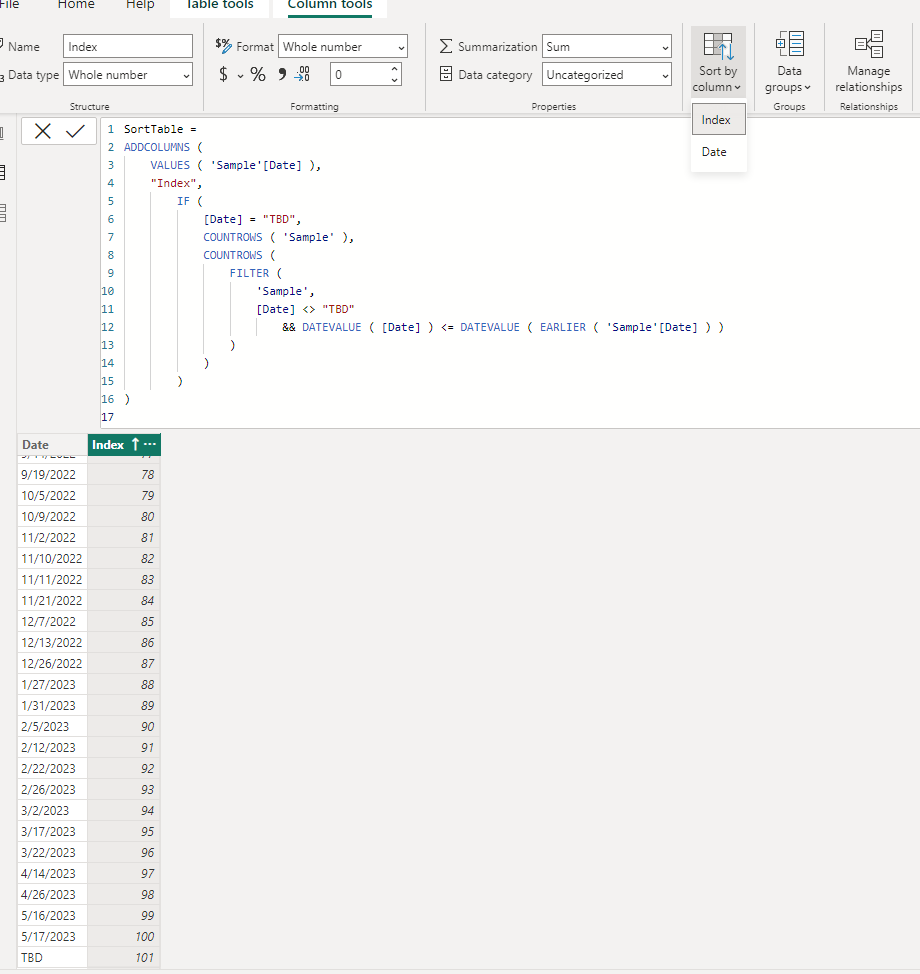
You can create a new table with corresponding date field values in text format and custom column with index based on date values to use on 'sort by column' property. (use if statement to check if current value equal to TBD and return a larger number to keep its order to bottom)
SortTable =
ADDCOLUMNS (
VALUES ( 'Sample'[Date] ),
"Index",
IF (
[Date] = "TBD",
COUNTROWS ( 'Sample' ),
COUNTROWS (
FILTER (
'Sample',
[Date] <> "TBD"
&& DATEVALUE ( [Date] ) <= DATEVALUE ( EARLIER ( 'Sample'[Date] ) )
)
)
)
)
Regards,
Xiaoxin Sheng
@Xiaoxin Sheng
Thank you , It worked.
RM
Hi @RMRaptor,
You can create a new table with corresponding date field values in text format and custom column with index based on date values to use on 'sort by column' property. (use if statement to check if current value equal to TBD and return a larger number to keep its order to bottom)
SortTable =
ADDCOLUMNS (
VALUES ( 'Sample'[Date] ),
"Index",
IF (
[Date] = "TBD",
COUNTROWS ( 'Sample' ),
COUNTROWS (
FILTER (
'Sample',
[Date] <> "TBD"
&& DATEVALUE ( [Date] ) <= DATEVALUE ( EARLIER ( 'Sample'[Date] ) )
)
)
)
)
Regards,
Xiaoxin Sheng
Join us in Barcelona for FabCon and SQLCon, the Fabric, Power BI, SQL, and AI community event. Save €200 with code FABCMTY200.
| User | Count |
|---|---|
| 23 | |
| 22 | |
| 14 | |
| 14 | |
| 13 |
| User | Count |
|---|---|
| 45 | |
| 38 | |
| 24 | |
| 22 | |
| 20 |