cancel
Showing results for 
Search instead for 
Did you mean: 

The Power BI Data Visualization World Championships is back! It's time to submit your entry. Live now!

Reply
sebastian_ebg
Helper I
Helper I

Custom Data Labels

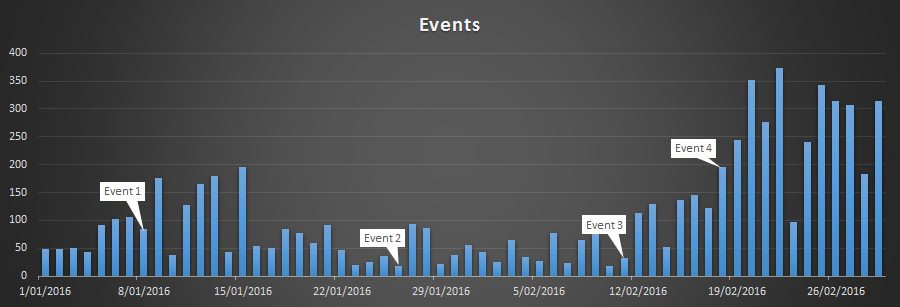
I'm trying to get a report to show custom data labels. You can do this very easily in Excel, but I can't seem to find a way to get it to work in PowerBI.


Example in ExcelExample in Excel

I can kind of get it working by using a measure to return the related string in the Tooltip section of a graph, but it's not exactly visual enough that way. I was also thinking of making a custom measure for saturation to at least visually highlight which data points have a tooltip. Both these would be less than optimal however, as I'd really rather a data label based on something other than the values.


Is this achievable in PowerBI using the standard visuals? Or is this custom visual territory (like Pulse Chart)?


2 REPLIES 2
v-sihou-msft
Microsoft Employee
Microsoft Employee

@sebastian_ebg


Currently, it's not supported to edit the data label. Pulse chart is the best approach. But it still can't give the custom labe for specific points. I suggest you submit a feature request to: pbicvsupport@microsoft.com


Regards,

dkay84_PowerBI
Microsoft Employee
Microsoft Employee

Pulse chart is the way to go based on your description

Helpful resources

Announcements
December 2025 Power BI Update Carousel

Power BI Monthly Update - December 2025

Check out the December 2025 Power BI Holiday Recap!

FabCon Atlanta 2026 carousel

FabCon Atlanta 2026

Join us at FabCon Atlanta, March 16-20, for the ultimate Fabric, Power BI, AI and SQL community-led event. Save $200 with code FABCOMM.