This time we’re going bigger than ever. Fabric, Power BI, SQL, AI and more. We're covering it all. You won't want to miss it.
Learn moreLevel up your Power BI skills this month - build one visual each week and tell better stories with data! Get started
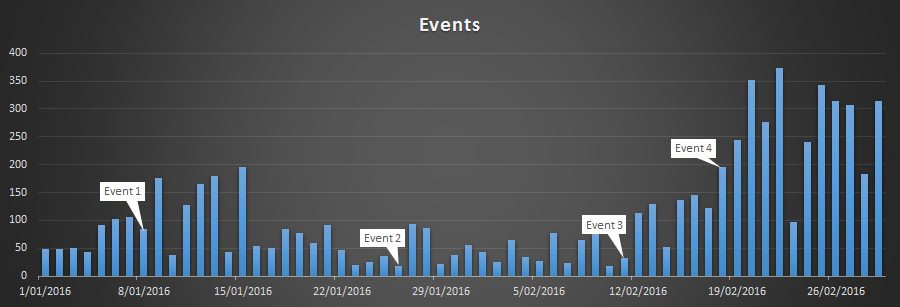
I'm trying to get a report to show custom data labels. You can do this very easily in Excel, but I can't seem to find a way to get it to work in PowerBI.
Example in Excel
I can kind of get it working by using a measure to return the related string in the Tooltip section of a graph, but it's not exactly visual enough that way. I was also thinking of making a custom measure for saturation to at least visually highlight which data points have a tooltip. Both these would be less than optimal however, as I'd really rather a data label based on something other than the values.
Is this achievable in PowerBI using the standard visuals? Or is this custom visual territory (like Pulse Chart)?
Currently, it's not supported to edit the data label. Pulse chart is the best approach. But it still can't give the custom labe for specific points. I suggest you submit a feature request to: pbicvsupport@microsoft.com
Regards,
Check out the April 2026 Power BI update to learn about new features.
Sign up to receive a private message when registration opens and key events begin.
If you have recently started exploring Fabric, we'd love to hear how it's going. Your feedback can help with product improvements.
| User | Count |
|---|---|
| 37 | |
| 29 | |
| 29 | |
| 21 | |
| 18 |
| User | Count |
|---|---|
| 68 | |
| 39 | |
| 33 | |
| 24 | |
| 23 |