Don't miss your chance to take the Fabric Data Engineer (DP-600) exam for FREE! Find out how by attending the DP-600 session on April 23rd (pacific time), live or on-demand.
Learn moreNext up in the FabCon + SQLCon recap series: The roadmap for Microsoft SQL and Maximizing Developer experiences in Fabric. All sessions are available on-demand after the live show. Register now
Hi everyone,
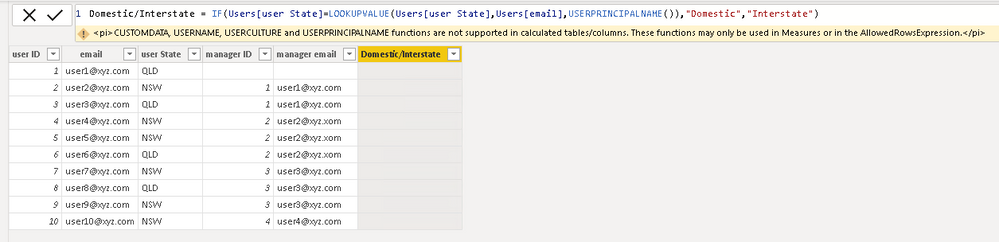
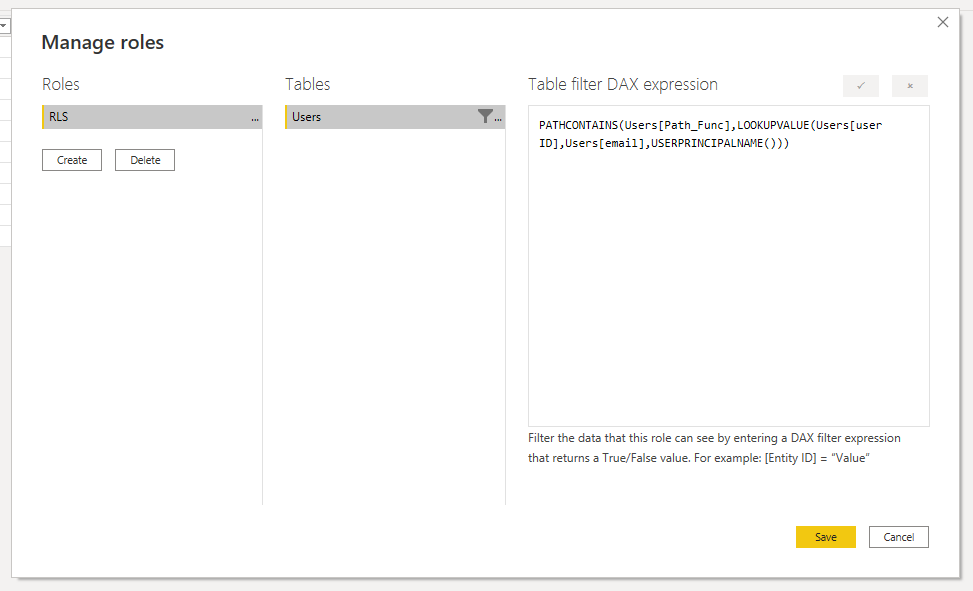
I have following user table and I have applied Row Level Security based on Organisational Hierarchy. I would like to create a slicer based on logged in user as if logged in person's state is same as user's state then "Domestic" else "International". However, I can't use USERPRINCIPALNAME in calculated columns/tables. so any idea if that's doable? thanks
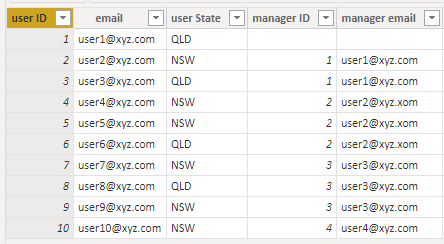
PATHCONTAINS(Users[Path_Func],LOOKUPVALUE(Users[user ID],Users[email],USERPRINCIPALNAME()))
Formula not working beacuse we can't use USERPRINCIPALNAME in calculated columns/tables.
Hi @Anonymous ,
Has your problem been solved, if so, please consider Accept a correct reply as the solution or share your own solution to help others find it.
Best Regards
Lucien
Hi @Anonymous ,
As we can see from the error message, it isn't supported. What's your purpose? Maybe there are other approaches. For example, we can use a measure like this, then we can filter out these 0s in the Filters.
Measure =
CALCULATE (
IF (
MIN ( Users[email])
=USERPRINCIPALNAME (),
1,
0
)
)
Did I answer your question? Mark my post as a solution!
Best Regards
Lucien
If you have recently started exploring Fabric, we'd love to hear how it's going. Your feedback can help with product improvements.
A new Power BI DataViz World Championship is coming this June! Don't miss out on submitting your entry.
| User | Count |
|---|---|
| 46 | |
| 43 | |
| 39 | |
| 19 | |
| 15 |
| User | Count |
|---|---|
| 68 | |
| 68 | |
| 31 | |
| 27 | |
| 24 |