cancel
Showing results for 
Search instead for 
Did you mean: 

The Power BI Data Visualization World Championships is back! Get ahead of the game and start preparing now! Learn more

Reply
Anonymous
Not applicable

Creating Latest Time Periods Selection from calendar date

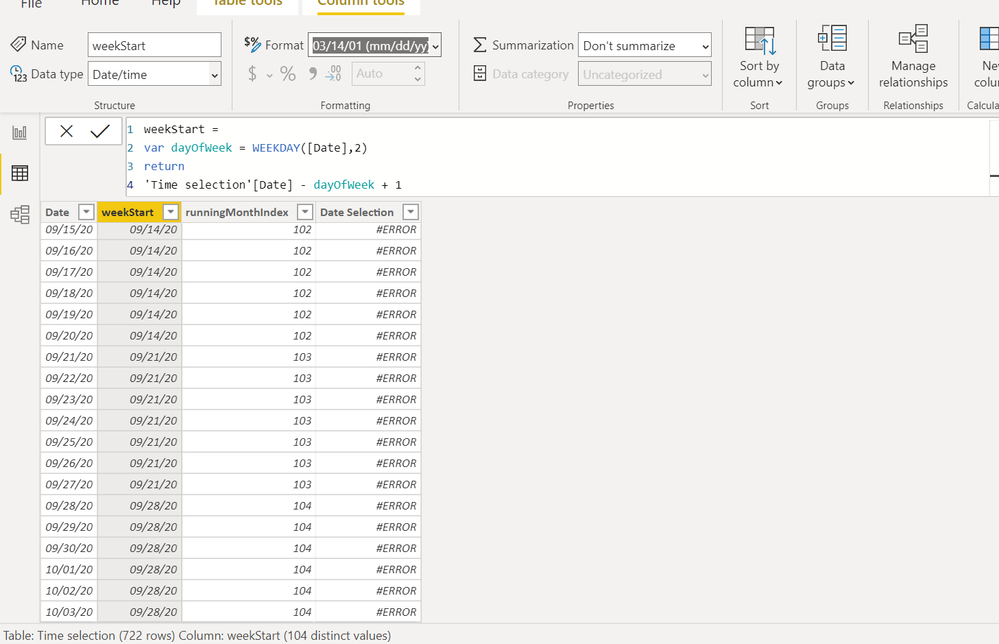
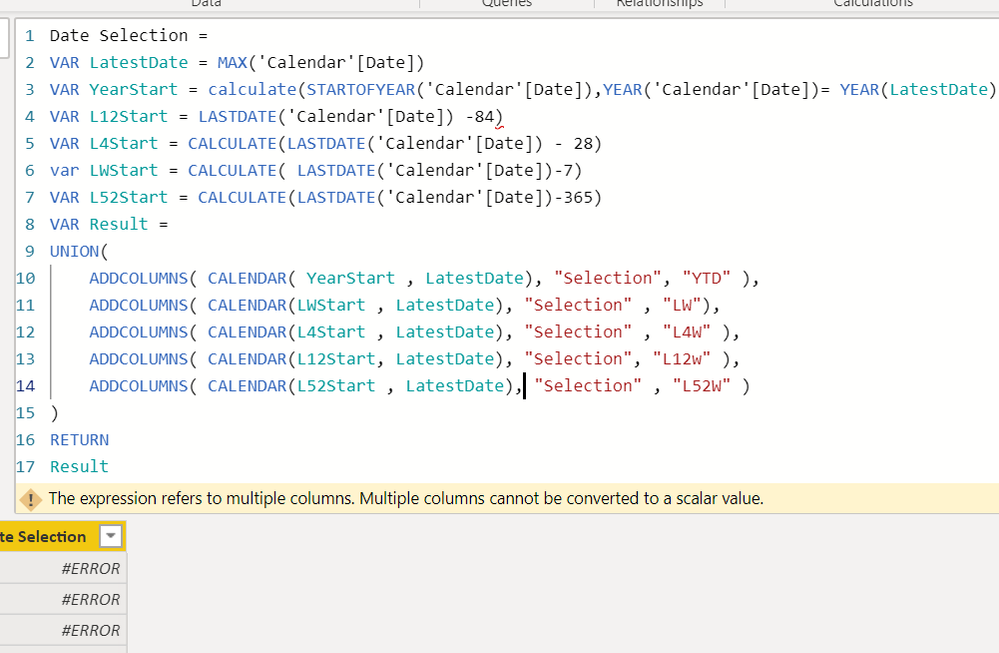
Is there a way to show Latest 4, 12, 52 and YTD time frames as a dropdown in the report view so the user can select from it ? Here's my Calendar table and the dax I'm trying to do but still not working: 


Thanks for help!


Dax picDax picCalendar dateCalendar date

2 REPLIES 2
Fowmy
Super User
Super User

@Anonymous 

The Date Selection code you showed is supposed to be a table, not a column in your date table. you need to go to Modeling Tab > New Table and Paste.

However, you can refer to the below video and adjust as per your need.

https://www.youtube.com/watch?v=AdLDYohLeJc

________________________

If my answer was helpful, please consider Accept it as the solution to help the other members find it

Click on the Thumbs-Up icon if you like this reply 🙂

YouTube  LinkedIn

Did I answer your question? Mark my post as a solution! and hit thumbs up


Subscribe and learn Power BI from these videos

Website LinkedIn PBI User Group

Anonymous
Not applicable

Thanks Fowmy. I tried the DAX in table instead of column but still showing #ERROR. Any idea how we can fix this ?

Periods Selection =
VAR LatestDate = MAX('Calendar'[Date])
VAR YearStart = calculate(STARTOFYEAR('ATLAS_Retail Sales'[Week Ending]),YEAR('ATLAS_Retail Sales'[Week Ending])= YEAR(LatestDate))
VAR L12Start = CALCULATE(LASTDATE('ATLAS_Retail Sales'[Week Ending])-84)
VAR L4Start = CALCULATE(LASTDATE('ATLAS_Retail Sales'[Week Ending])-28)
var LWStart = CALCULATE(LASTDATE('ATLAS_Retail Sales'[Week Ending])-7)
VAR L52Start = CALCULATE(LASTDATE('ATLAS_Retail Sales'[Week Ending])-365)

VAR Result =
UNION(
ADDCOLUMNS(
CALENDAR(YearStart, LatestDate),
"Selection","YTD"
),
ADDCOLUMNS(
CALENDAR(L12Start, LatestDate),
"Selection","L12"
),
ADDCOLUMNS(
CALENDAR(L4Start, LatestDate),
"Selection","L4"
),
ADDCOLUMNS(
CALENDAR(LWStart, LatestDate),
"Selection","LW"
),
ADDCOLUMNS(
CALENDAR(L52Start, LatestDate),
"Selection","L52"
)
)
RETURN
Result

Helpful resources

Announcements
Power BI DataViz World Championships

Power BI Dataviz World Championships

The Power BI Data Visualization World Championships is back! Get ahead of the game and start preparing now!

December 2025 Power BI Update Carousel

Power BI Monthly Update - December 2025

Check out the December 2025 Power BI Holiday Recap!

FabCon Atlanta 2026 carousel

FabCon Atlanta 2026

Join us at FabCon Atlanta, March 16-20, for the ultimate Fabric, Power BI, AI and SQL community-led event. Save $200 with code FABCOMM.