Join us at FabCon Atlanta from March 16 - 20, 2026, for the ultimate Fabric, Power BI, AI and SQL community-led event. Save $200 with code FABCOMM.
Register now!The Power BI Data Visualization World Championships is back! It's time to submit your entry. Live now!
I'm new to creating bookmarks and I can't seem to figure out how to go about it.
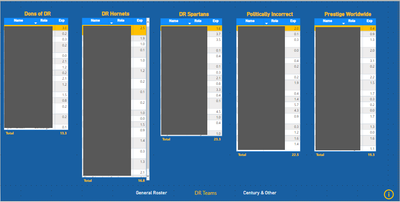
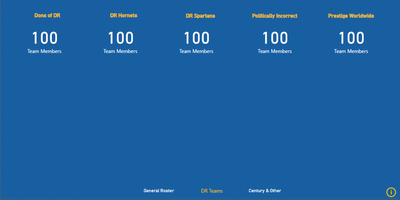
In this report, I want to display team rosters, then have the user click on the info in the bottom right, which will then blank out the tables and display the total team members on each.
Hi @Alta88 ,
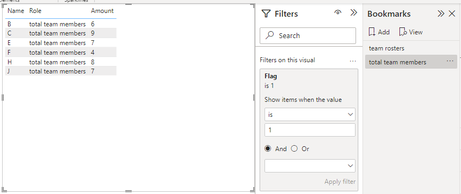
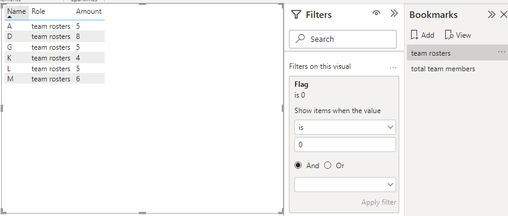
I created some data:
Here are the steps you can follow:
1. Create measure.
Flag =
IF(
MAX('Table'[Role])="total team members",1,0)
2. Place [Flag] in Filter, set is =1, and create a Bookmark.
3. Place [Flag] in Filter, set is =0, and create a Bookmark.
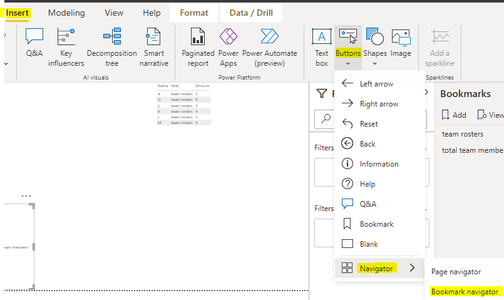
4. Insert – Button – Navigator – Bookmark bavigator.
5. Result:
If you need pbix, please click here.
Best Regards,
Liu Yang
If this post helps, then please consider Accept it as the solution to help the other members find it more quickly
I tried creating the elements to display the tables and then hide them, but then can't seem to tie in the navigation button (i) to get it toggle between views.
you cannot use buttons to toggle. You can use buttons only to enact. To toggle you need to use slicers.
OK. What have you tried and where are you stuck? Are you aware that bookmarks can be customized to cover only certain UI elements?
The Power BI Data Visualization World Championships is back! It's time to submit your entry.
Check out the January 2026 Power BI update to learn about new features.
| User | Count |
|---|---|
| 61 | |
| 49 | |
| 30 | |
| 25 | |
| 23 |
| User | Count |
|---|---|
| 128 | |
| 102 | |
| 57 | |
| 39 | |
| 31 |