
cancel
Showing results for 
Search instead for 
Did you mean: 

The Power BI Data Visualization World Championships is back! Get ahead of the game and start preparing now! Learn more

Reply
elponce
Frequent Visitor

Create a measure with if statetment to filter data

 Hello!


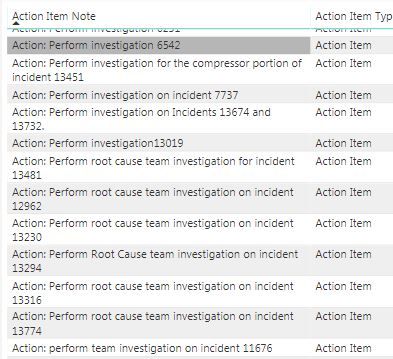
I have a column with text data, and I am trying to create a measure with an 'if' statement that I can use to filter that data in 2 categories. I am looking for rows that contain both words "investigation" and "perform", if this is true then "Investigation" otherwise "Action Item". I tried to use the formula below, but I do not fully understand how the function 'CONTAINS' or if there is a better way to do it.


Action Item Type = if(CONTAINS(AI_Open,AI_Open[Action Item Note],"perform",AI_Open[Action Item Note],"investigation"),"Investigation","Action Item")

PowerBI Sample.JPG


Thank you in adavnce for your help,


1 ACCEPTED SOLUTION
Anonymous
Not applicable

@elponce,

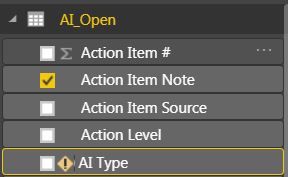
Do you right-click on your  table and select "New Column" to apply the above DAX, your formula works in my scenario.
1.JPG

Regards,

Lydia

View solution in original post

4 REPLIES 4
Vvelarde
Community Champion
Community Champion

@elponce


CONTAINS is use to compare Columns or Tables


https://msdn.microsoft.com/en-us/library/gg492183.aspx


In your case you can use FIND 


https://msdn.microsoft.com/en-us/library/ee634882.aspx


Or Search


https://msdn.microsoft.com/en-us/library/ee634235.aspx


Regards


Victor


Lima - Peru

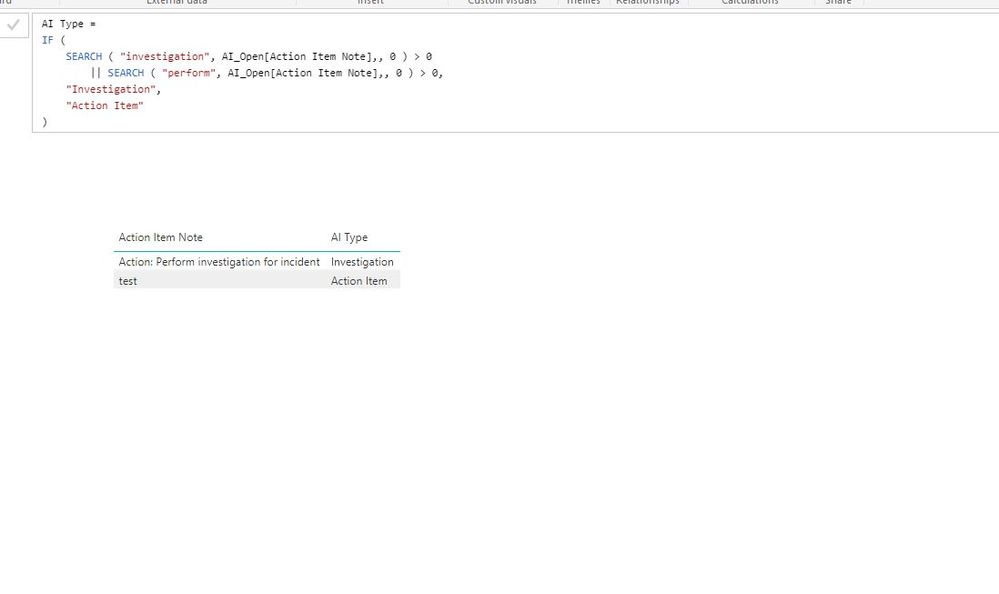
I tried using the "Search" function (see formula below), but for some reason it is not recognizing the column from the table. It is giving me the error below.


AI Type = 
IF (
    SEARCH ( "investigation", AI_Open[Action Item Note],, 0 ) > 0
        || SEARCH ( "perform", AI_Open[Action Item Note],, 0 ) > 0,
    "Investigation",
    "Action Item"
)


AI.JPGSearch Function.JPG 

Anonymous
Not applicable

@elponce,

Do you right-click on your  table and select "New Column" to apply the above DAX, your formula works in my scenario.
1.JPG

Regards,

Lydia

Lydia--


No, I did not do that. I was creating a measure and using that formula. Now it works!


Thank you for your help!


Eric

Helpful resources

Announcements
Power BI DataViz World Championships

Power BI Dataviz World Championships

The Power BI Data Visualization World Championships is back! Get ahead of the game and start preparing now!

November Power BI Update Carousel

Power BI Monthly Update - November 2025

Check out the November 2025 Power BI update to learn about new features.

FabCon Atlanta 2026 carousel

FabCon Atlanta 2026

Join us at FabCon Atlanta, March 16-20, for the ultimate Fabric, Power BI, AI and SQL community-led event. Save $200 with code FABCOMM.