cancel
Showing results for 
Search instead for 
Did you mean: 

Data Days is here! Join us now for 60+ days of learning, challenges, and connection. Learn more

Reply
Ciapek
New Member

Convert string to date, problem with format date.

Convert string to date, problem with date format .


Hi All,
I have problem with correctly convert value "string" to "date".

Step by step....
1. I have 3 columns (DAY, MONTH, YEAR) - type: TEXT.
2. I link those column to new column: "Date". My separator: "-".
3. I have new column in value:
    1-1-2018
    13-2-2018
    (...)
4. This "string" i converting to "DATE" DD.MM.RRRR

Computer 1.
Windows 10
Office 2016.
Everything working correctly. I have DD.MM.RRRR No problem.

Computer 2.
Windows 7.
Office 2010 + addition: Power Query
Date is not convert correctly. I have MM.DD.RRRR for example:
2.13.2018r. what causes error in table.
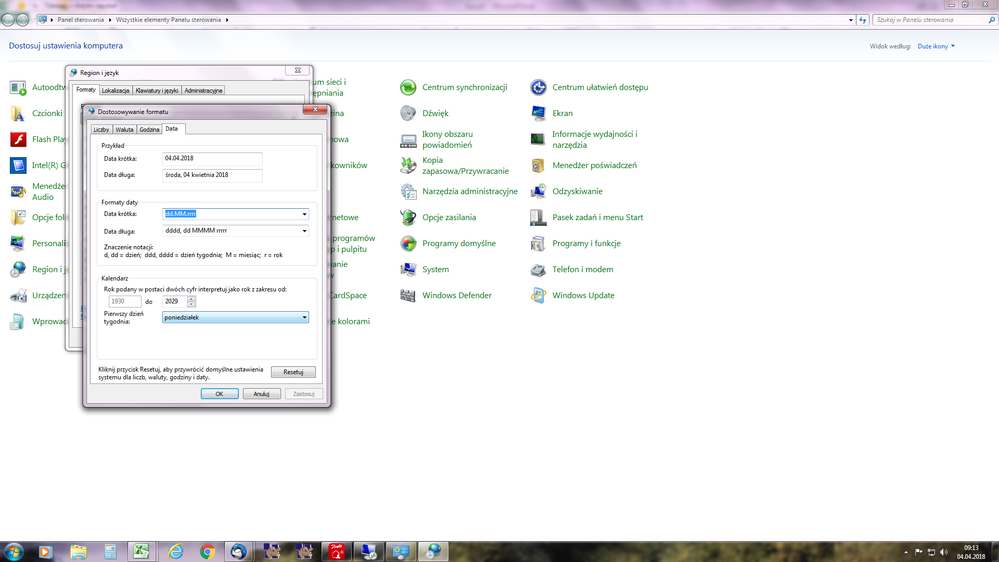
Regional setting all - the same.
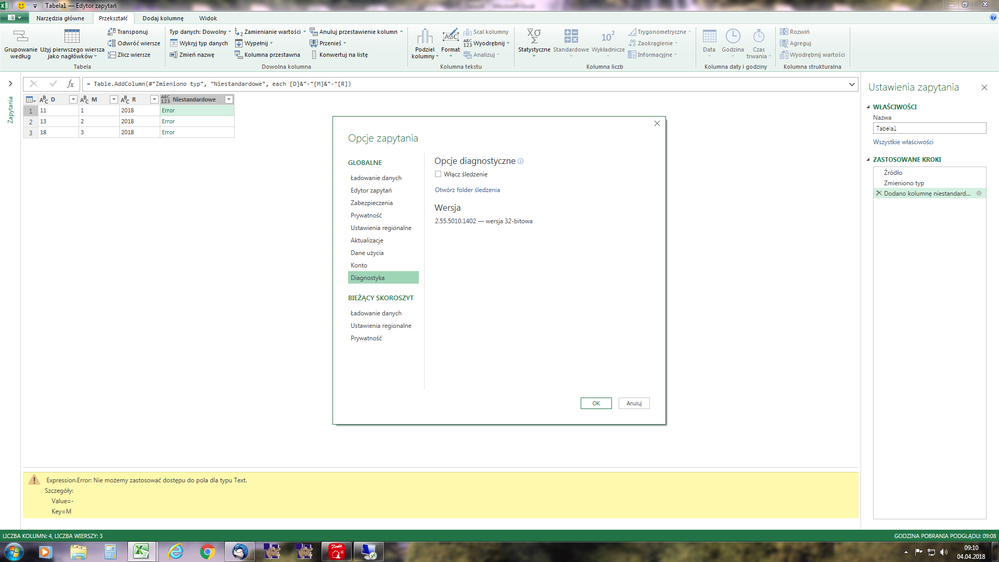
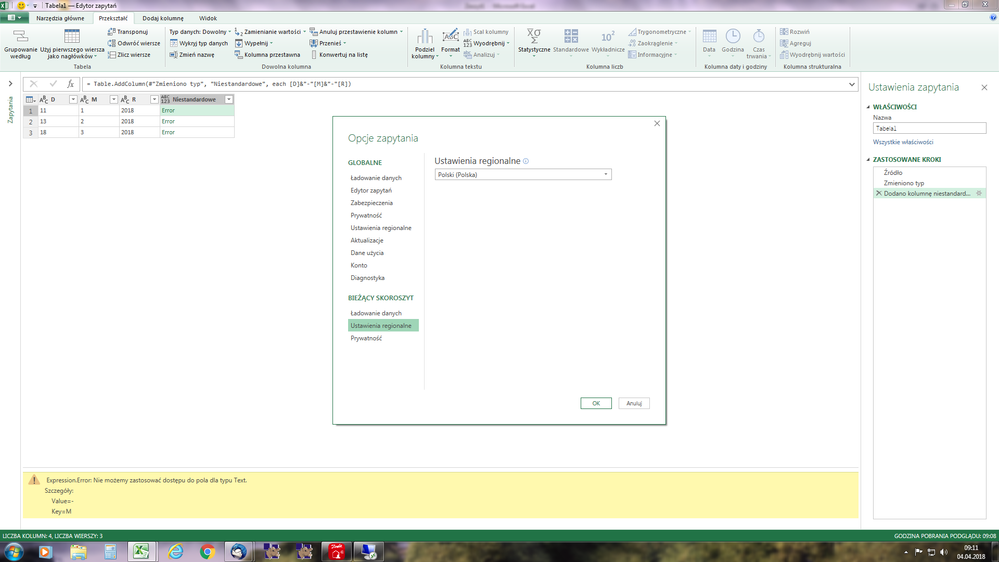
Settings Power Query - Poland (the same).
This computer using file which I did make on first machine.

What can I do?
I tryed use:
Change type => Date => Using Locale = PL
It did not help.

3 REPLIES 3
v-piga-msft
Resident Rockstar
Resident Rockstar

Hi @Ciapek,


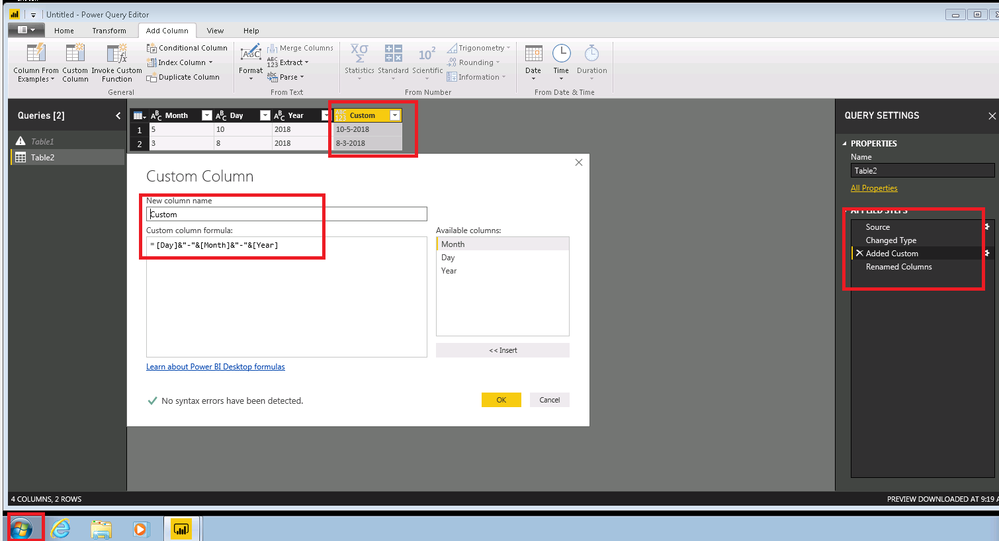
I have made a test with the Windows 7 x64 and the latest Version of Power BI Desktop(Version: 2.56.5023.1021 64-bit (March, 2018)), everything works as expected.


Untitled.png


Please check if you have change the type of "Month", Day", "Year" to Text before you Add costom column. 


Date is not convert correctly. I have MM.DD.RRRR for example
2.13.2018r. what causes error in table.


Could you pasted the details of error so that we could help further investigate on it?


In addition, you could refer to my test pbix file


Best Regards,

Cherry

Community Support Team _ Cherry Gao
If this post helps, then please consider Accept it as the solution to help the other members find it more quickly.

Hi Cherry,
Today I checked Your solution on my computer (Office 2016).
Everything working correktly. Tomorrow I will check your proposition on second computer.

It working:
=Table.AddColumn(#"Zmieniono typ1", "Niestandardowe", each [Day]&"-"&[Month]&"-"&[Year])


But solution for example below on second computer not working.
= Table.CombineColumns(#"Zmieniono typ2",{"Day", "Month", "Year"},Combiner.CombineTextByDelimiter("-", QuoteStyle.None),"Niestandardowe")

Returns date in format: MM-DD-YYYY

Note, I have using the same columns for each question.
Column order with both questions is the same.
[Day] [Month] [Year]
But I have different results :-(.
I thinking why?


I willl let You know.

Thank You for Your help:-)

Today I tried your solution.
1. Works correctly on my computer.
2. Not works on second computer.
The problem there is  when I makes convert string to date.
The regional setting are the same on both computers.


My temporary solution is changing places numbers in string...
I connects the chain: [M]&"-"&[D]&"-"&[Y]
And i have correctly date.


4.png


1.png2.png3.png

Helpful resources

Announcements
Fabric Data Days is here Carousel

Fabric Data Days 2026

Don't miss out on Data Days, June 15 through August 7. Learn Fabric, Power BI, SQL, AI and more.

May Power BI Update Carousel

Power BI Monthly Update - May 2026

Check out the May 2026 Power BI update to learn about new features.

Power BI DataViz World Championships carousel

Power BI DataViz World Championships - June 2026

A new Power BI DataViz World Championship is coming this June! Don't miss out on submitting your entry.