cancel
Showing results for 
Search instead for 
Did you mean: 

Join the FabCon + SQLCon recap series. Up next: Power BI, Real-Time Intelligence, IQ and AI, and Data Factory take center stage. All sessions are available on-demand after the live show. Register now

Reply
WillemC
Resolver I
Resolver I

Connect to InterBase database

I got an Interbase server on a VMware.

On my local machine, I created a System-DSN, connecting to the Interbase database through the InterBase ODBC driver.

The ODBC connection is succesful.


Next I'm trying to connect to this InterBase in Power BI.

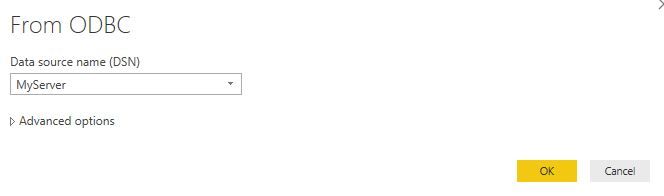
I'm selecting Get Data --> Other --> ODBC --> select my Data source name (DSN)

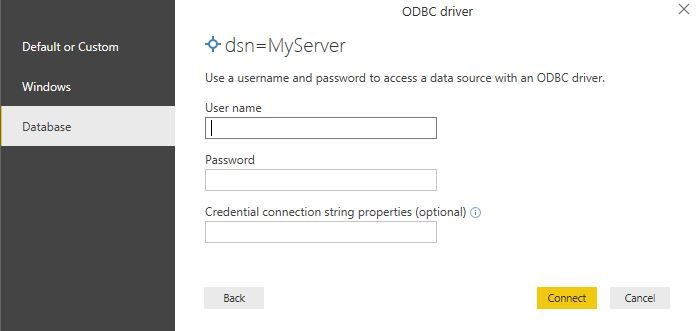
Next I'm asked for the credentials, so I filled these out.

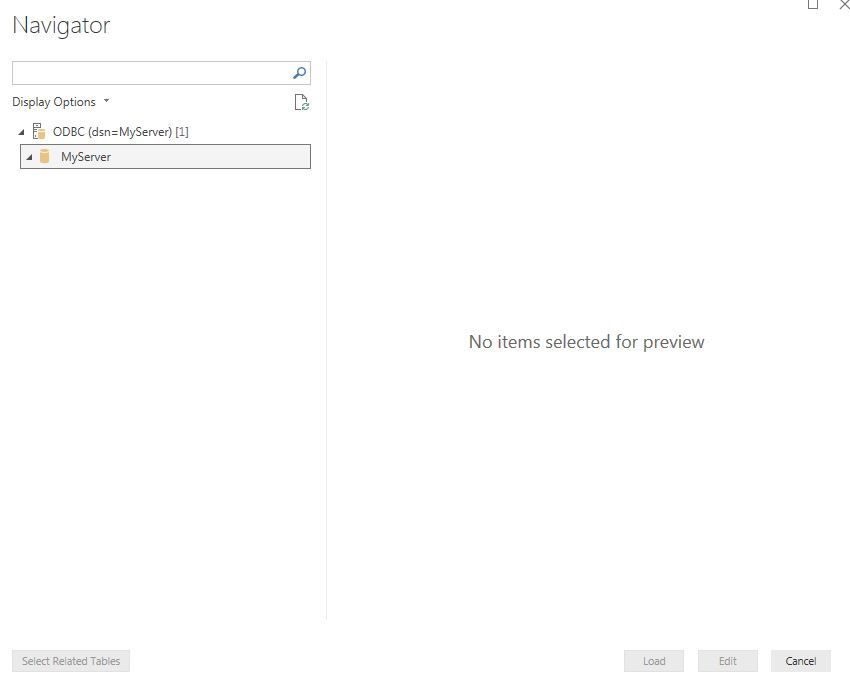
Then the Navigator Pane shows up.

I see ODBC (dsn=myserver)[1] --> MyServer but nothing underneath it.


If I right click on MyServer and select 'load' then three fields are loaded. e.g. Description, Kind, Name

Can Power Bi succesful create to a Interbase database? Or am I doing something wrong?

I don't have any experience with InterBase databases, so perhaps I'm doing something wrong.


odbc1.JPG


 odbc2.JPG


odbc3.JPG

1 ACCEPTED SOLUTION

Today I did an different approach.

In my SQL Server I've attached the InterBase database as a Linked Server.

So I create some views in another database in SQL server, and then connect PowerBI to this SQL server.


I think that this is giving me a more stable and powerfull solution.

I can combine different databases more easily and SQL server shows the table structure better (since PowerBi doesn't show the tables from the interbase at all).

View solution in original post

5 REPLIES 5
v-ljerr-msft
Microsoft Employee
Microsoft Employee

Hi @WillemC,


Can Power Bi succesful create to a Interbase database? Or am I doing something wrong?

I don't have any experience with InterBase databases, so perhaps I'm doing something wrong.


According to your description above, Power BI has connected to your InterBase through the ODBC driver successfully without any error. As there is no any data returned to Power BI, there could be some configuration issue on the source side. I would suggest you also post this issue on the InterBase forum or ODBC forum for better assistance on it. Smiley Happy


Regards

Hello @v-ljerr-msft,


Thank you for your reply.

I fixed the problem in some sort of way.


In IBConsole I also added the server and database and made sure it connected there.

Then, when I create a select * from table in Power BI, the results pop up.

For some reason, when I leave the query field empty, I still don't get an overview from the available tables like it would when I connect to a sql server.


Don't know if this is standard behaviour when you connect through ODBC, or that this is a flaw in Power BI?

Hi @WillemC,


Great to hear the problem got fixed!


Based on my understanding, the behavior could vary when connecting through different ODBC drivers, as different drivers may not work in the same manner(like ODBC Driver for SQL Server and ODBC Driver for InterBase in this case). Smiley Happy


Regards

Today I did an different approach.

In my SQL Server I've attached the InterBase database as a Linked Server.

So I create some views in another database in SQL server, and then connect PowerBI to this SQL server.


I think that this is giving me a more stable and powerfull solution.

I can combine different databases more easily and SQL server shows the table structure better (since PowerBi doesn't show the tables from the interbase at all).

buenas noches puedes hacer un video de como conectar 

InterBase y power bi por favor jdario6@hotmail.com 

Helpful resources

Announcements
April Power BI Update Carousel

Power BI Monthly Update - April 2026

Check out the April 2026 Power BI update to learn about new features.

New to Fabric survey Carousel

New to Fabric Survey

If you have recently started exploring Fabric, we'd love to hear how it's going. Your feedback can help with product improvements.

Power BI DataViz World Championships carousel

Power BI DataViz World Championships - June 2026

A new Power BI DataViz World Championship is coming this June! Don't miss out on submitting your entry.

FabCon and SQLCon Highlights Carousel

FabCon &SQLCon Highlights

Experience the highlights from FabCon & SQLCon, available live and on-demand starting April 14th.