Learn from the best! Meet the four finalists headed to the FINALS of the Power BI Dataviz World Championships! Register now
Hi,
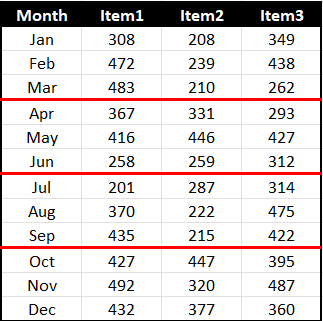
I have a matrix visual with Months (Jan-Dec) as rows. I need to reformat the horizontal line after each quarter like you see in "Red" below. Any help is appreciated.
Solved! Go to Solution.
@rastewu , I doubt there is an option for that. Log an idea -https://ideas.powerbi.com/ideas/
Or add Qtr on row (Expand- Should have both Qtr and month visible) and Switch off stepped layout, that will give a different look
Hi @rastewu ,
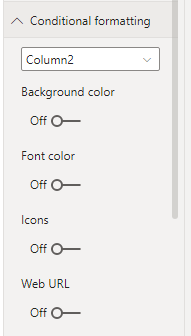
The conditional formatting is not supported to format the horizontal line currently.
Do you consider to format the background color for different quarters?
If so you could create a measure to mark month as 1-12 and then manage the conditional formatting through this measure.
Best Regards,
Jay
Hi @rastewu ,
The conditional formatting is not supported to format the horizontal line currently.
Do you consider to format the background color for different quarters?
If so you could create a measure to mark month as 1-12 and then manage the conditional formatting through this measure.
Best Regards,
Jay
@rastewu , I doubt there is an option for that. Log an idea -https://ideas.powerbi.com/ideas/
Or add Qtr on row (Expand- Should have both Qtr and month visible) and Switch off stepped layout, that will give a different look
| User | Count |
|---|---|
| 57 | |
| 44 | |
| 32 | |
| 16 | |
| 14 |
| User | Count |
|---|---|
| 84 | |
| 70 | |
| 38 | |
| 27 | |
| 24 |