Get certified for free when you join Fabric Data Days 2026 and dive into Fabric, Power BI, SQL, AI, and other essential data skills.
Join nowTry your skills in the Power BI Dataviz World Championship! Round one ends June 26. Join now
Good day all!
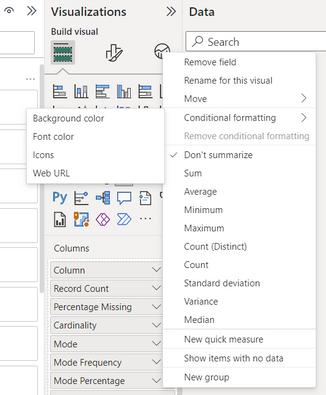
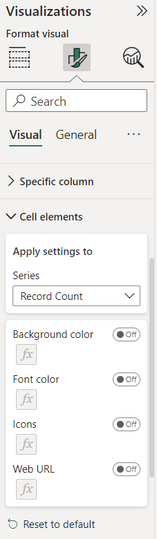
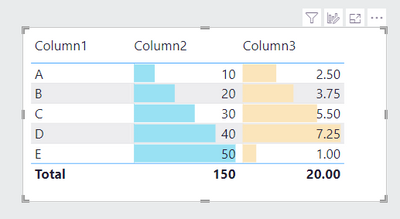
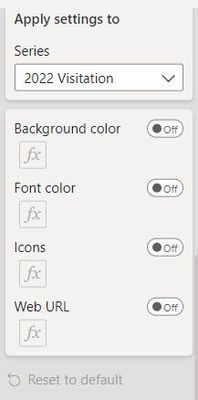
I want to add conditional formatting to my table visual in Desktop, but for some reason there is no option for data bars? The fields I've tested are all whole numbers and/or decimal numbers. I also tried going via the "Cell elements" option under visual formatting, but no luck. What am I missing?
I am using Desktop Version: 2.114.803.0 64-bit (February 2023)
Any tips or guidance will be much appreciated!
Solved! Go to Solution.
Hi Arul
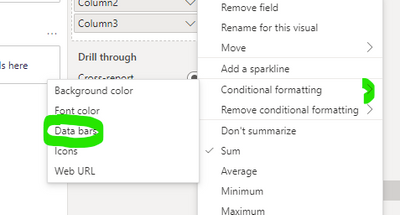
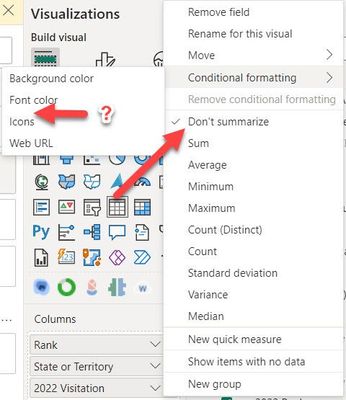
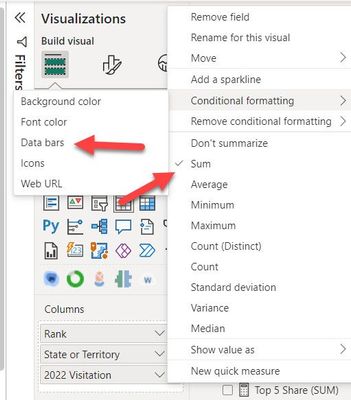
While creating an example for you, I found that the field has to be aggregated for data bars to be an option under conditional formatting:
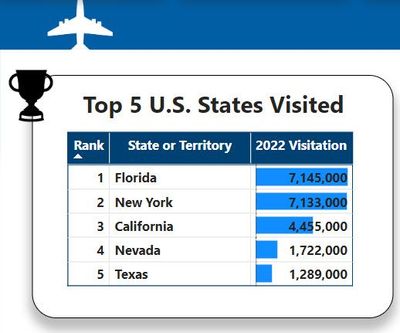
However, after switching to aggregated values and adding the data bars, I removed the aggregation and the data bars remained. Guess that's a workaround.
Thank you for your interest!
Hi @Terp - no problem, I am happy to help! Hoping others will also post their solutions ๐
For what field in the list are you looking for? Can you also share the datatype of that particular field?
Thanks,
Arul
Hi Arul
While creating an example for you, I found that the field has to be aggregated for data bars to be an option under conditional formatting:
However, after switching to aggregated values and adding the data bars, I removed the aggregation and the data bars remained. Guess that's a workaround.
Thank you for your interest!
Bless you! I struggled to find a solution and hoped they didn't remove 'data bars' in columns when everything was rearranged/restructured in the core...went column to column to ensure everything was set to 'SUM' in my data table, but for whatever reason, at the visual/element level, it still showed as don't summarize...toggeled it and voila...data bars were back. ๐
Thank you. Thank you. Thank you. I would have never dug into this and found a solution, but for your post. Thanks again!
Missing bars:
โ
Toggled SUM and the world was good again:
โ
โ
Don't miss out on Data Days, June 15 through August 7. Learn Fabric, Power BI, SQL, AI and more.
Check out the May 2026 Power BI update to learn about new features.
| User | Count |
|---|---|
| 22 | |
| 22 | |
| 21 | |
| 20 | |
| 12 |
| User | Count |
|---|---|
| 58 | |
| 55 | |
| 41 | |
| 36 | |
| 35 |