Join us at FabCon Atlanta from March 16 - 20, 2026, for the ultimate Fabric, Power BI, AI and SQL community-led event. Save $200 with code FABCOMM.
Register now!The Power BI Data Visualization World Championships is back! Get ahead of the game and start preparing now! Learn more
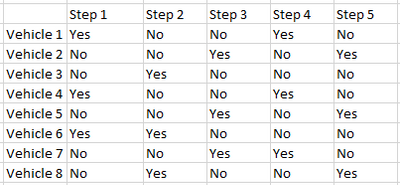
I am trying to shade the background color Red on any cells in a table that contain the text value = "No" and green for any values = "Yes".
Is there a simple way to do this with a single expression that will apply to all cell values?
Solved! Go to Solution.
Hi @stuross1129,
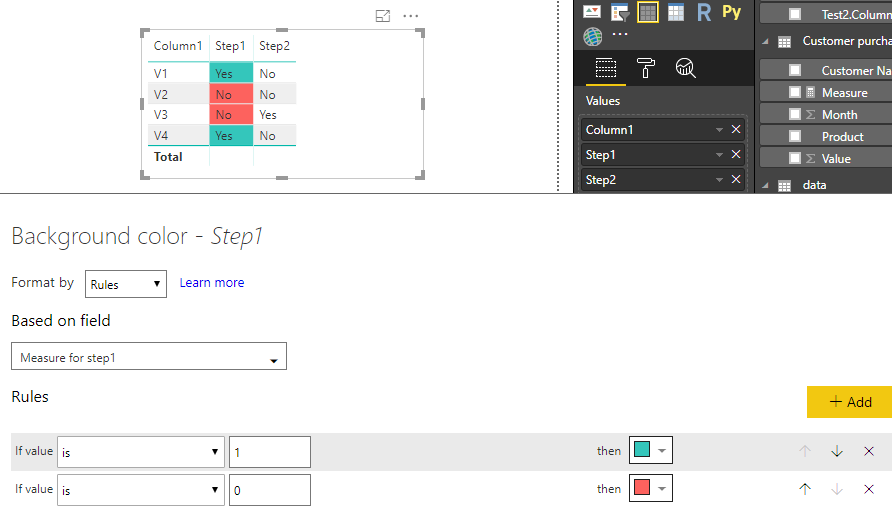
If you use a Table visual to show data, you have to set conditional background colors for each column one by one. For example, to set conditional formatting for Step1, please create a measure first. If you have N columns, then, you need N mesaures.
Measure for step1 = IF(SELECTEDVALUE(Table2[Step1])="Yes",1,0)
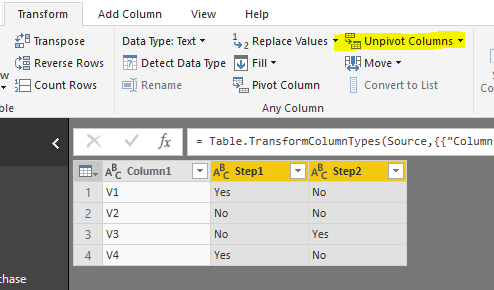
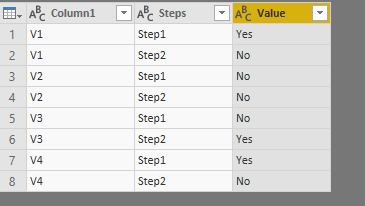
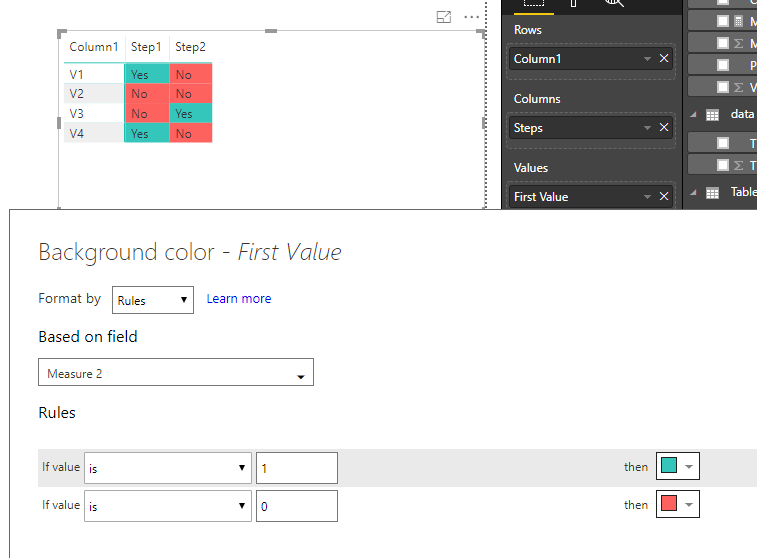
As a workaround, you can unpivot table first in Query Editor mode, then, use a Matrix to analyse data.
Measure 2 = IF(SELECTEDVALUE('Table2 (2)'[Value])="Yes",1,0)
Best regards,
Yuliana Gu
Hi @stuross1129,
If you use a Table visual to show data, you have to set conditional background colors for each column one by one. For example, to set conditional formatting for Step1, please create a measure first. If you have N columns, then, you need N mesaures.
Measure for step1 = IF(SELECTEDVALUE(Table2[Step1])="Yes",1,0)
As a workaround, you can unpivot table first in Query Editor mode, then, use a Matrix to analyse data.
Measure 2 = IF(SELECTEDVALUE('Table2 (2)'[Value])="Yes",1,0)
Best regards,
Yuliana Gu
The Power BI Data Visualization World Championships is back! Get ahead of the game and start preparing now!
| User | Count |
|---|---|
| 67 | |
| 45 | |
| 43 | |
| 36 | |
| 23 |
| User | Count |
|---|---|
| 191 | |
| 127 | |
| 106 | |
| 78 | |
| 53 |