Learn from the best! Meet the four finalists headed to the FINALS of the Power BI Dataviz World Championships! Register now
Hi all,
I've been working with conditional column where I needed to put some values (please refer to the screen); is there any way I can set the value with range ie. 1-6 rather than 1,2,3,4,5,6?
Thanks,
K3
Solved! Go to Solution.
Hi @k3rz0rg,
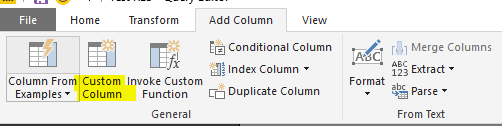
You can add a custom column referring to below M code:
=if [Attribute] >= 1 and [Attribute] <= 6 then "Value1" else if [Attribute] > 6 and [Attribute] <= 10 then "Value2" else "Value3"
Best regards,
Yuliana Gu
Hi @k3rz0rg,
You can add a custom column referring to below M code:
=if [Attribute] >= 1 and [Attribute] <= 6 then "Value1" else if [Attribute] > 6 and [Attribute] <= 10 then "Value2" else "Value3"
Best regards,
Yuliana Gu
Thank you for the input, let me try that! I have a feeling that this might work in my case as well.
A new Power BI DataViz World Championship is coming this June! Don't miss out on submitting your entry.
Share feedback directly with Fabric product managers, participate in targeted research studies and influence the Fabric roadmap.
| User | Count |
|---|---|
| 47 | |
| 35 | |
| 28 | |
| 17 | |
| 16 |
| User | Count |
|---|---|
| 59 | |
| 57 | |
| 40 | |
| 22 | |
| 20 |