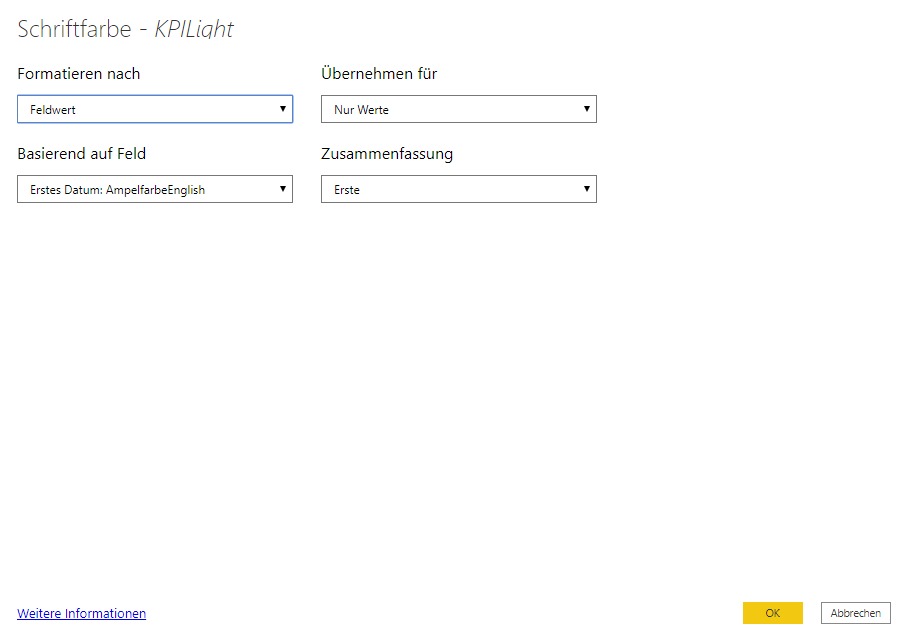
@Anonymous , Not very clear. You can create a color measure and use that is conditional formatting with "Field Value" option
examples
Colour =
SWITCH(TRUE(),
max('Table'[Month Year]) = "Jan-2020", "red",
Max('Table'[Month Year]) < "Feb-2020", "orange",
//keep on adding
"green")

Measure =
Switch(true(),
max(Table[Column]) = "R1" , "Red" ,
max(Table[Column]) = "R2" , "Green" ,
max(Table[Column]) = "R3" , "Pink "
)

Color sales = if(AVERAGE(Sales[Sales Amount])<170,"green","red")
Color Year = if(FIRSTNONBLANK('Table'[Year],2014) <=2016,"lightgreen",if(FIRSTNONBLANK('Table'[Year],2014)>2018,"red","yellow"))

Color  = if(FIRSTNONBLANK('Table'[Year],2014) <=2016 && AVERAGE(Sales[Sales Amount])<170
,"lightgreen",if(FIRSTNONBLANK('Table'[Year],2014)>2018,"red","yellow"))
Color sales = if([Sales Today] -[sales yesterday]>0,"green","red")

color =
switch ( true(),
FIRSTNONBLANK('Table'[commodity],"NA") ="commodity1" && sum('Table'[Value]) >500,"lightgreen",
FIRSTNONBLANK('Table'[commodity],"NA") ="commodity2" && sum('Table'[Value]) >1000,"lightgreen",
// Add more conditions
"red"
)
Refer these for steps: https://radacad.com/dax-and-conditional-formatting-better-together-find-the-biggest-and-smallest-numbers-in-the-column
https://docs.microsoft.com/en-us/power-bi/desktop-conditional-table-formatting#color-by-color-values
Share with Power BI Enthusiasts: Full Power BI Video (20 Hours)
YouTube Microsoft Fabric Series 60+ Videos
YouTube Microsoft Fabric Hindi End to End
YouTube