cancel
Showing results for 
Search instead for 
Did you mean: 

Learn from the best! Meet the four finalists headed to the FINALS of the Power BI Dataviz World Championships! Register now

Reply
Anonymous
Not applicable

Conditional Formatting using SSAS Multidimensional as a Live Data Source

Hi all,


I am currently encountering a problem where conditional formatting does not seem to work.


Data source: SSAS 2016 Multidimensional cube

Connection type: Live (direct)

Power BI Desktop (Aug 2018 version)


Basically, I want to make negative values to have red coloured font, and postive values to have green font using table visual.

When I go to Conditional Formatting > Font Color, I choose "Format By" = Rules and set the conditions, but it does not work.

The colour did not change.


Is this a limitation of using SSAS MD Live connection?

Any ideas how I can make the conditional formatting work in this case?


Thanks


5 REPLIES 5
Anonymous
Not applicable

HI @Anonymous,


AFAIK, If you use multidimensional data source with live connection mode, it not support to create measure to enable conditional formatting features.

Connect to SSAS Multidimensional Models in Power BI Desktop


Regards,

Xiaoxin Sheng

Anonymous
Not applicable

I dont plan to create a new measure, but using the fields from the cube directly and want to format the font color, but it does not seem to work either.


Limitation or I just dont know how to do it..

Anonymous
Not applicable

Hi @Anonymous,


>>I dont plan to create a new measure, but using the fields from the cube directly and want to format the font color, but it does not seem to work either.

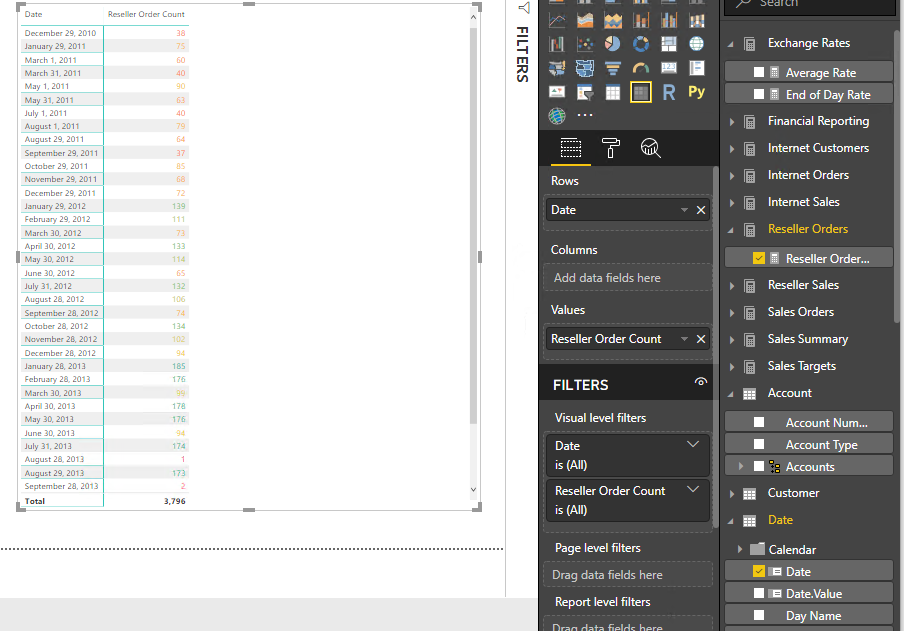
In fact, I can setup conditional formatting on existed fields from SSAS live connection datasource. 

17.png


Regards,

Xiaoxin Sheng

Anonymous
Not applicable

Ah yes, I noticed this - the conditional formatting works for detailed data points only, not including the Total value.

In my case, I just want to show the Total, but the conditional formatting does not work.


Btw, I just want to show the Total as a workaround because Card visual does not have Conditional Formatting at all.

Anonymous
Not applicable

Hi @Anonymous,


AFAIK, current full conditional formatting features only works on table and matrix. Some of charts allow you to setup advanced color control on data color option to achieve similar bar color conditional formatting.


For enable conditional formatting on specific level, I think you need to add condition to check current level and set up result color on specific summarize level, other result replace to normal color.


Regards,

Xiaoxin Sheng

Helpful resources

Announcements
New to Fabric survey Carousel

New to Fabric Survey

If you have recently started exploring Fabric, we'd love to hear how it's going. Your feedback can help with product improvements.

Power BI DataViz World Championships carousel

Power BI DataViz World Championships - June 2026

A new Power BI DataViz World Championship is coming this June! Don't miss out on submitting your entry.

Join our Fabric User Panel

Join our Fabric User Panel

Share feedback directly with Fabric product managers, participate in targeted research studies and influence the Fabric roadmap.

March Power BI Update Carousel

Power BI Community Update - March 2026

Check out the March 2026 Power BI update to learn about new features.