This time we’re going bigger than ever. Fabric, Power BI, SQL, AI and more. We're covering it all. You won't want to miss it.
Learn moreLevel up your Power BI skills this month - build one visual each week and tell better stories with data! Get started
Hello,
I am trying to highlight certifications that will expire in the next 30 days. In my data I have an expiration date on the certification. Once I got the data in I couldn't find a way to dynamically use todays date to find certifications expiring in the next 30 days, so I created a column in the "Power Query Editor" to calculate the days remaining. The formula for that is below:
[Expiration Date]-DateTime.LocalNow()
However, this would not work in the Reports area. The data comes back as something like 403.10:14:09.9422851 so it makes sense that PowerBI can't see this as a number. I tried several variants to get just the days portion of the result, but I didn't find any formula options to get that for me. Finally I decided to use the Split Column step to parse out the days into a separate column. Now I can see the days remaining, but conditional formatting still will not work.
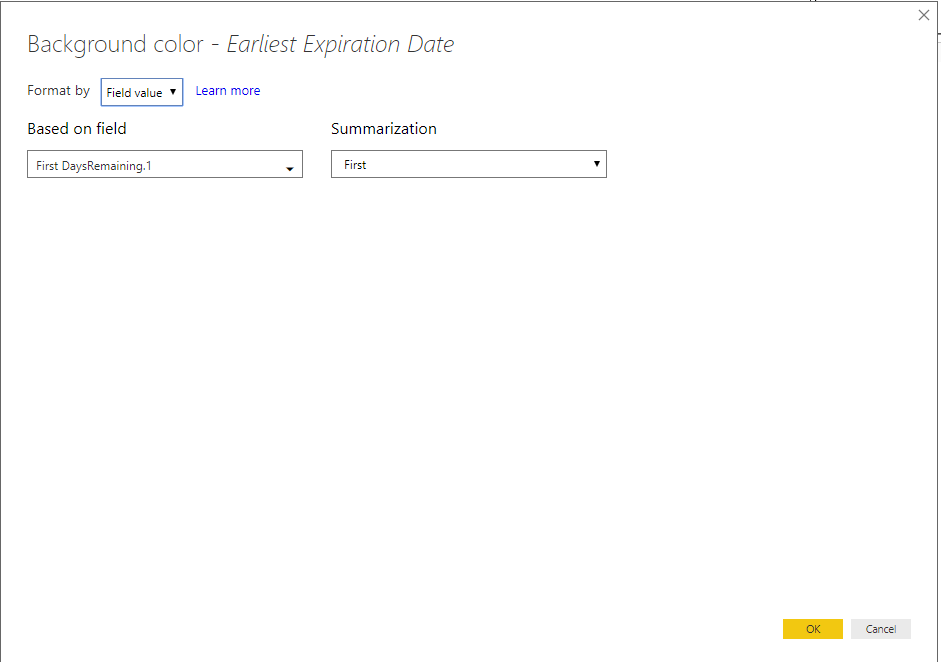
In the conditional formatting screen I see "Count of DaysRemaining.1" in the "Based on field" and "Count" in the "Summarization". If I change the Format by to Field value then the screen blanks out and I have no color options or filter options.
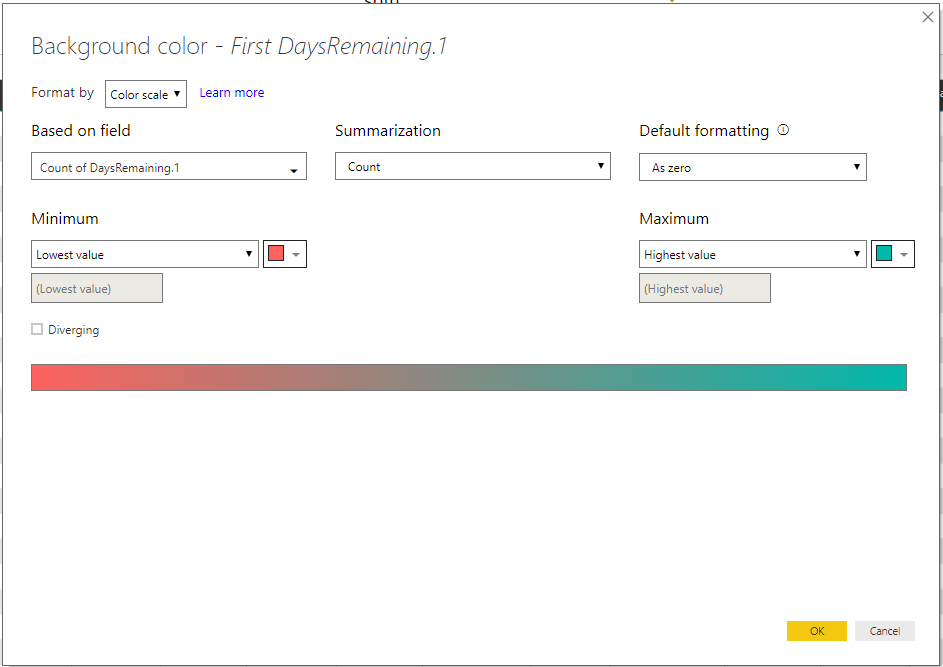
So my questions are:
1. How am I supposed to use conditional formatting with a date field and why don't I see the background color option on "Field value"?
2. How am I supposed to parse the days out for the RemainingDays on certifications? I assume my method of parsing is causing the problems, but I haven't found the right formula to use in the "Power Query Editor"
Thanks,
Eric
Solved! Go to Solution.
Hi @esammann,
Please create such a measure:
flag = DATEDIFF(TODAY(),SELECTEDVALUE(Table1[Expiration Date]),DAY)
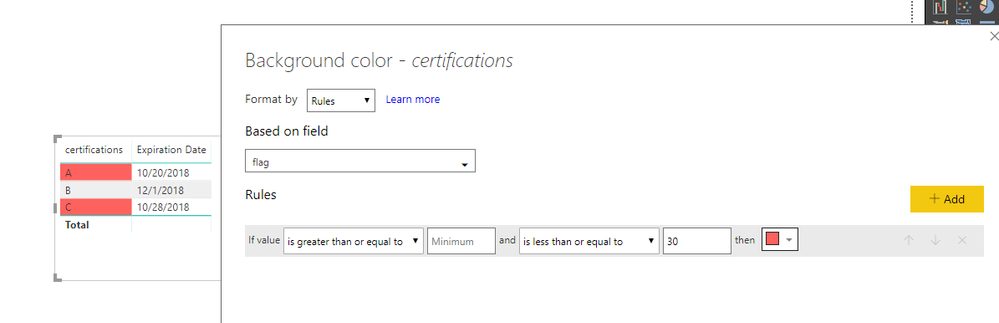
Then, set conditional formatting for certifications as below:
Best regards,
Yuliana Gu
Hello Yuliana,
Thank you for the reply. I managed to get it going a different way though. After parsing apart the days portion of the date I highlighted the DaysRemaining column, clicked the Transform tab, and then under Data Type I selected Whole Number. Now the formatting works because before it was being seen as text.
Thanks again!
Eric
Hi @esammann,
Please create such a measure:
flag = DATEDIFF(TODAY(),SELECTEDVALUE(Table1[Expiration Date]),DAY)
Then, set conditional formatting for certifications as below:
Best regards,
Yuliana Gu
Hello Yuliana,
Thank you for the reply. I managed to get it going a different way though. After parsing apart the days portion of the date I highlighted the DaysRemaining column, clicked the Transform tab, and then under Data Type I selected Whole Number. Now the formatting works because before it was being seen as text.
Thanks again!
Eric
Check out the April 2026 Power BI update to learn about new features.
Sign up to receive a private message when registration opens and key events begin.
If you have recently started exploring Fabric, we'd love to hear how it's going. Your feedback can help with product improvements.
| User | Count |
|---|---|
| 30 | |
| 23 | |
| 22 | |
| 16 | |
| 15 |
| User | Count |
|---|---|
| 60 | |
| 35 | |
| 28 | |
| 22 | |
| 21 |