We've captured the moments from FabCon & SQLCon that everyone is talking about, and we are bringing them to the community, live and on-demand. Starts on April 14th. Register now
Hi all
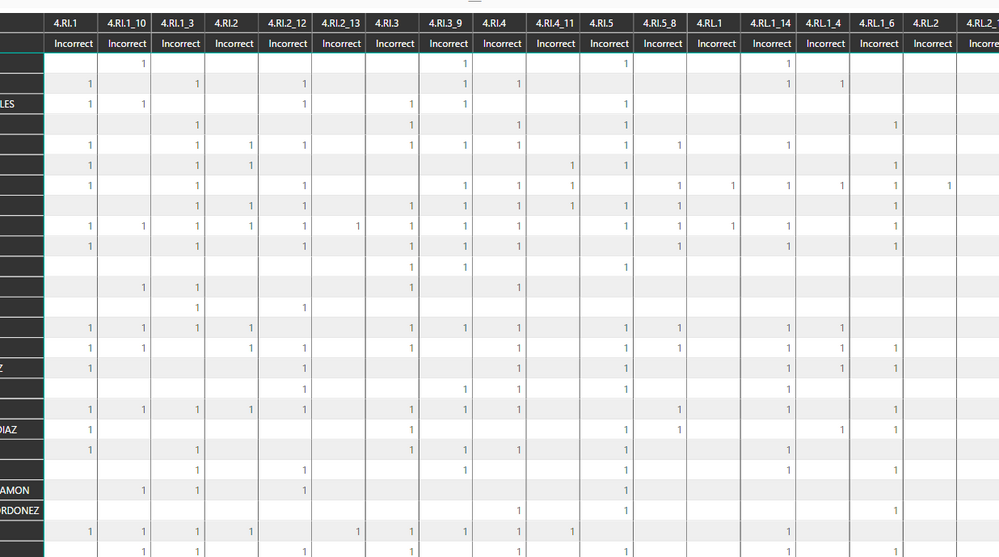
I see you can use Conditional formatting in a matrix grid now!!
Only issue for me now is how to get it to do what I need. I have a grid and want to color code eavery Number 1 with a green background. Issue is I can't work out how to do it. Anyone able to point me the right way?
Solved! Go to Solution.
This post shows how to do conditional formatting in matrix
https://community.powerbi.com/t5/Desktop/Matrix-Conditional-Formatting/td-p/131517
This feature came out in the novemeber update
https://powerbi.microsoft.com/en-us/blog/power-bi-desktop-november-feature-summary/
This post shows how to do conditional formatting in matrix
https://community.powerbi.com/t5/Desktop/Matrix-Conditional-Formatting/td-p/131517
This feature came out in the novemeber update
https://powerbi.microsoft.com/en-us/blog/power-bi-desktop-november-feature-summary/
Thanks so much, thats totally sorted me out Amazing!
If you have recently started exploring Fabric, we'd love to hear how it's going. Your feedback can help with product improvements.
A new Power BI DataViz World Championship is coming this June! Don't miss out on submitting your entry.
Share feedback directly with Fabric product managers, participate in targeted research studies and influence the Fabric roadmap.
| User | Count |
|---|---|
| 53 | |
| 38 | |
| 33 | |
| 17 | |
| 17 |
| User | Count |
|---|---|
| 67 | |
| 63 | |
| 38 | |
| 34 | |
| 22 |