Join us at FabCon Atlanta from March 16 - 20, 2026, for the ultimate Fabric, Power BI, AI and SQL community-led event. Save $200 with code FABCOMM.
Register now!The Power BI Data Visualization World Championships is back! Get ahead of the game and start preparing now! Learn more
Hi all
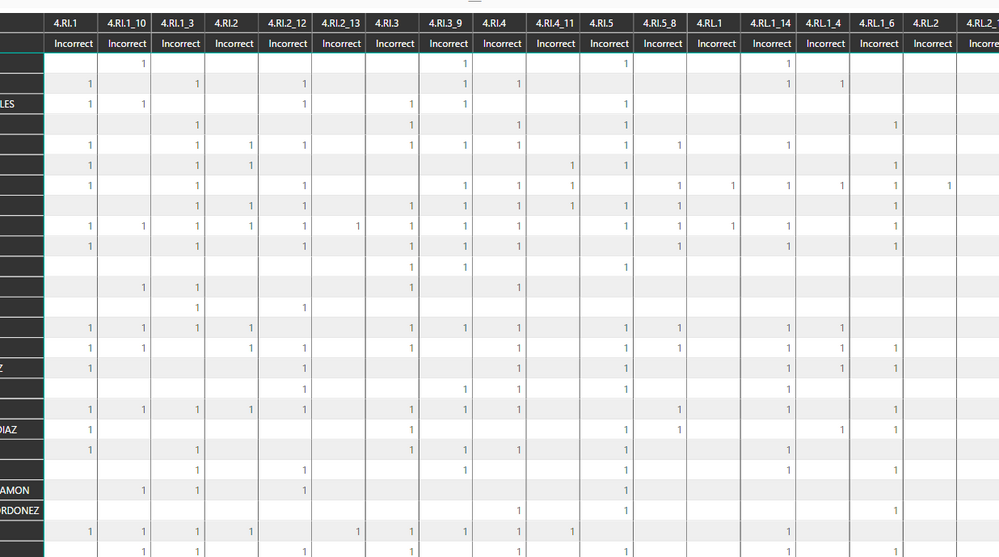
I see you can use Conditional formatting in a matrix grid now!!
Only issue for me now is how to get it to do what I need. I have a grid and want to color code eavery Number 1 with a green background. Issue is I can't work out how to do it. Anyone able to point me the right way?
Solved! Go to Solution.
This post shows how to do conditional formatting in matrix
https://community.powerbi.com/t5/Desktop/Matrix-Conditional-Formatting/td-p/131517
This feature came out in the novemeber update
https://powerbi.microsoft.com/en-us/blog/power-bi-desktop-november-feature-summary/
This post shows how to do conditional formatting in matrix
https://community.powerbi.com/t5/Desktop/Matrix-Conditional-Formatting/td-p/131517
This feature came out in the novemeber update
https://powerbi.microsoft.com/en-us/blog/power-bi-desktop-november-feature-summary/
Thanks so much, thats totally sorted me out Amazing!
The Power BI Data Visualization World Championships is back! Get ahead of the game and start preparing now!
| User | Count |
|---|---|
| 67 | |
| 45 | |
| 41 | |
| 36 | |
| 23 |
| User | Count |
|---|---|
| 191 | |
| 127 | |
| 106 | |
| 78 | |
| 53 |