Join us at FabCon Atlanta from March 16 - 20, 2026, for the ultimate Fabric, Power BI, AI and SQL community-led event. Save $200 with code FABCOMM.
Register now!The Power BI Data Visualization World Championships is back! It's time to submit your entry. Live now!
Hi,
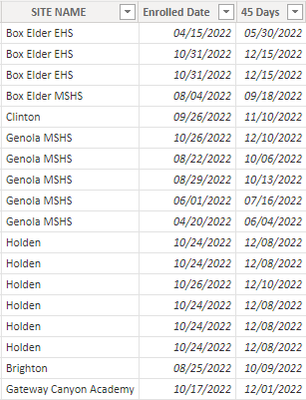
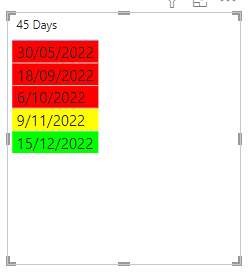
I have a table with a column of dates that I want to format based on when the date is. If the date is more than 2 weeks away I want it to be green, if it is is within 2 weeks of today I want it to be yellow, and if it is today or past today I want it to be red. It is a calculated column based on the date someone enrolled, and the entire table is a calculated table For instance the column that says 45 days - if the date is 12/15 I want it to be green, if the date is 11/9 I want it to be yellow, and if the date is 5/30 I want it to be red. Can someone help me do this?
Solved! Go to Solution.
Hi @Anonymous
Download PBIX file with the example below
Create a measure like this to determine the color for each date
CF =
VAR _today = TODAY()
RETURN
SWITCH( TRUE(),
SELECTEDVALUE('DataTable'[45 Days]) > _today + 14, "#0F0",
SELECTEDVALUE('DataTable'[45 Days]) > _today, "#FF0",
"#F00"
)
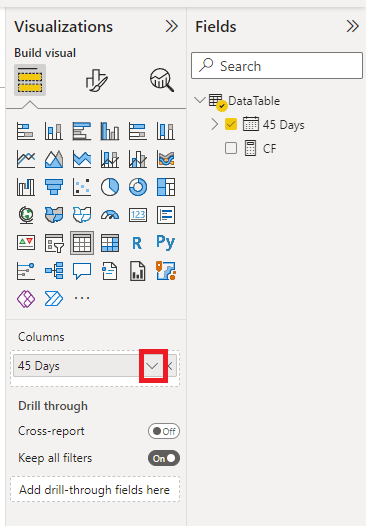
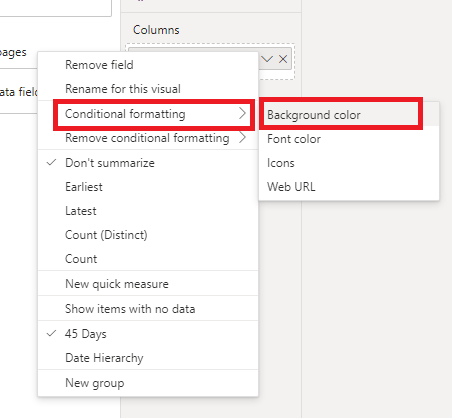
Then add a Conditional Formatting rule to the 45 days column and apply the CF rule just created
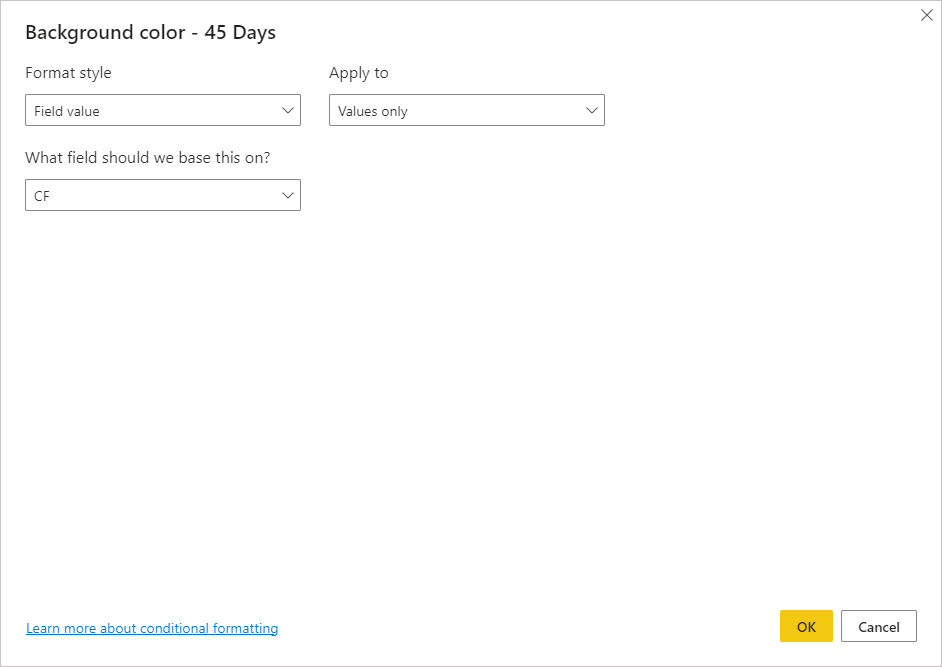
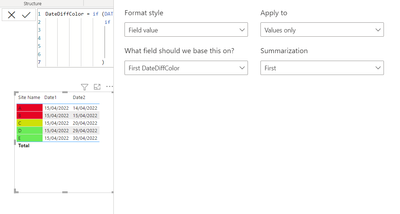
Here are the settings for the conditional formatting
Giving this
regards
Phil
Proud to be a Super User!
Hi,
I usually create another column and fixed the color code in that, then use it in my visual for Conditional Formatting :
Appreciate your Kudos and please mark it as a solution if it helps you
Hi @Anonymous
Download PBIX file with the example below
Create a measure like this to determine the color for each date
CF =
VAR _today = TODAY()
RETURN
SWITCH( TRUE(),
SELECTEDVALUE('DataTable'[45 Days]) > _today + 14, "#0F0",
SELECTEDVALUE('DataTable'[45 Days]) > _today, "#FF0",
"#F00"
)
Then add a Conditional Formatting rule to the 45 days column and apply the CF rule just created
Here are the settings for the conditional formatting
Giving this
regards
Phil
Proud to be a Super User!
This is perfect!! Thank you!!
The Power BI Data Visualization World Championships is back! It's time to submit your entry.
Check out the January 2026 Power BI update to learn about new features.
| User | Count |
|---|---|
| 56 | |
| 41 | |
| 39 | |
| 20 | |
| 20 |
| User | Count |
|---|---|
| 146 | |
| 110 | |
| 63 | |
| 38 | |
| 35 |