Join us at FabCon Atlanta from March 16 - 20, 2026, for the ultimate Fabric, Power BI, AI and SQL community-led event. Save $200 with code FABCOMM.
Register now!The Power BI Data Visualization World Championships is back! Get ahead of the game and start preparing now! Learn more
Hi,
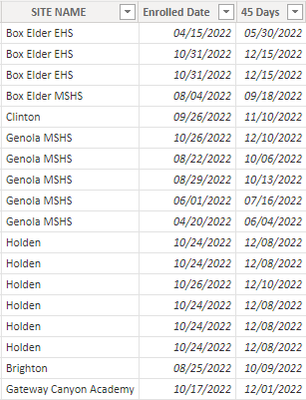
I have a table with a column of dates that I want to format based on when the date is. If the date is more than 2 weeks away I want it to be green, if it is is within 2 weeks of today I want it to be yellow, and if it is today or past today I want it to be red. It is a calculated column based on the date someone enrolled, and the entire table is a calculated table For instance the column that says 45 days - if the date is 12/15 I want it to be green, if the date is 11/9 I want it to be yellow, and if the date is 5/30 I want it to be red. Can someone help me do this?
Solved! Go to Solution.
Hi @Anonymous
Download PBIX file with the example below
Create a measure like this to determine the color for each date
CF =
VAR _today = TODAY()
RETURN
SWITCH( TRUE(),
SELECTEDVALUE('DataTable'[45 Days]) > _today + 14, "#0F0",
SELECTEDVALUE('DataTable'[45 Days]) > _today, "#FF0",
"#F00"
)
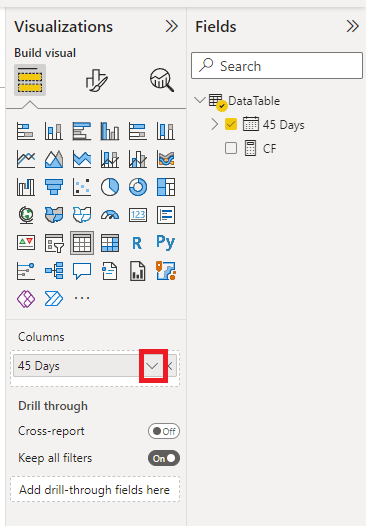
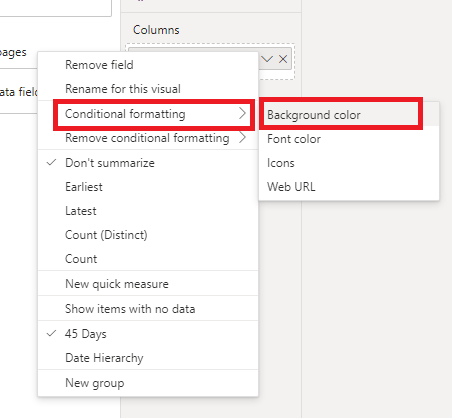
Then add a Conditional Formatting rule to the 45 days column and apply the CF rule just created
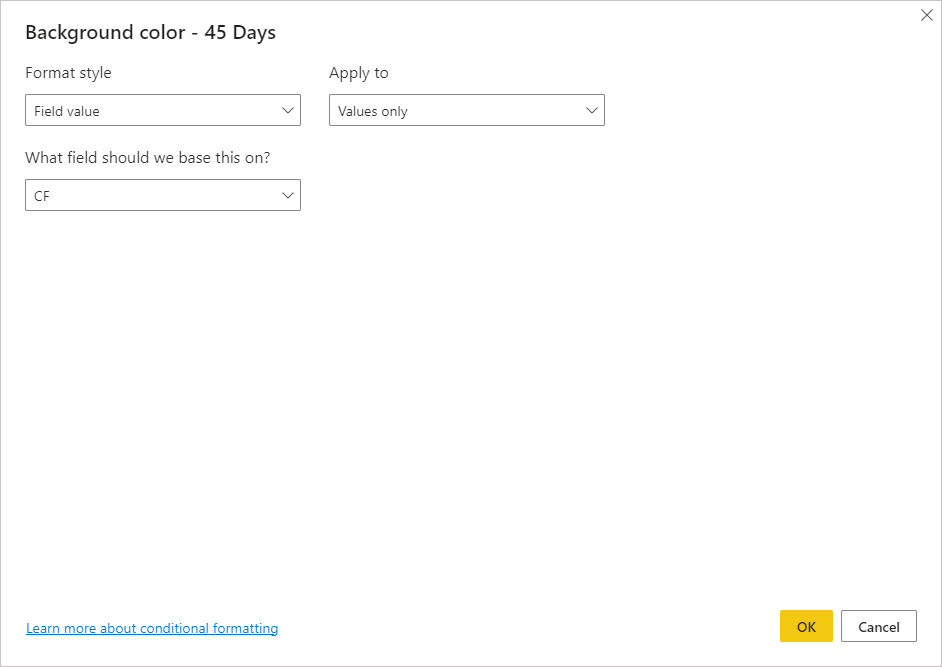
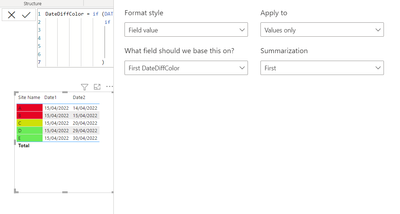
Here are the settings for the conditional formatting
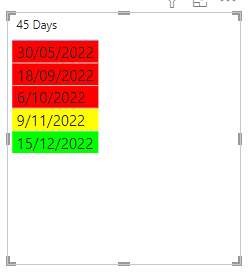
Giving this
regards
Phil
Proud to be a Super User!
Hi,
I usually create another column and fixed the color code in that, then use it in my visual for Conditional Formatting :
Appreciate your Kudos and please mark it as a solution if it helps you
Hi @Anonymous
Download PBIX file with the example below
Create a measure like this to determine the color for each date
CF =
VAR _today = TODAY()
RETURN
SWITCH( TRUE(),
SELECTEDVALUE('DataTable'[45 Days]) > _today + 14, "#0F0",
SELECTEDVALUE('DataTable'[45 Days]) > _today, "#FF0",
"#F00"
)
Then add a Conditional Formatting rule to the 45 days column and apply the CF rule just created
Here are the settings for the conditional formatting
Giving this
regards
Phil
Proud to be a Super User!
This is perfect!! Thank you!!
The Power BI Data Visualization World Championships is back! Get ahead of the game and start preparing now!
| User | Count |
|---|---|
| 38 | |
| 36 | |
| 33 | |
| 33 | |
| 29 |
| User | Count |
|---|---|
| 134 | |
| 96 | |
| 78 | |
| 67 | |
| 65 |