Learn from the best! Meet the four finalists headed to the FINALS of the Power BI Dataviz World Championships! Register now
Hi All,
I'm looking to use conditional formatting for a table with each row having a different target.
Say for example:
| Process | Target | Jan | Feb | Mar |
| Process 1 | 40 | 40 | 23 | 55 |
| Process 2 | 35 | 53 | 34 | 35 |
| Process 3 | 20 | 18 | 19 | 20 |
| Process 4 | 5 | 1 | 5 | 6 |
| Process 5 | 15 | 12 | 14 | 14 |
| Process 6 | 15 | 14 | 15 | 15 |
| Process 7 | 24 | 24 | 24 | 24 |
| Process 8 | 34 | 38 | 33 | 33 |
| Process 9 | 50 | 50 | 52 | 51 |
| Process 10 | 53 | 55 | 59 | 49 |
So I need to color code the values for Jan, Feb & March for based on a certain percentage of the invidual target
The conditions are:
1) Upto 75% of the Individual Target - Red Color
2) 76% - 99% of the Individual Target - Amber Color
3) Above 99% of the Individual Target - Green Color
Your assistance is highly appreciated
Cheers 🙂
Solved! Go to Solution.
Hi Vik,
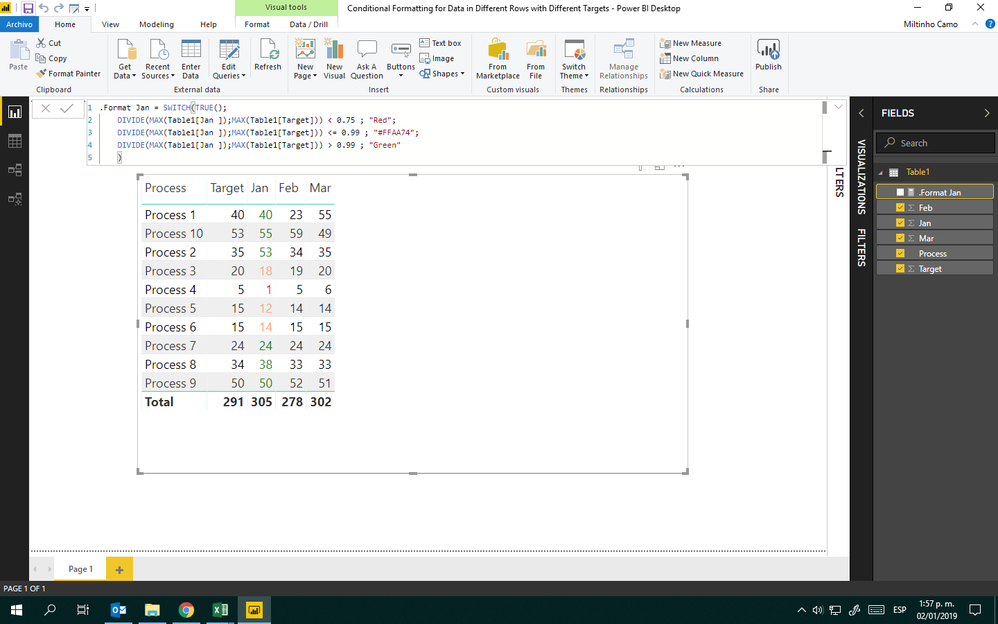
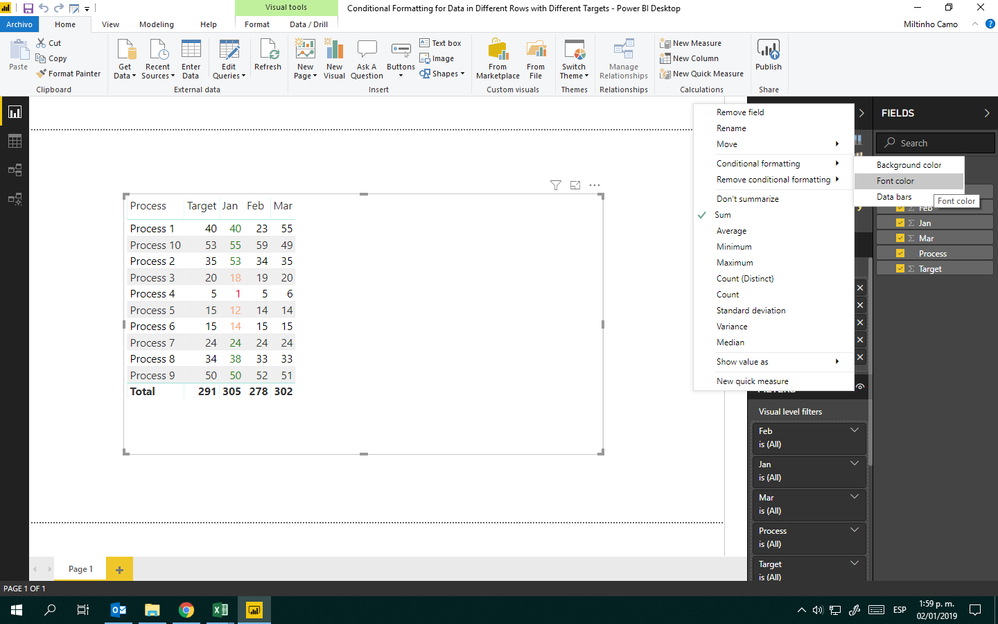
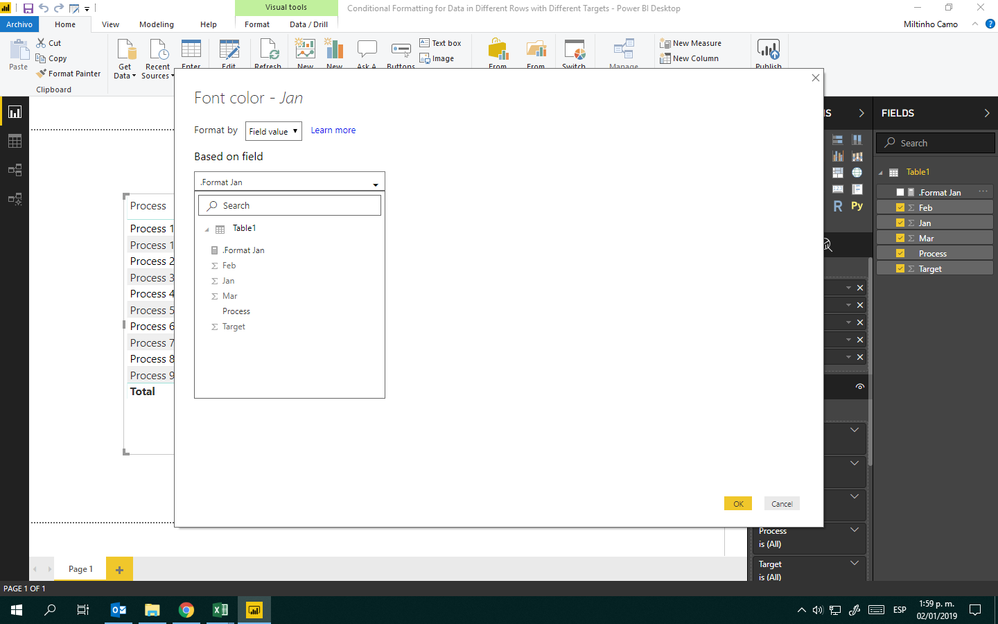
Check care out these images:
Measure
Conditional Format Path
Cond. Format Configuration
Then, create same measures but for Feb and Mar and configure its conditional formatting because your data model isn't normalized.
Tell us if works for you.
Hi Vik,
Check care out these images:
Measure
Conditional Format Path
Cond. Format Configuration
Then, create same measures but for Feb and Mar and configure its conditional formatting because your data model isn't normalized.
Tell us if works for you.
| User | Count |
|---|---|
| 50 | |
| 36 | |
| 29 | |
| 18 | |
| 17 |
| User | Count |
|---|---|
| 66 | |
| 58 | |
| 40 | |
| 21 | |
| 20 |