Learn from the best! Meet the four finalists headed to the FINALS of the Power BI Dataviz World Championships! Register now
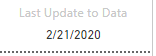
I have a card visual that displays a date from a field in my data model. I would like to be able to use conditional formatting to change the color of either the background or the text if the date is beyond a certain threshold compared to today's date, ie color it red if greater than 30 days ago. I haven't been able to figure out if that is possible or not. I found the conditional formatting for the visual but was unable to successfully get it to work. Thanks for any help I can get.
Solved! Go to Solution.
@Chris_Evans , You can create a color measure and use that in conditional formatting
Color Date = if(FIRSTNONBLANK('Date'[Date],TODAY()) <today(),"lightgreen","red")
Or
Color Date =
Var _max =maxx(Table,Table[date])
return
if(FIRSTNONBLANK('Date'[Date],TODAY()) <_max ,"lightgreen","red")
@Chris_Evans , You can create a color measure and use that in conditional formatting
Color Date = if(FIRSTNONBLANK('Date'[Date],TODAY()) <today(),"lightgreen","red")
Or
Color Date =
Var _max =maxx(Table,Table[date])
return
if(FIRSTNONBLANK('Date'[Date],TODAY()) <_max ,"lightgreen","red")
That worked perfectly. I just added -30 to the statement to get the results i needed. Thank you.
If you have recently started exploring Fabric, we'd love to hear how it's going. Your feedback can help with product improvements.
A new Power BI DataViz World Championship is coming this June! Don't miss out on submitting your entry.
Share feedback directly with Fabric product managers, participate in targeted research studies and influence the Fabric roadmap.
| User | Count |
|---|---|
| 57 | |
| 38 | |
| 34 | |
| 19 | |
| 16 |
| User | Count |
|---|---|
| 69 | |
| 66 | |
| 42 | |
| 32 | |
| 25 |