Don't miss your chance to take the Fabric Data Engineer (DP-700) exam on us!
Learn moreWe've captured the moments from FabCon & SQLCon that everyone is talking about, and we are bringing them to the community, live and on-demand. Starts on April 14th. Register now
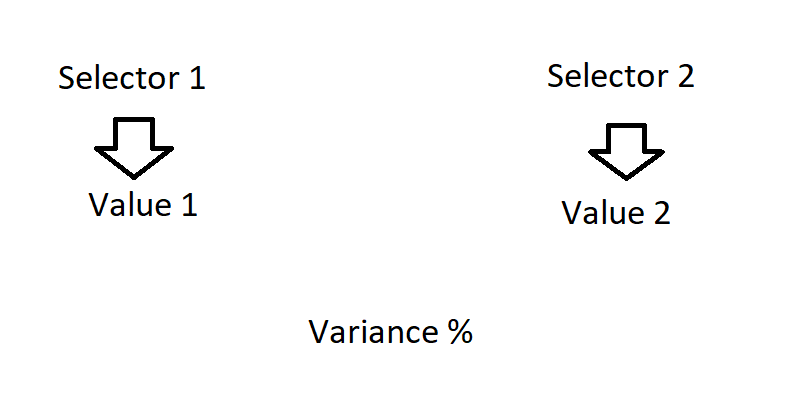
I am trying to create a comparison page. I would like to have 2 slicers which allow you to select 2 websites that you would like to compare. On the dashboard I will have a single metric, repeated for each site you select, I would then like to show a variance value in the middle of the two values to show the difference.
I have already tried to display the values for each site in cards and then use the edit interactions to connect the slicer to the correct card which works fine. The variance card, in an ideal world, I would like to take the value presented in each card and do the calculation, but it seems that PowerBI doesn't work in this way.
I am struggling to find a way to do this, I am fairly new to PowerBI, if anyone could point me in the right direction it would be appreciated.
Solved! Go to Solution.
Hi @Anonymous,
You can't use measure to compare difference between two slicer with same source.
In my opinion, you can duplicate a table with same records(not has relationship) and use new table as source of one slicer. then you can use measure to compare difference between two selections.
Diff =
CALCULATE ( SUM ( Table[Amount] ), ALLSELECTED ( Table[Column] ) )
- CALCULATE ( SUM ( NTable[Amount] ), ALLSELECTED ( NTable[Column] ) )
Regards,
Xiaoxin Sheng
Hi @Anonymous,
You can't use measure to compare difference between two slicer with same source.
In my opinion, you can duplicate a table with same records(not has relationship) and use new table as source of one slicer. then you can use measure to compare difference between two selections.
Diff =
CALCULATE ( SUM ( Table[Amount] ), ALLSELECTED ( Table[Column] ) )
- CALCULATE ( SUM ( NTable[Amount] ), ALLSELECTED ( NTable[Column] ) )
Regards,
Xiaoxin Sheng
If you have recently started exploring Fabric, we'd love to hear how it's going. Your feedback can help with product improvements.
A new Power BI DataViz World Championship is coming this June! Don't miss out on submitting your entry.
Share feedback directly with Fabric product managers, participate in targeted research studies and influence the Fabric roadmap.
| User | Count |
|---|---|
| 56 | |
| 39 | |
| 35 | |
| 19 | |
| 17 |
| User | Count |
|---|---|
| 73 | |
| 70 | |
| 37 | |
| 35 | |
| 26 |