Join us at FabCon Atlanta from March 16 - 20, 2026, for the ultimate Fabric, Power BI, AI and SQL community-led event. Save $200 with code FABCOMM.
Register now!The Power BI Data Visualization World Championships is back! Get ahead of the game and start preparing now! Learn more
Hi, Need help, I need to get the total revenue for each 0-14 days, 15-30 days etc. and here's my data.
| Date | Client Name | 0-14 | 15-30 | 31-60 | 61-90 | 91-180 | >180 |
| 1-Jan | Client 1 | $0.00 | $2,420.00 | $0.00 | $0.00 | $0.00 | $121.00 |
| 2-Jan | Client 2 | $0.00 | $0.00 | $0.00 | $0.00 | $0.00 | |
| 3-Jan | Client 3 | $0.00 | $0.00 | $0.00 | $0.00 | $121.00 | $0.00 |
| 4-Jan | Client 4 | $0.00 | $121.00 | $0.00 | $4,400.00 | $0.00 | $0.00 |
| 4-Jan | Client 5 | $0.00 | $0.00 | $0.00 | $0.00 | $0.00 | -$121.00 |
| 5-Jan | Client 6 | $0.00 | $0.00 | $0.00 | $0.00 | $121.00 | $0.00 |
| 7-Jan | Client 7 | $0.00 | $0.00 | $0.00 | $0.00 | $0.00 | $88.00 |
My Output is something like this, so that i can create bar graph
| Total | |
| 0-14 | $0.00 |
| 15-30 | $3,530.00 |
| 31-60 | $0.00 |
| 61-90 | $4,400.00 |
| 91-180 | $242.00 |
| >180 | -$9.00 |
I also need to get the details when I click each range of days ( e.g list of client, revenue,date)
P.s I cannot use Pivot as the list will possible contain thousand (which convert to thousand columns)
0-14
Solved! Go to Solution.
@rommel20,
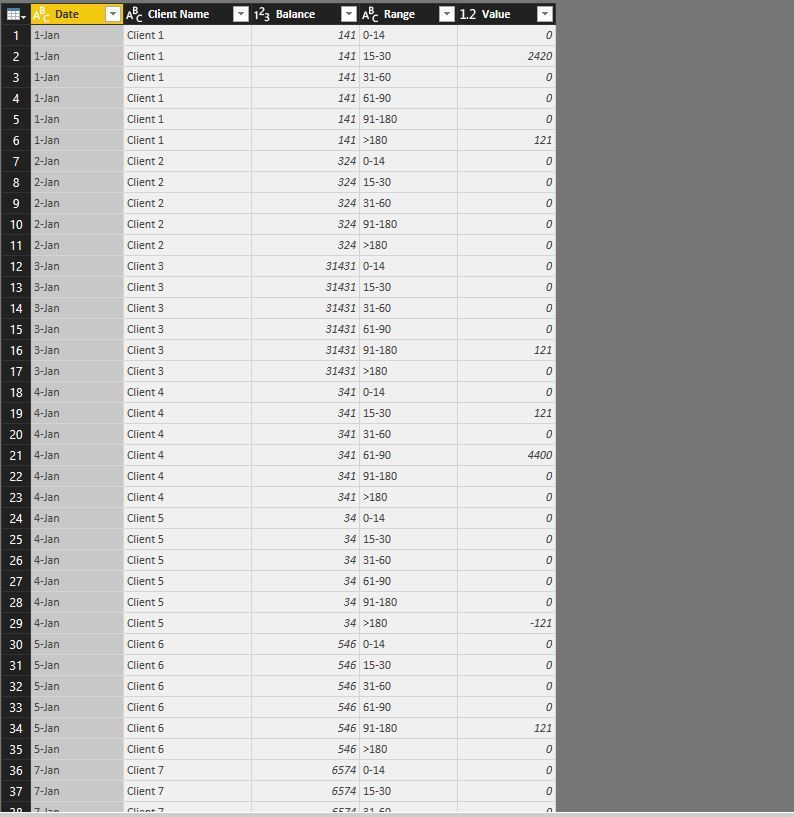
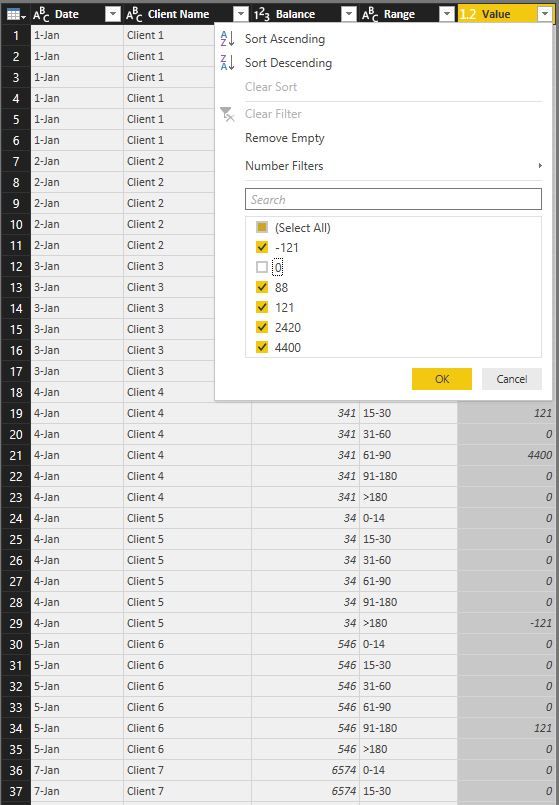
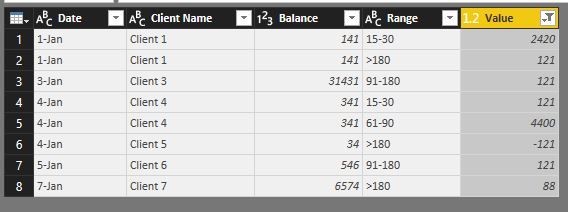
After you unpivot columns in the table, filter out 0 from the Value column. Then when you click 15-30 days in the bar chart, you can show relevant clients and balance in table visual.
Regards,
Lydia
Hello,
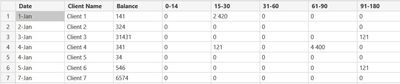
Why can't you use Table.Unpivot ?
You will find attached my solution !
Let us know if it answers your questions!
Thanks! I already used Pivot table but my Problem now is I have other column e.g balance
so if I click 15-30 days bar graph it will show 141 + 341 = 482 and also show the list of client.
@rommel20,
After you unpivot columns in the table, filter out 0 from the Value column. Then when you click 15-30 days in the bar chart, you can show relevant clients and balance in table visual.
Regards,
Lydia
The Power BI Data Visualization World Championships is back! Get ahead of the game and start preparing now!
| User | Count |
|---|---|
| 63 | |
| 55 | |
| 42 | |
| 41 | |
| 23 |
| User | Count |
|---|---|
| 166 | |
| 135 | |
| 120 | |
| 79 | |
| 53 |