Join us at FabCon Atlanta from March 16 - 20, 2026, for the ultimate Fabric, Power BI, AI and SQL community-led event. Save $200 with code FABCOMM.
Register now!The Power BI Data Visualization World Championships is back! Get ahead of the game and start preparing now! Learn more
Hello Community –
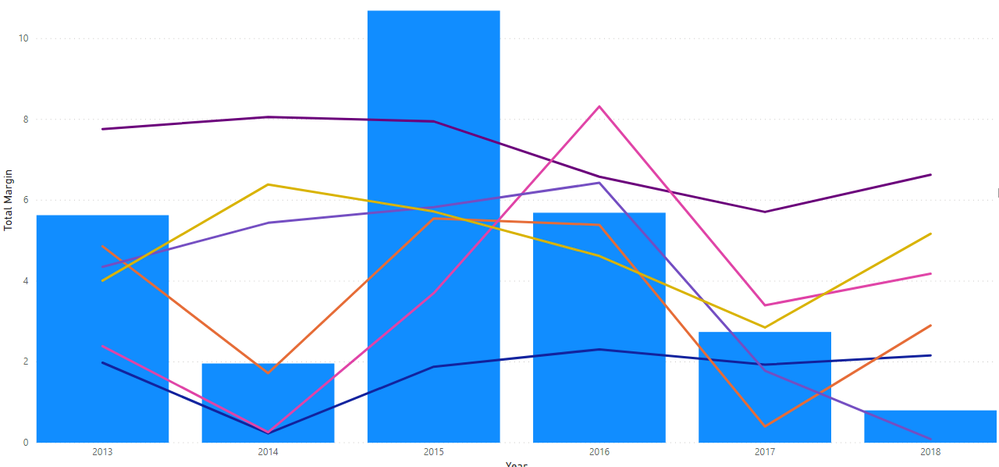
I am working on a line and clustered column chart. I have 7 tables – 1 table called ENTITY with various financial calculations; a comparative group (Metropolitan, Micropolitan, Rural) and year. The 6 linked tables contain benchmark financial data by year and have a corresponding comparative group (2 tables for Metropolitan, 2 tables for Micropolitan, 2 tables for Rural). I also have a slicer to select an entity. I have all 6 benchmarks as lines and one financial indicator from the Entity table as the column.
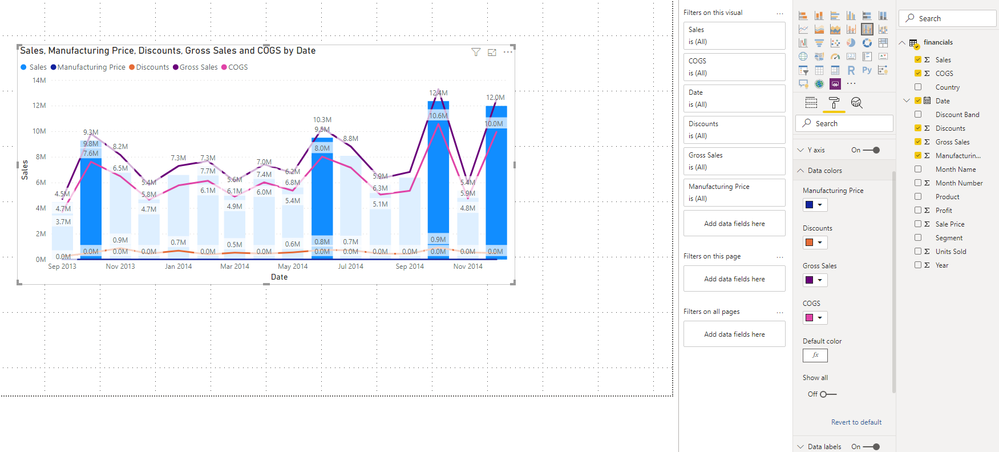
All 6 benchmark lines are making the visualization too cluttered and I would like to only show the related comparative group benchmark. I don’t want to add another slicer to filter by comparative group as the user may not know what comparative group corresponds to the entity. I have looked at the data colors on the format tab and don’t see a way to use a conditional format.
Any suggestions on how to solve?
Thanks!
Solved! Go to Solution.
Hi , @ldenney
Based on my research, Line chart (even in Clustered-Column-and-Line-Char) does not support conditional formatting in PowerBI yet currently.
I think you have no choice but to manually set different line colors and add another slicer to filter.
In addition ,you can come up with a new idea and add your comments there to make this feature coming sooner.
https://ideas.powerbi.com/forums/265200-power-bi-ideas
Best Regards,
Community Support Team _ Eason
If this post helps, then please consider Accept it as the solution to help the other members find it more quickly.
Hi , @ldenney
Based on my research, Line chart (even in Clustered-Column-and-Line-Char) does not support conditional formatting in PowerBI yet currently.
I think you have no choice but to manually set different line colors and add another slicer to filter.
In addition ,you can come up with a new idea and add your comments there to make this feature coming sooner.
https://ideas.powerbi.com/forums/265200-power-bi-ideas
Best Regards,
Community Support Team _ Eason
If this post helps, then please consider Accept it as the solution to help the other members find it more quickly.
The Power BI Data Visualization World Championships is back! Get ahead of the game and start preparing now!
| User | Count |
|---|---|
| 40 | |
| 37 | |
| 33 | |
| 29 | |
| 26 |
| User | Count |
|---|---|
| 134 | |
| 104 | |
| 63 | |
| 60 | |
| 55 |