Get certified for free when you join Fabric Data Days 2026 and dive into Fabric, Power BI, SQL, AI, and other essential data skills.
Join nowJuly 7 - July 17 | Round 2 of the Power BI Dataviz World Championships. Don't miss your chance! Learn more
I have a clustered column chart that is showing project priorites.
I have the priority field as a whole number in the model.
However, the X axis is high to low so priority 0 is on the right.
I want it set low to high so X starts with the 0 and moves up to higher numbers as you go right.
I can't find anyway to flip it and I can't flip the sort order by clicking the visual and sorting.
Am I missing something?
Solved! Go to Solution.
Hi @OneWithQuestion,
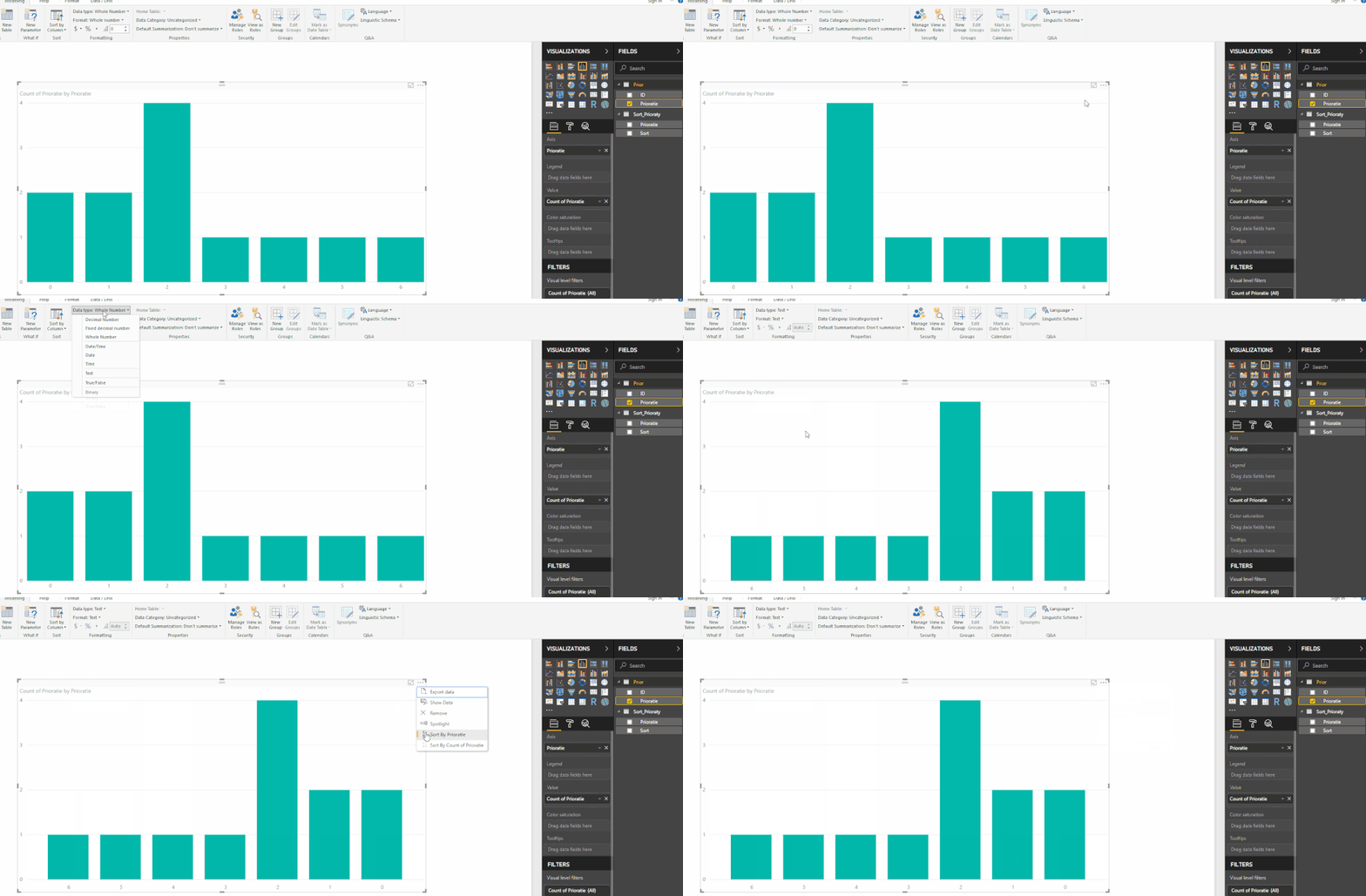
If you change the format of the prioratie column to text this will give you the option to sort the x-axis in the clustered column chart.
If you are using the prioratie column to make some calculations and need to have it as a number a work around would be to create a dimension table for prioraties with one field as number with prioraties and a Sort column with the reverse values but formatted as text then relate the two tables and use the Sort column instead of the prioraties column on your visual.
Regards,
MFelix
Regards
Miguel Félix
Proud to be a Super User!
Check out my blog: Power BI em PortuguêsHi @OneWithQuestion,
If you change the format of the prioratie column to text this will give you the option to sort the x-axis in the clustered column chart.
If you are using the prioratie column to make some calculations and need to have it as a number a work around would be to create a dimension table for prioraties with one field as number with prioraties and a Sort column with the reverse values but formatted as text then relate the two tables and use the Sort column instead of the prioraties column on your visual.
Regards,
MFelix
Regards
Miguel Félix
Proud to be a Super User!
Check out my blog: Power BI em PortuguêsJoin us in Barcelona for FabCon and SQLCon, the Fabric, Power BI, SQL, and AI community event. Save €200 with code FABCMTY200.
Join Fabric Data Days 2026: 60 days of free live/on-demand sessions, challenges, study groups, and certification opportunities.
| User | Count |
|---|---|
| 22 | |
| 22 | |
| 18 | |
| 16 | |
| 13 |
| User | Count |
|---|---|
| 63 | |
| 41 | |
| 40 | |
| 39 | |
| 38 |