
cancel
Showing results for 
Search instead for 
Did you mean: 

We've captured the moments from FabCon & SQLCon that everyone is talking about, and we are bringing them to the community, live and on-demand. Starts on April 14th. Register now

Reply
Dunner2020
Post Prodigy
Post Prodigy

Clickable Visio Visual

Hi there,


Is it possible to make a clickable Visio visual? I got a Visio visual which contains 12 hexagons. I want to link each hexagon to a different page so that when someone clicks on the hexagon, it would bring it to the connected page. Is it possible to do it in Power BI?


7 REPLIES 7
Anonymous
Not applicable

Hi @Dunner2020 

I have no way to completely restore your scene, because I have no way to find a suitable Visio diagram, Could you provide a sample so that we can better deal with the problem ?


Best Regards

Community Support Team _ Ailsa Tao


If this post helps, then please consider Accept it as the solution to help the other members find it more quickly.

Hi @Anonymous ,


I have attached file, please let me know if it wont work 

Main file here

Visio diagram here

Nathaniel_C
Community Champion
Community Champion

or save the visio visual as a gif? Is that possible?


Did I answer your question? Mark my post as a solution!

Proud to be a Super User!


Nathaniel_C
Community Champion
Community Champion

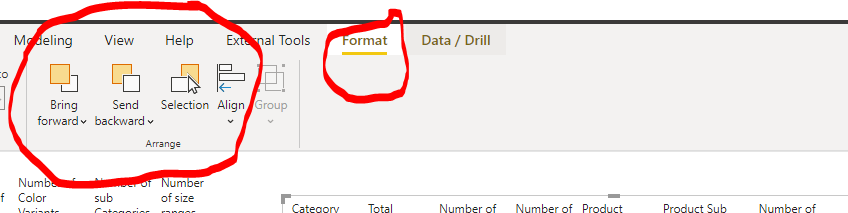
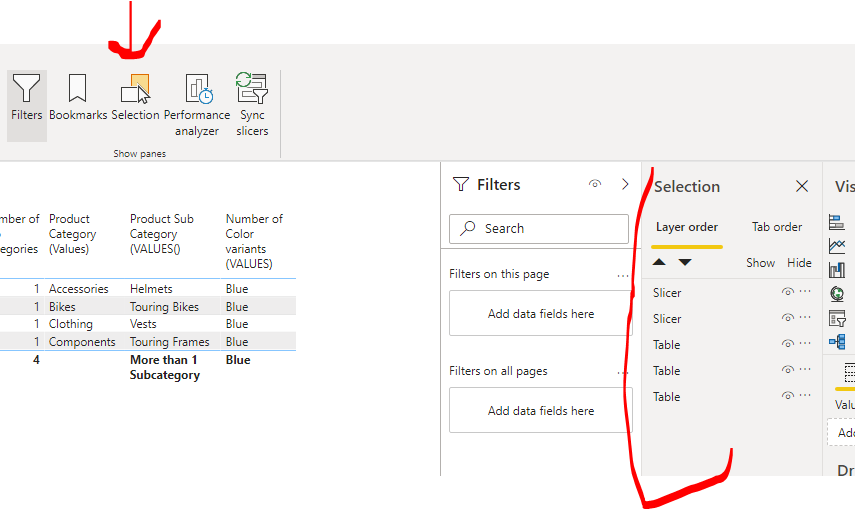
Hi @Dunner2020 , sorry haven't use a visio, but could it be the level on the canvas? Either a Format and move back, or a Selection.  Or maybe could you put it in as a background to page?  In these don't solve it, to get more people looking at this, I would repost your question. Good Luck!
Let me know if you have any questions.

If this solves your issues, please mark it as the solution, so that others can find it easily. Kudos 👍are nice too.
Nathaniel


Capture5.PNGCapture4.PNG


Did I answer your question? Mark my post as a solution!

Proud to be a Super User!


Nathaniel_C
Community Champion
Community Champion

Hi @Dunner2020 , I have done something like this, but it has been a long time ago.  You will need to create bookmarks, and then create transparent buttons in each of the hexagons which will call the bookmarks.  As I recall it is a lot of work tracking the bookmarks, so you may want to experiment with one or two, and see if it worth your while.


Let me know if you have any questions.

If this solves your issues, please mark it as the solution, so that others can find it easily. Kudos 👍are nice too.
Nathaniel


https://docs.microsoft.com/en-us/power-bi/create-reports/desktop-bookmarks

https://docs.microsoft.com/en-us/power-bi/create-reports/desktop-buttons


Did I answer your question? Mark my post as a solution!

Proud to be a Super User!


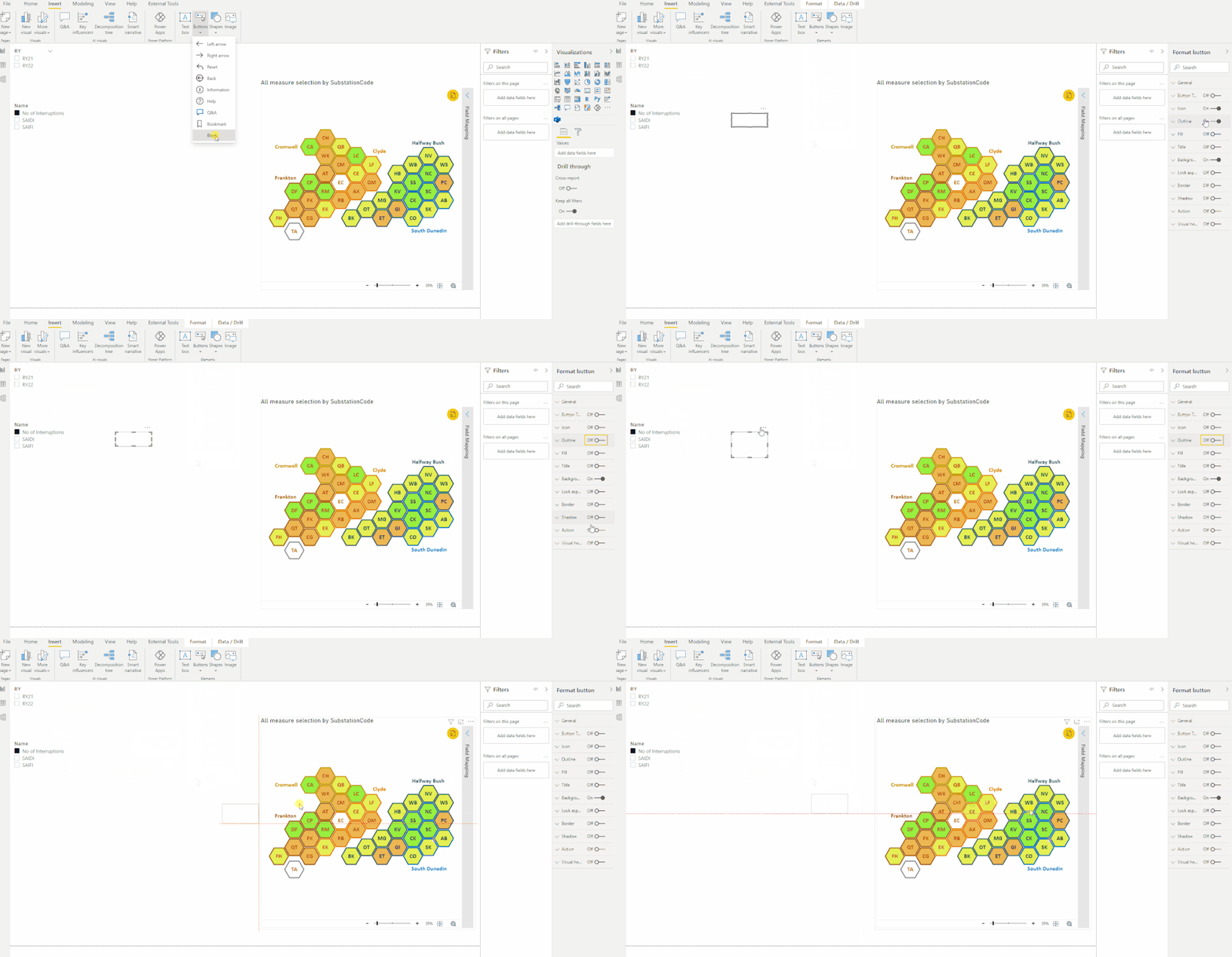
Hi Capture3.PNGHere is a button with everything turned off, and you can only see it by hovering over it. Then you will see the three dots.


Let me know if you have any questions.

If this solves your issues, please mark it as the solution, so that others can find it easily. Kudos 👍are nice too.
Nathaniel


Did I answer your question? Mark my post as a solution!

Proud to be a Super User!


@Nathaniel_C , Thanks for your reply. I also thought to use the transparent button and bookmark to link hexagon to the destination page. However, when I tried to place the button on the heaxagon (which is present in visio visual), it does not let me Animation.gifdo that as shown in the following picture. Do you have any suggestion?


Helpful resources

Announcements
New to Fabric survey Carousel

New to Fabric Survey

If you have recently started exploring Fabric, we'd love to hear how it's going. Your feedback can help with product improvements.

Power BI DataViz World Championships carousel

Power BI DataViz World Championships - June 2026

A new Power BI DataViz World Championship is coming this June! Don't miss out on submitting your entry.

Join our Fabric User Panel

Join our Fabric User Panel

Share feedback directly with Fabric product managers, participate in targeted research studies and influence the Fabric roadmap.

March Power BI Update Carousel

Power BI Community Update - March 2026

Check out the March 2026 Power BI update to learn about new features.