This is best Fabric, Power BI, SQL and AI community event. How do we know? The last event sold out! Save €200 with code FABCMTY200.
Register nowA new Data Days event is coming soon! This time we’re going bigger than ever. Fabric, Power BI, SQL, AI and more. Don't miss out.
Hey guys,
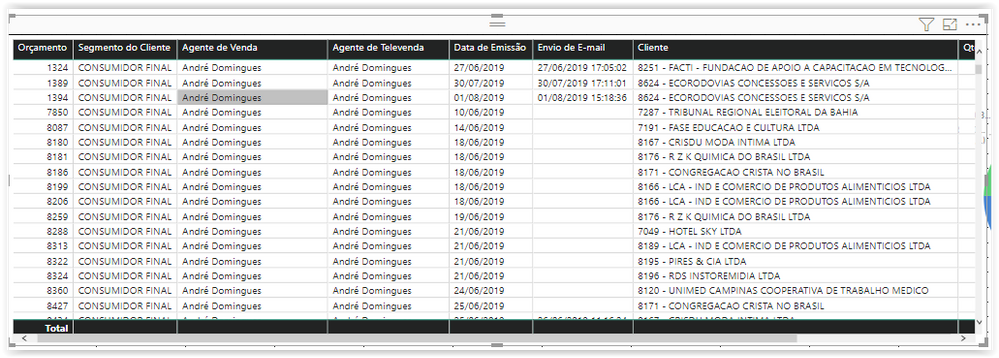
How can I replace one column using one button? I have two columns in my grid: "Agente de Vendas" and "Agente de Televendas".
I really need one option that my customer can have the option to see one of them (Agente de Vendas or Agente de Televendas) and NOT both.
See the image attached bellow.
Solved! Go to Solution.
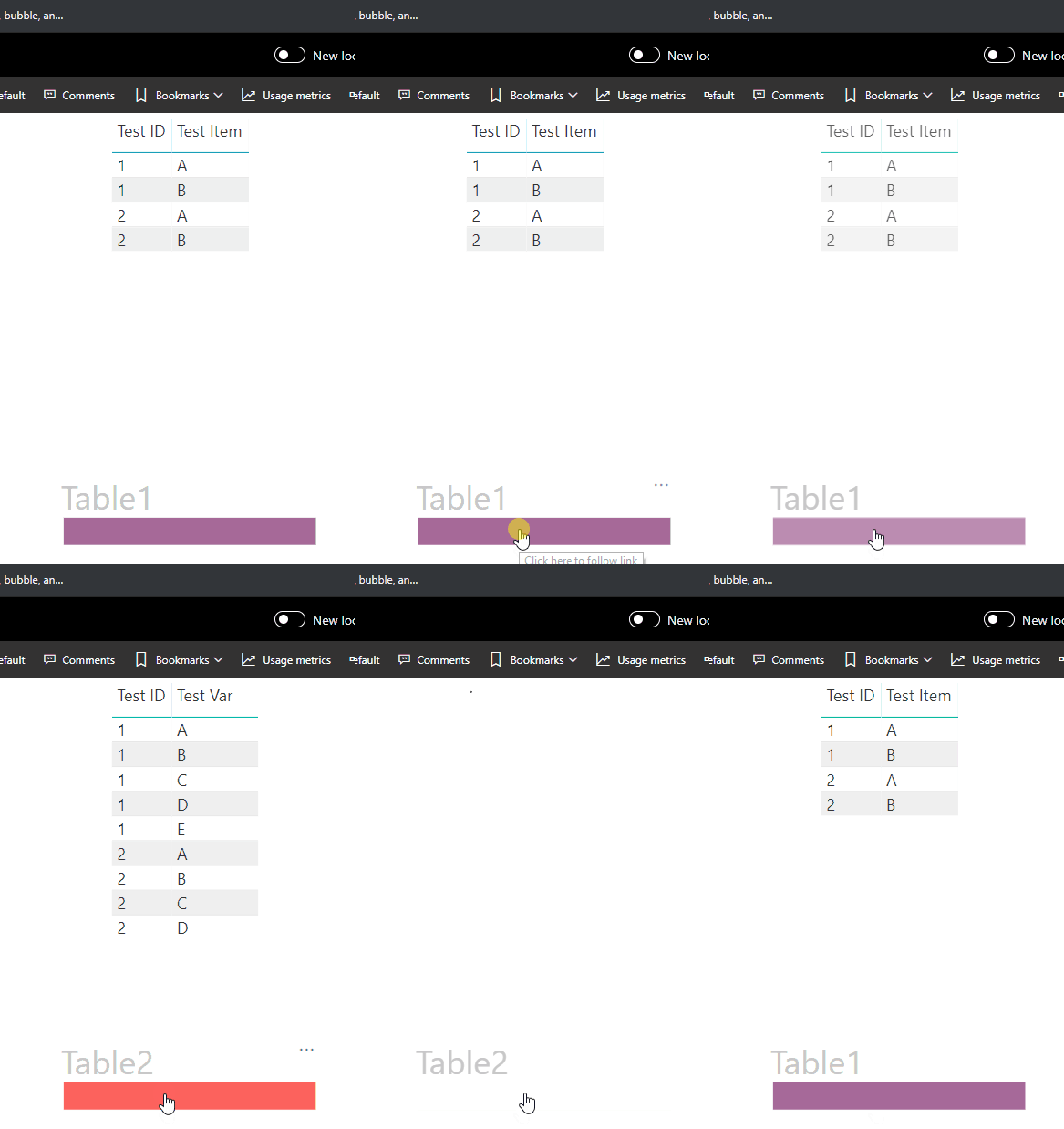
You could create 2 tables and switch between them with a bookmark.
In the example I replaced 1 column, Test Var <--> Test Item
Cheers!
A
Hello @brunozanoelo
You could accomplish this with bookmarks. Here is a good intro video from Microsoft on how to work with bookmarks and buttons as a visual toggle.
https://www.youtube.com/watch?v=_Afcj8mT5_Q
Hello @brunozanoelo
You could accomplish this with bookmarks. Here is a good intro video from Microsoft on how to work with bookmarks and buttons as a visual toggle.
https://www.youtube.com/watch?v=_Afcj8mT5_Q
You could create 2 tables and switch between them with a bookmark.
In the example I replaced 1 column, Test Var <--> Test Item
Cheers!
A
Check out the May 2026 Power BI update to learn about new features.
Sign up to receive a private message when registration opens and key events begin.
If you have recently started exploring Fabric, we'd love to hear how it's going. Your feedback can help with product improvements.
| User | Count |
|---|---|
| 27 | |
| 26 | |
| 22 | |
| 19 | |
| 17 |
| User | Count |
|---|---|
| 42 | |
| 42 | |
| 41 | |
| 21 | |
| 20 |