Don't miss your chance to take the Fabric Data Engineer (DP-600) exam for FREE! Find out how by watching the DP-600 session on-demand now through April 28th.
Learn moreJoin the FabCon + SQLCon recap series. Up next: Power BI, Real-Time Intelligence, IQ and AI, and Data Factory take center stage. All sessions are available on-demand after the live show. Register now
Hey guys,
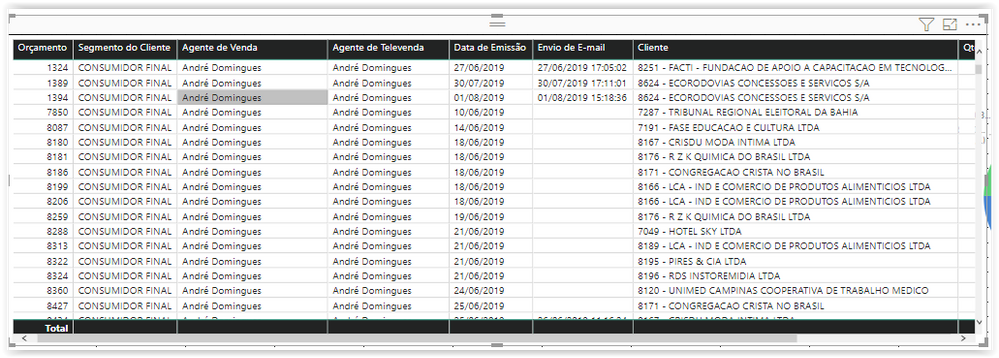
How can I replace one column using one button? I have two columns in my grid: "Agente de Vendas" and "Agente de Televendas".
I really need one option that my customer can have the option to see one of them (Agente de Vendas or Agente de Televendas) and NOT both.
See the image attached bellow.
Solved! Go to Solution.
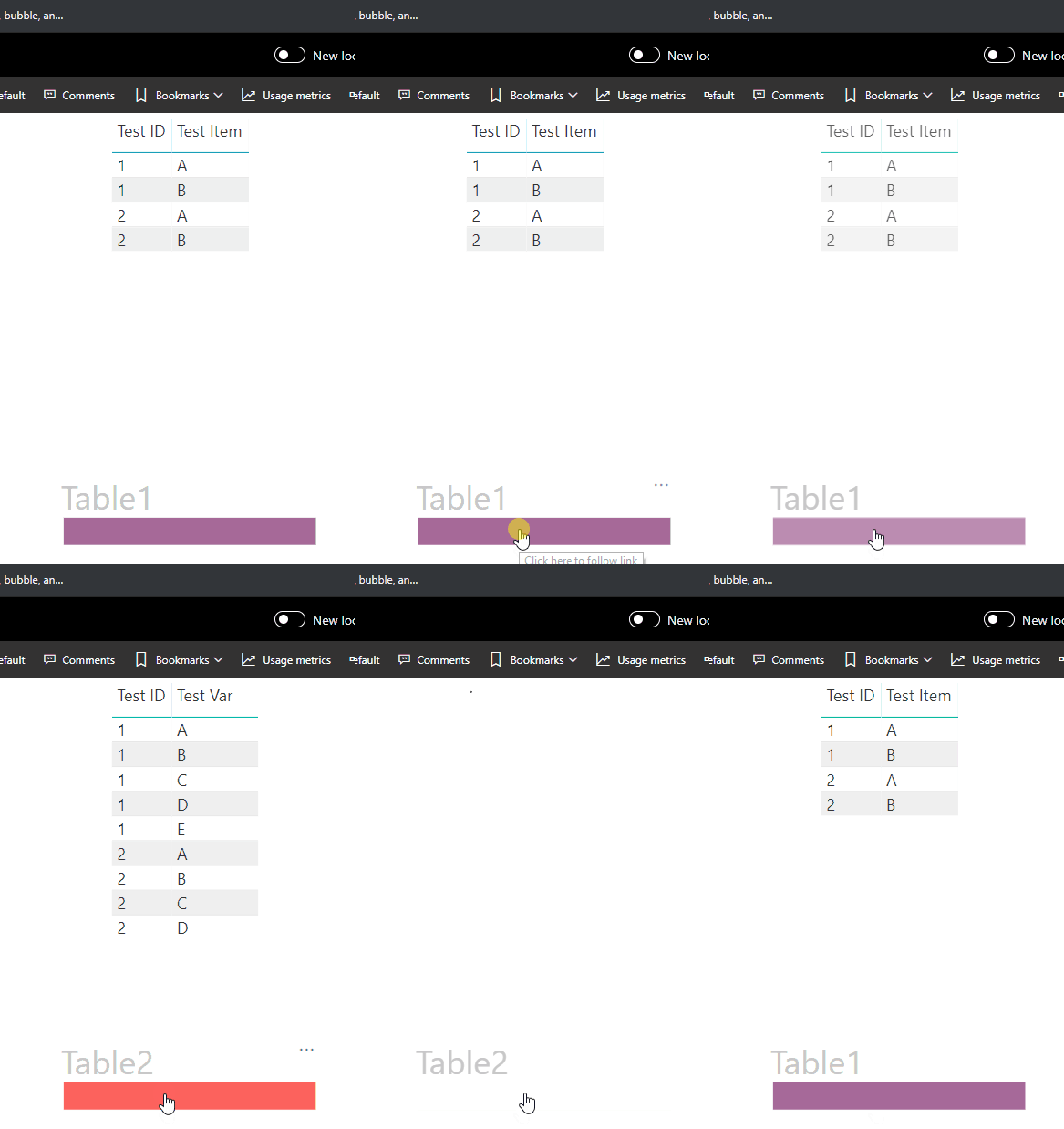
You could create 2 tables and switch between them with a bookmark.
In the example I replaced 1 column, Test Var <--> Test Item
Cheers!
A
Hello @brunozanoelo
You could accomplish this with bookmarks. Here is a good intro video from Microsoft on how to work with bookmarks and buttons as a visual toggle.
https://www.youtube.com/watch?v=_Afcj8mT5_Q
Hello @brunozanoelo
You could accomplish this with bookmarks. Here is a good intro video from Microsoft on how to work with bookmarks and buttons as a visual toggle.
https://www.youtube.com/watch?v=_Afcj8mT5_Q
You could create 2 tables and switch between them with a bookmark.
In the example I replaced 1 column, Test Var <--> Test Item
Cheers!
A
Check out the April 2026 Power BI update to learn about new features.
If you have recently started exploring Fabric, we'd love to hear how it's going. Your feedback can help with product improvements.
A new Power BI DataViz World Championship is coming this June! Don't miss out on submitting your entry.
| User | Count |
|---|---|
| 41 | |
| 37 | |
| 34 | |
| 21 | |
| 16 |
| User | Count |
|---|---|
| 65 | |
| 62 | |
| 31 | |
| 26 | |
| 25 |