Learn from the best! Meet the four finalists headed to the FINALS of the Power BI Dataviz World Championships! Register now
Hi guys. I had to change my project's data source, but changing the data source the Sample File parameter gets lost.
A Sample File is being used as I am importing excel spreadsheets into Power BI located in a specific folder.
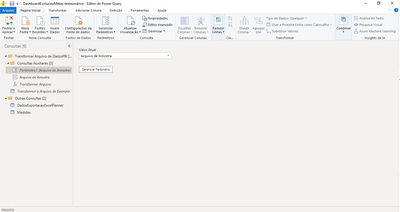
1. Before change:
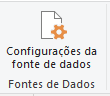
2. I access Data source configuration and changed the folder path:
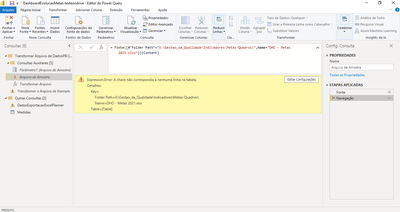
3. After change:
3. Even I change the folder path the error continue:
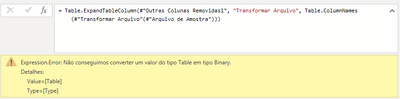
4. The error below appears when I click on Transform Sample File (1):
Thank you so much.
Solved! Go to Solution.
I guess you are using combine and load option and the query containing Parameter is getting created by that.
If Yes - chnage the path in source step of your original query as well
If this post helps, then please consider Accept it as the solution and give it a thumbs up
I guess you are using combine and load option and the query containing Parameter is getting created by that.
If Yes - chnage the path in source step of your original query as well
If this post helps, then please consider Accept it as the solution and give it a thumbs up
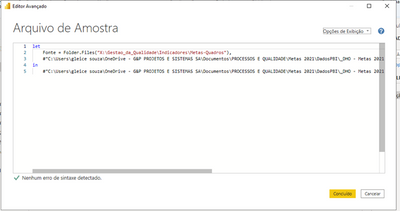
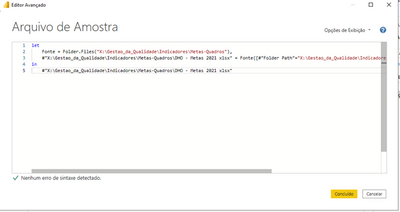
I fixed the error acessing Advanced Editor and changing the path to source folder.
Before:
After:
Thank you for answer me.
| User | Count |
|---|---|
| 57 | |
| 43 | |
| 32 | |
| 16 | |
| 13 |
| User | Count |
|---|---|
| 84 | |
| 70 | |
| 38 | |
| 27 | |
| 24 |