cancel
Showing results for 
Search instead for 
Did you mean: 

Try your skills in the Power BI Dataviz World Championship! Round one ends June 26. Join now

Reply
DKhachaturyan
Helper I
Helper I

Change Chart Type

Hi,


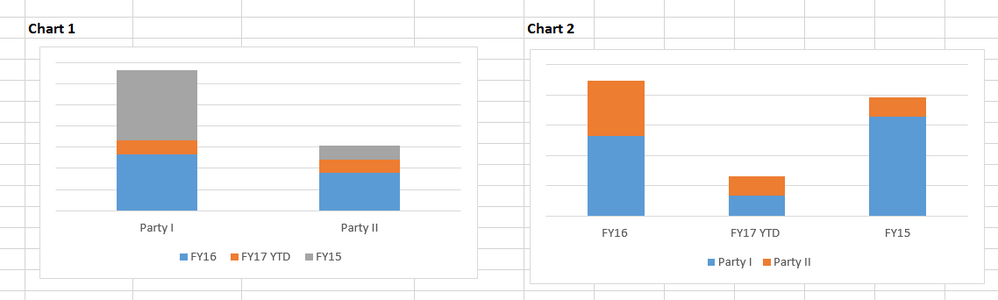
I am trying to change chart type in Power BI. It looks like there is no such option or I can not find it. The chart that I created shows up as Chart 1 below, but I want to change it to Chart 2. In Excel it is easy I can create a charte and then "Change Chart Type" in Design"Capture.PNG


Does anybody know how to change Chart 1 above to Chart 2?


Many thanks in advance!


1 ACCEPTED SOLUTION
MFelix
Super User
Super User

Hi @DKhachaturyan,


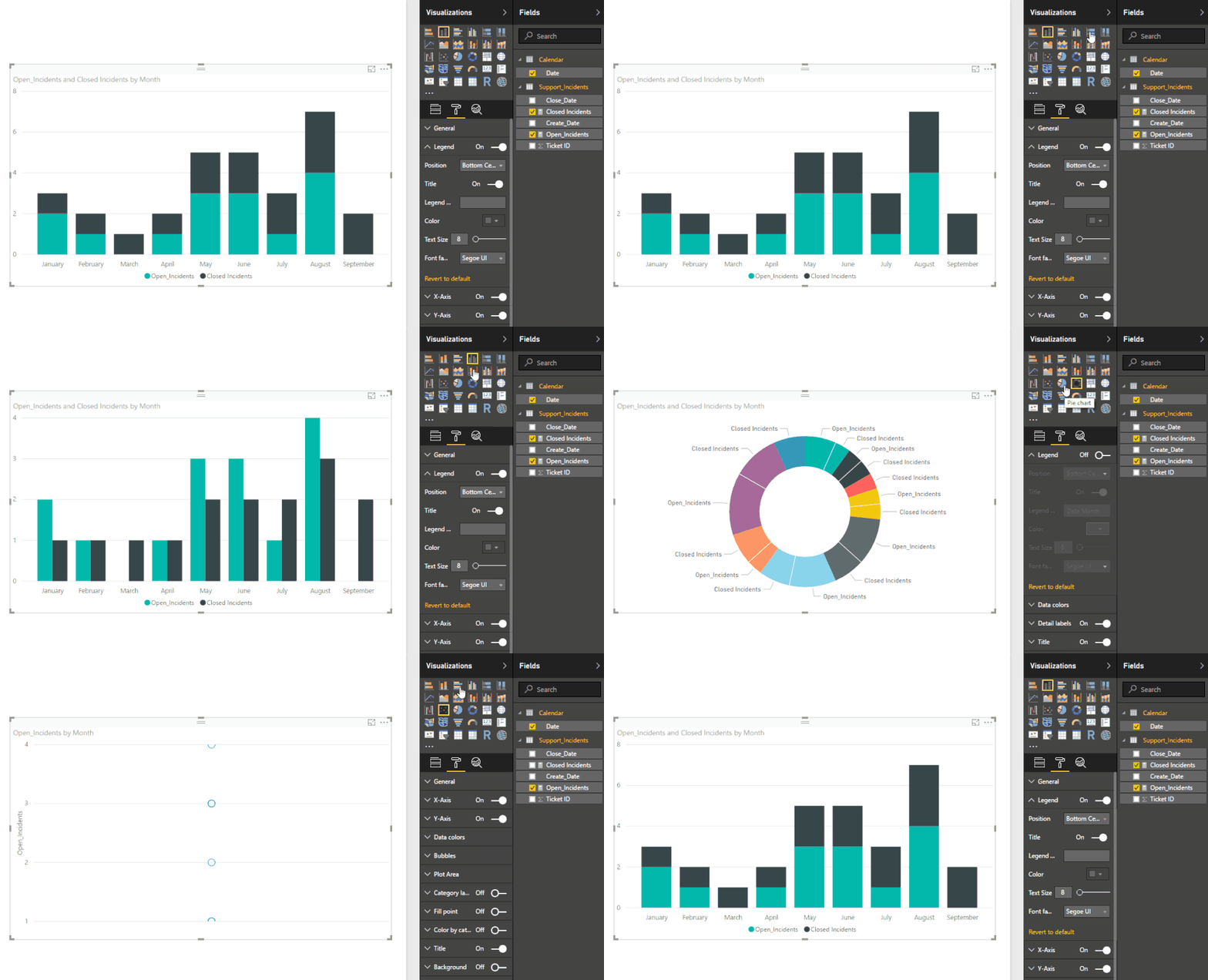
First of all if you want to change the chart type on PBI you only need to select the chart you want to change and then click the new chart type it will update to the new chart.


Change chart.gif


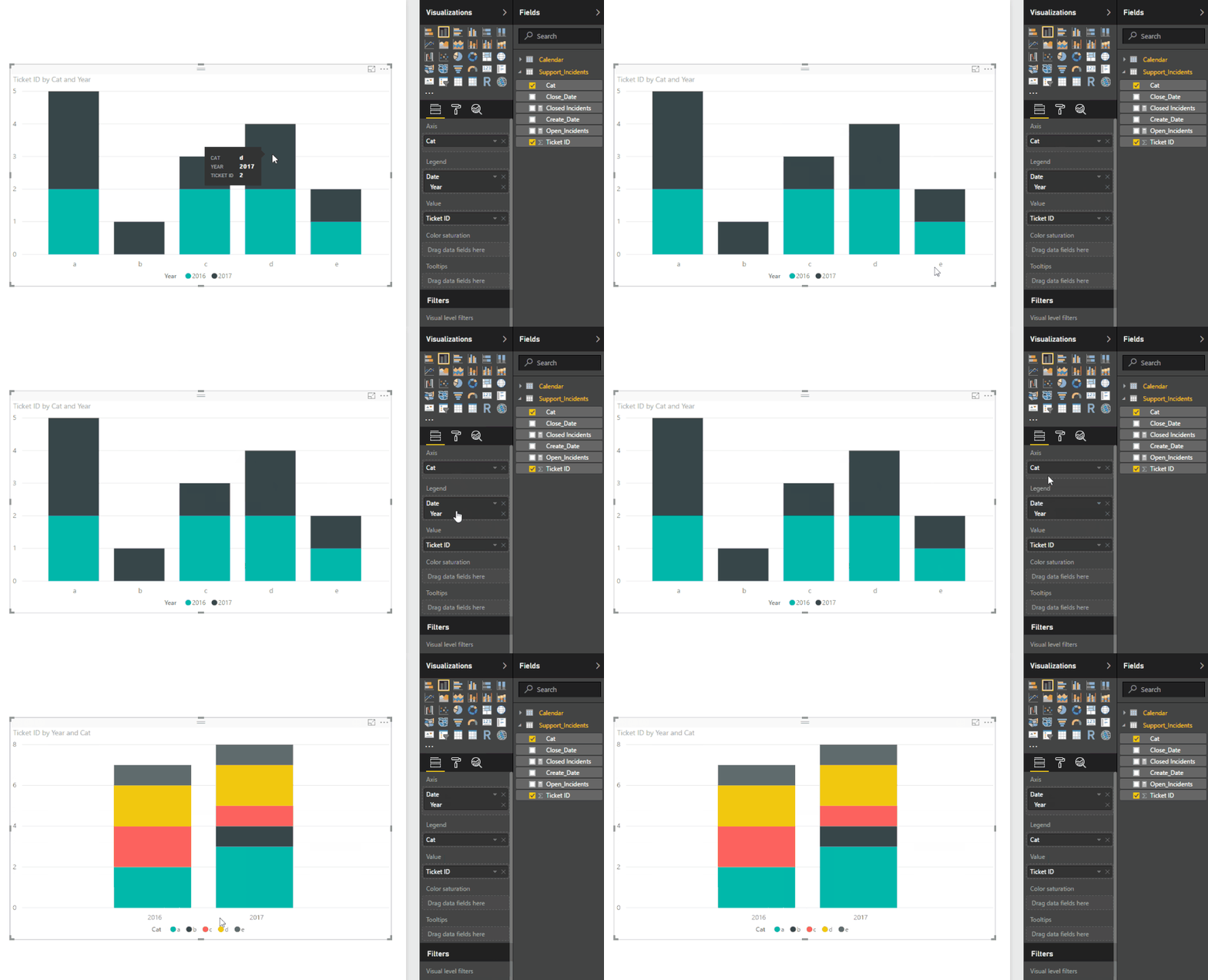
What you need to do is change the Axis with the Legend part so that you can have the switch between both things:

redraw.gif


Regards,

MFelix


Regards

Miguel Félix


Did I answer your question? Mark my post as a solution!

Proud to be a Super User!

Check out my blog: Power BI em Português


View solution in original post

3 REPLIES 3
MFelix
Super User
Super User

Hi @DKhachaturyan,


First of all if you want to change the chart type on PBI you only need to select the chart you want to change and then click the new chart type it will update to the new chart.


Change chart.gif


What you need to do is change the Axis with the Legend part so that you can have the switch between both things:

redraw.gif


Regards,

MFelix


Regards

Miguel Félix


Did I answer your question? Mark my post as a solution!

Proud to be a Super User!

Check out my blog: Power BI em Português


Anonymous
Not applicable

It looks like you just need to swap around the fields that are in the "Axis" and "Legend" slots for your visualization.

This is what I was trying to do, but it does not do what I need.

Helpful resources

Announcements
Fabric Data Days is here Carousel

Data Days 2026

Don't miss out on Data Days, June 15 through August 7. Learn Fabric, Power BI, SQL, AI and more.

May Power BI Update Carousel

Power BI Monthly Update - May 2026

Check out the May 2026 Power BI update to learn about new features.

Power BI DataViz World Championships carousel

Power BI DataViz World Championships - June 2026

A new Power BI DataViz World Championship is coming this June! Don't miss out on submitting your entry.