Learn from the best! Meet the four finalists headed to the FINALS of the Power BI Dataviz World Championships! Register now
Hi,
Kinda simple question but i just cant figure out how to achieve it. Basicly my data looks like following:
Date - Denomination - Quantity - X - Y - Z
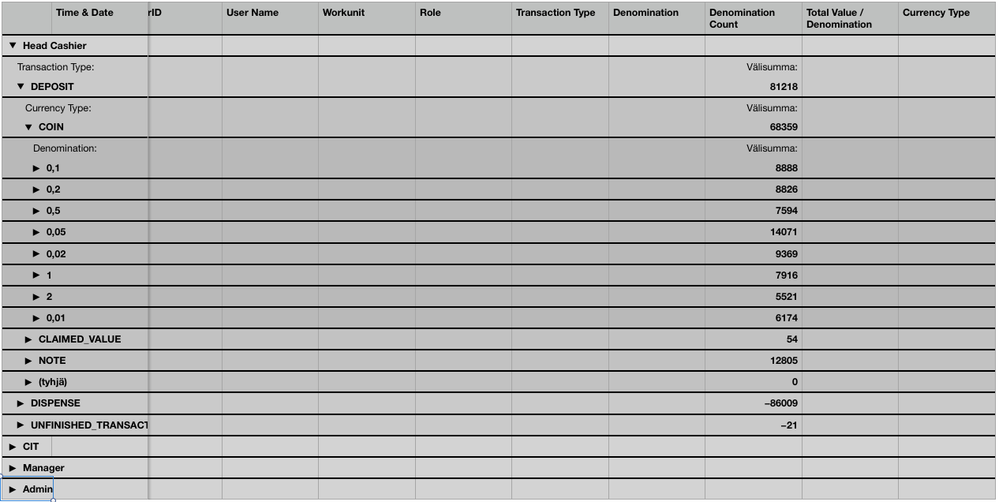
I want to group the data so that all rows where denomination is same is grouped togeter. Bellow is image from Apple Numbers that achieves just that:
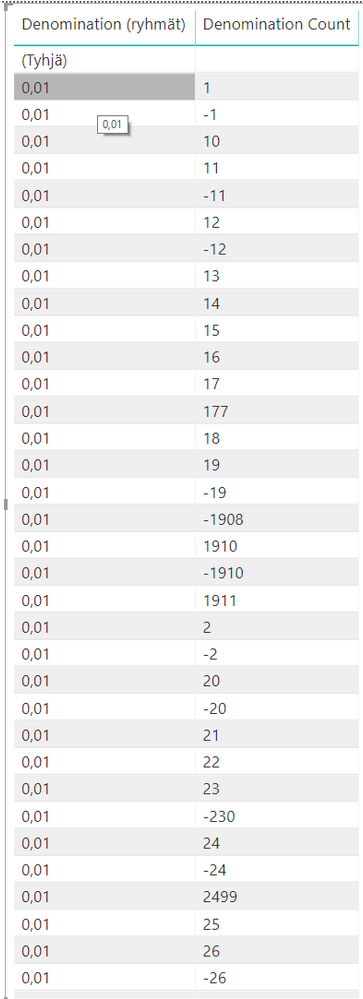
I assume that similar grouping would be possible in PowerBi but just cant make it happen. I tried to select the "Denomination" column and create new group but the end result just gives me all individual rows:
Thanks,
-Carl
Solved! Go to Solution.
Hi @Anonymous
It seems the data in Denomination count column is text type, please change it to number related type.
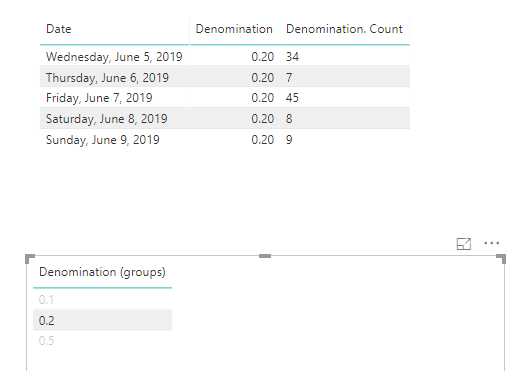
Then use “New group”, you’ll get the categorized data:
If you’d like to calculate the Denomination counts by Denomination groups. Please add the below measure:
Measure = CALCULATE(SUM(Table1[Denomination. Count]),ALLEXCEPT(Table1,Table1[Denomination]))
Best regards,
Dina Ye
Hi @Anonymous
It seems the data in Denomination count column is text type, please change it to number related type.
Then use “New group”, you’ll get the categorized data:
If you’d like to calculate the Denomination counts by Denomination groups. Please add the below measure:
Measure = CALCULATE(SUM(Table1[Denomination. Count]),ALLEXCEPT(Table1,Table1[Denomination]))
Best regards,
Dina Ye
Hi @Anonymous
If my above post helps, could you please consider Accept it as the solution to help the other members find it more quickly. thanks!
Best regards,
Dina Ye
| User | Count |
|---|---|
| 45 | |
| 35 | |
| 27 | |
| 17 | |
| 14 |
| User | Count |
|---|---|
| 59 | |
| 59 | |
| 41 | |
| 22 | |
| 20 |