This is best Fabric, Power BI, SQL and AI community event. How do we know? The last event sold out! Save €200 with code FABCMTY200.
Register nowThe Fabric community is now in read-only for platform upgrade. Learn more
Hello fellow Dax'ers,
I read an interesting blog post by Chris Webb on dynamic chart titles. Nicely done. It uses a card visual to display a concatenated title from slicer table[variables]. My darn "card" first off, doesn't word wrap...grrr...but beyond that I'd like to insert a carriage return in the text string and then do some formatting--add a tab maybe?.
So how the heck do I put in a carriage return into the string? How about Tab? (OK, that doesn't really matter...I'll put spaces in for the "tab" but if there were one.
Thanks,
Tom
If you're talking about display a carriage return in a Card visual, there seems no way.
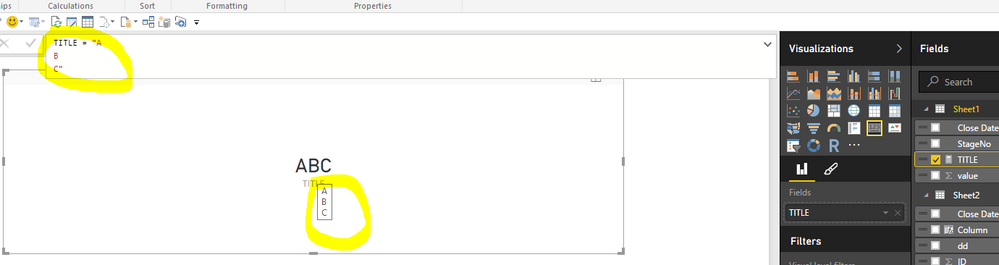
You can put in a carriage return by "alt+enter", but it won't display as a new line in visuals. when hover your mouse on the card, you can see the value with carriage returns. This behavior looks by design.
Thank you very much. Would have loved to either have a card actually "word wrap" which is a selection that doesn't seem to make any difference, or be able to put in carriage returns manually.
I appreciate your help!
Tom
Would concatenating UNICODE(10) to the string achieve what you're after?
UNICHAR(10) does the job
Join us in Barcelona for FabCon and SQLCon, the Fabric, Power BI, SQL, and AI community event. Save €200 with code FABCMTY200.
| User | Count |
|---|---|
| 23 | |
| 22 | |
| 14 | |
| 14 | |
| 13 |
| User | Count |
|---|---|
| 47 | |
| 39 | |
| 24 | |
| 20 | |
| 20 |