This is best Fabric, Power BI, SQL and AI community event. How do we know? The last event sold out! Save €200 with code FABCMTY200.
Register nowA new Data Days event is coming soon! This time we’re going bigger than ever. Fabric, Power BI, SQL, AI and more. Don't miss out.
Hello,
I'm using a card to show employee's current position, therefore, I'm selecting Last and in some cases this works fine but for other employees it is showing their first position, any ideas where I am going wrong? I did some research and on another post suggested creating a mesure but this never worked either
Solved! Go to Solution.
Hi @rosscortb
Is this problem sloved?
If it is sloved, could you kindly accept it as a solution to close this case?
If not, please let me know.
Best Regards
Maggie
Hi @rosscortb
Is this problem sloved?
If it is sloved, could you kindly accept it as a solution to close this case?
If not, please let me know.
Best Regards
Maggie
Hi @rosscortb
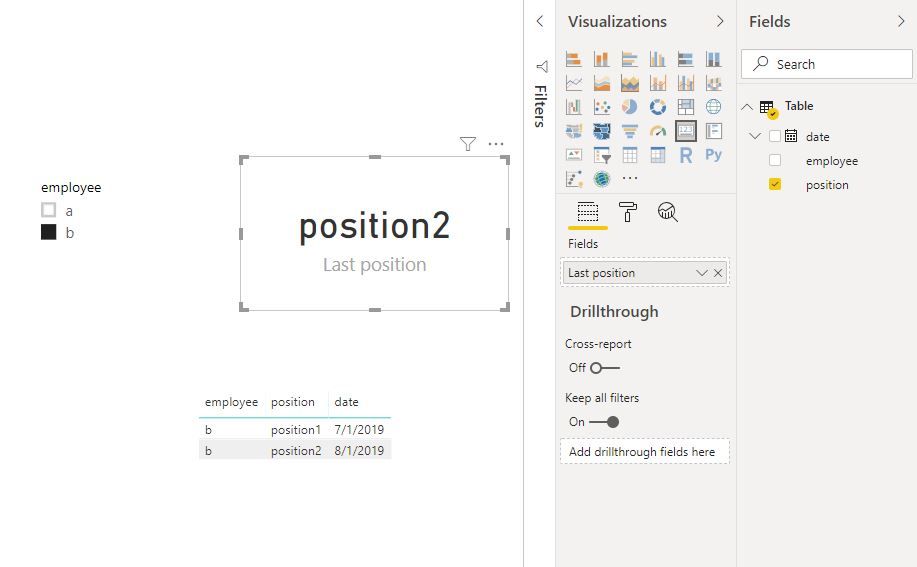
Selecting "Last" works for me.
Could you show me your scenario with some screenshots or example data?
Best Regards
Maggie
Community Support Team _ Maggie Li
If this post helps, then please consider Accept it as the solution to help the other members find it more quickly.
Using the "Last" aggregation will not always work as it does a CALCULATE(MAX( 'DB Headcount'[Position] )) so it will just the the alphabetically "last" position, not the last ordered by date.
To do that you would need to do something like the following assuming that you have EmployeeID and LastUpdatedDate columns (or something similar)
Current Position =
// get current employee VAR _employeeId = SELECTEDVALUE ( 'DB Headcount'[EmployeeID] )
// get the max updated date for that employee VAR _maxdate = CALCULATE ( MAX ( 'DB Headcount'[LastUpdatedDate] ), 'DB Headcount'[EmployeeID] = _employeeId )
// lookup the position for the employeeid and max date RETURN IF ( NOT ( ISBLANK ( _maxDate ) ), LOOKUPVALUE ( 'DB Headcount'[Position], 'DB Headcount'[EmployeeID], _employeeID, 'DB HeadCount'[LastUpdatedDate], _maxDate ) )
Check out the May 2026 Power BI update to learn about new features.
Sign up to receive a private message when registration opens and key events begin.
If you have recently started exploring Fabric, we'd love to hear how it's going. Your feedback can help with product improvements.
| User | Count |
|---|---|
| 27 | |
| 25 | |
| 22 | |
| 20 | |
| 14 |
| User | Count |
|---|---|
| 51 | |
| 47 | |
| 23 | |
| 18 | |
| 18 |