Learn from the best! Meet the four finalists headed to the FINALS of the Power BI Dataviz World Championships! Register now
I see a lot of posts about changing the background and text color based on a condition but can the border be changed on a Card visual based on a condition?
Solved! Go to Solution.
Hi @gilmore_staci ,
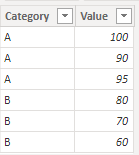
Based on your description, I have created a simple sample:
Average Measure = AVERAGE('Table'[Value])
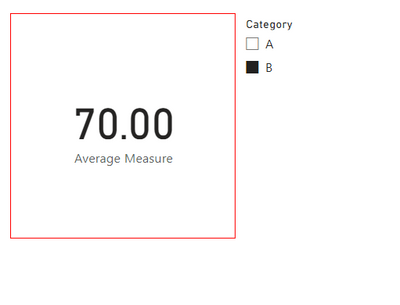
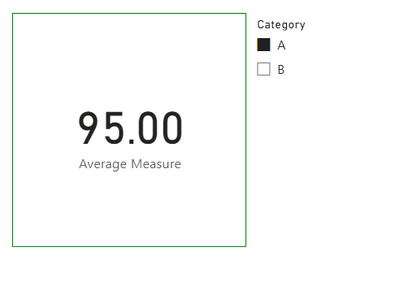
Border Color = IF([Average Measure]>=90&&[Average Measure]<=100,"Green","Red")
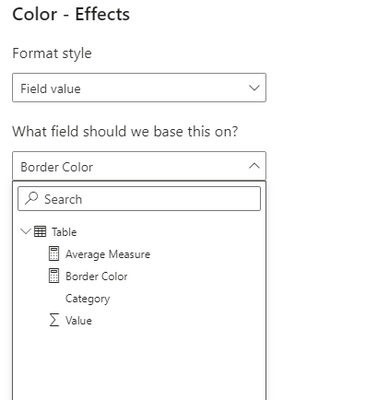
Please try:
Format style-> Field value ->What field should we based on?-> [Border Color]
Final output:
Best Regards,
Jianbo Li
If this post helps, then please consider Accept it as the solution to help the other members find it more quickly.
Hi @gilmore_staci ,
Based on your description, I have created a simple sample:
Average Measure = AVERAGE('Table'[Value])
Border Color = IF([Average Measure]>=90&&[Average Measure]<=100,"Green","Red")
Please try:
Format style-> Field value ->What field should we based on?-> [Border Color]
Final output:
Best Regards,
Jianbo Li
If this post helps, then please consider Accept it as the solution to help the other members find it more quickly.
I am coloring an average so its not a column. I created the measure and tried to add it to the format but the field doesn't stay in the box, it blanks our so I'm guessing because its a measure and not a column.
I did try using the fx button and use a rule for the average field but its not working either.
I have >= 0 and < 89 - red
> 90 and < 100 - green
But its coloring a 93% average red, should be green
Any ideas?
Hi @gilmore_staci ,
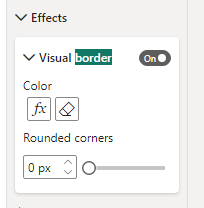
You can change the card border here:
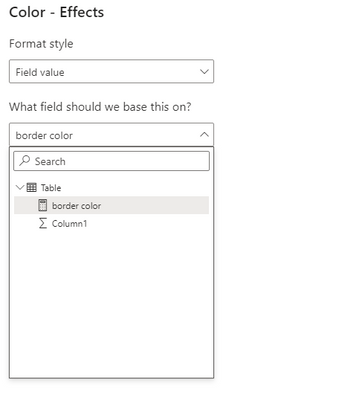
Card border conditional formattinng just like normal conditional formatting, here is a simple example:
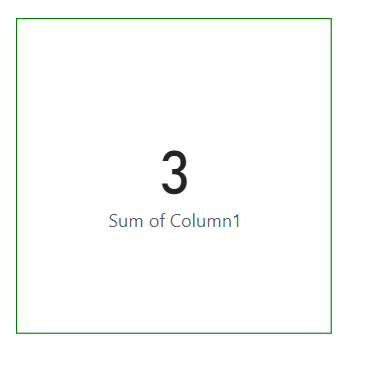
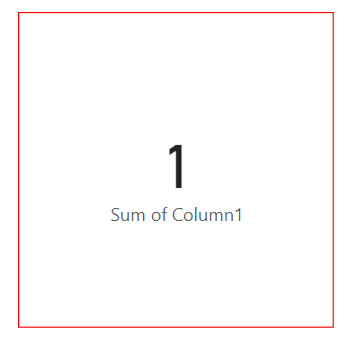
border color = IF(SUM('Table'[Column1])<=1,"Red","Green")
Final output:
Best Regards,
Jianbo Li
If this post helps, then please consider Accept it as the solution to help the other members find it more quickly.
A new Power BI DataViz World Championship is coming this June! Don't miss out on submitting your entry.
Share feedback directly with Fabric product managers, participate in targeted research studies and influence the Fabric roadmap.
| User | Count |
|---|---|
| 46 | |
| 31 | |
| 29 | |
| 15 | |
| 15 |
| User | Count |
|---|---|
| 58 | |
| 56 | |
| 38 | |
| 21 | |
| 21 |