cancel
Showing results for 
Search instead for 
Did you mean: 

Get Fabric Certified for FREE during Fabric Data Days. Don't miss your chance! Request now

Reply
ItAccounts
Frequent Visitor

Can't change data colors of graph when there is no data

powerbi_graphnodata.PNG

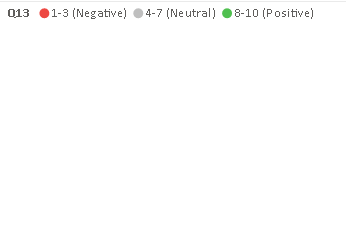
It is not possible to change the "Data colors" of a graph (currently using 100% stacked bar chart) when there is no data but data labels appear on the legend (when the "Show items with no data" option is enabled). See example of a graph like this above; I am using a measure in "value" that filters by date. The data colors option disappears from the formatting pane in this case. Currently using version 2.79.5768.721 64-bit (March, 2020).

1 ACCEPTED SOLUTION
v-yuta-msft
Community Support
Community Support

@ItAccounts ,


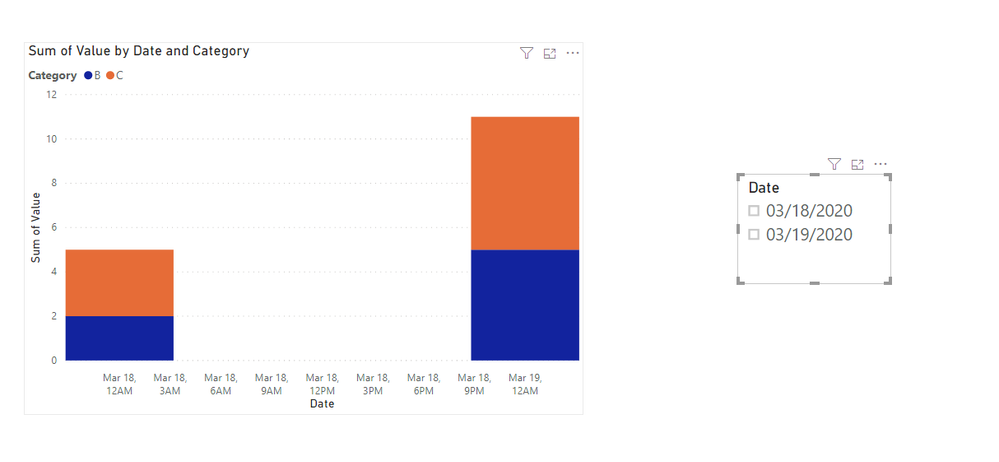
I'm afraid I could not reproduce your issue. The legend will not be show in stack column visual if there's no data of that legend.

1.PNG2.PNG 

Regards,

Jimmy Tao

View solution in original post

1 REPLY 1
v-yuta-msft
Community Support
Community Support

@ItAccounts ,


I'm afraid I could not reproduce your issue. The legend will not be show in stack column visual if there's no data of that legend.

1.PNG2.PNG 

Regards,

Jimmy Tao

Helpful resources

Announcements
November Power BI Update Carousel

Power BI Monthly Update - November 2025

Check out the November 2025 Power BI update to learn about new features.

Fabric Data Days Carousel

Fabric Data Days

Advance your Data & AI career with 50 days of live learning, contests, hands-on challenges, study groups & certifications and more!

FabCon Atlanta 2026 carousel

FabCon Atlanta 2026

Join us at FabCon Atlanta, March 16-20, for the ultimate Fabric, Power BI, AI and SQL community-led event. Save $200 with code FABCOMM.

Top Solution Authors
Top Kudoed Authors