cancel
Showing results for 
Search instead for 
Did you mean: 

Learn from the best! Meet the four finalists headed to the FINALS of the Power BI Dataviz World Championships! Register now

Reply
pierre415
Helper I
Helper I

Calendar Visual Disappearing

Hey guys,


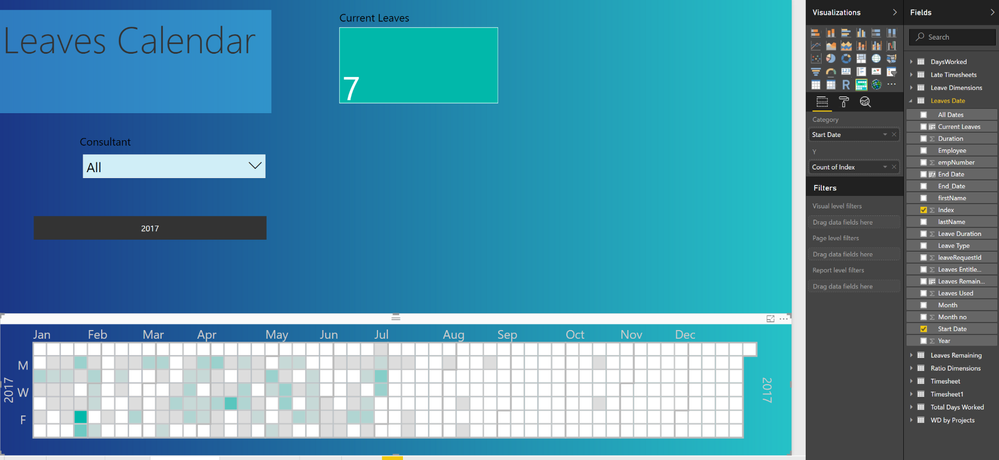
I'm looking to make a calendar that shows the leaves per day in a company. When I sort leaves by just the Start Date, the visual works well:


Capture.PNG


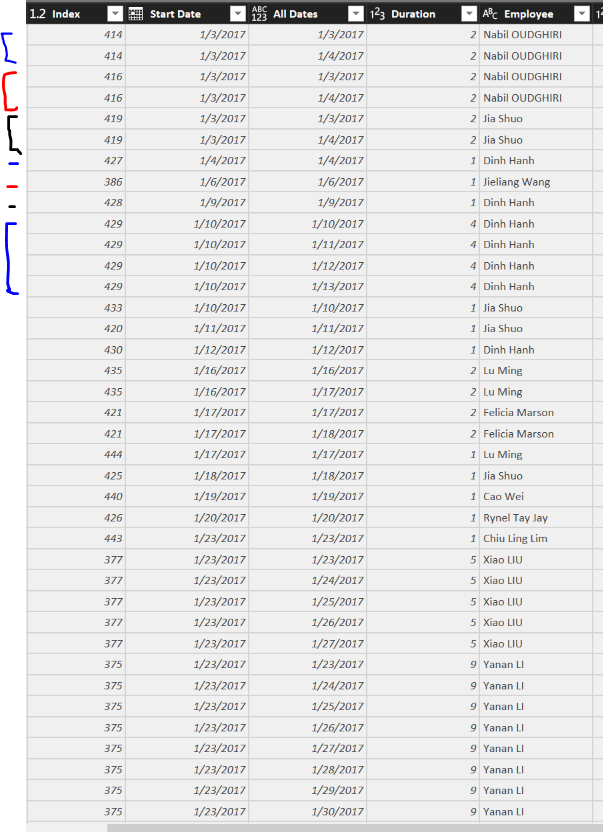
But I want it to show All dates of each leave, not just the start date. I have this column but when I use All Dates instead of Start Date the visual disappears. Here's the data I'm using


Capture.PNG


where lines with the same index are the same leave, more lines meaning a longer leave. At first I thought 'All Dates' wasn't displaying because there were too many dates, or because of some data formatting issue, but it looks like it's something else. Any ideas guys?


Thanks!

Pierre 

4 REPLIES 4
v-huizhn-msft
Microsoft Employee
Microsoft Employee

Hi @pierre415,

You select the 'All Dates' as category, the 'count of index' as value, the visual disappers? As I tested, it works fine. Please check if there other fields affect the 'All Dates' column, or do you mind share your .pbix file for further analysis? I can not reproduce your scenario without your file. Thanks for understanding.

Best Regards,
Angelia


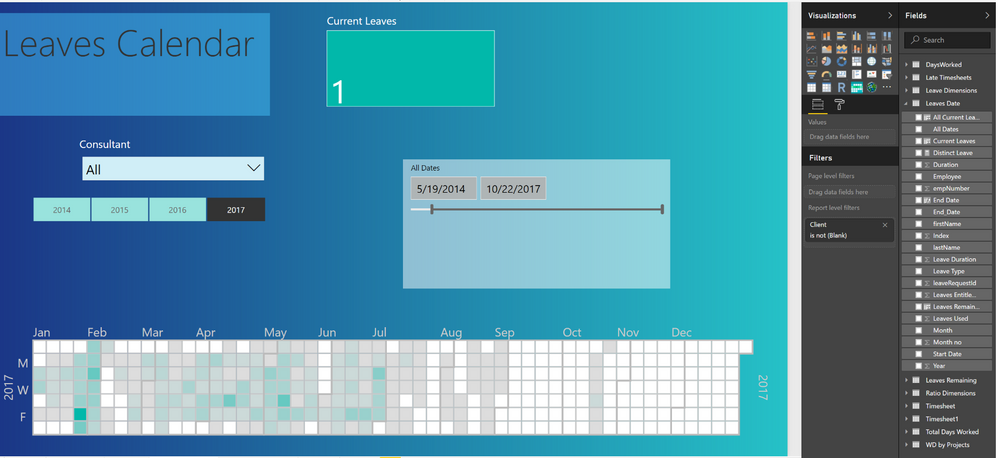
I also found that for some reason if I filter my All Dates column in any way the calendar shows up fine. So you could say it actually works but I need a more permanent solution... 


Capture.PNG

Hi @pierre415,

I can not reproduce your scenario, you just replace the StartDate to AllDates, it disappers? Please create a new visual, select the AllDates as category and 'count of index' as value level.

Best Regards,
Angelia

Hi, could you give me an example of another field affecting 'All Dates'? I could send you the file as soon as I get permission from my boss. Thanks,


Pierre

Helpful resources

Announcements
Join our Fabric User Panel

Join our Fabric User Panel

Share feedback directly with Fabric product managers, participate in targeted research studies and influence the Fabric roadmap.

February Power BI Update Carousel

Power BI Monthly Update - February 2026

Check out the February 2026 Power BI update to learn about new features.

FabCon Atlanta 2026 carousel

FabCon Atlanta 2026

Join us at FabCon Atlanta, March 16-20, for the ultimate Fabric, Power BI, AI and SQL community-led event. Save $200 with code FABCOMM.