This time we’re going bigger than ever. Fabric, Power BI, SQL, AI and more. We're covering it all. You won't want to miss it.
Learn moreLevel up your Power BI skills this month - build one visual each week and tell better stories with data! Get started
Hi there,
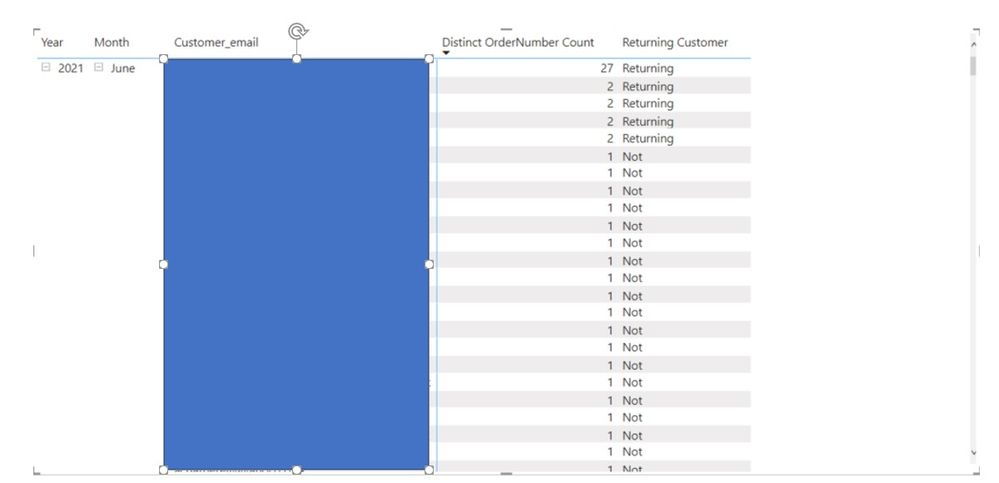
I would like to to calculate the total of repeats/returning customers for a certian period.
So my first measure for the below "Distinct email Count", I use = CALCULATE(DISTINCTCOUNT(Table[Column]
Then a simple = IF([Distinct email Count] > 1, "Returning", "Not")
How will I be able to get the total of value for Returning and for Not?
I know there are a couple of articles on New, Lost Customers but just looking for a simplified version of identifying returning customers for a sanity check.
Any ideas?
Kind regards
Solved! Go to Solution.
@amitchandak - thanks for your reply. I might not have been clear with question, however, I managed to get it working with
Hi @Axiomite ,
If the problem has been solved you can mark the reply for the standard answer to help the other members find it more quickly. If not, please point it out.
Looking forward to your feedback.😊
Best Regards,
Henry
Returning = countx( filter(summarize(Table, Table[Year], Table[Month], Table[email], "_1", CALCULATE(DISTINCTCOUNT(Table[Column] )) ) , [_1] >1) ,[email] )
not = countx( filter(summarize(Table, Table[Year], Table[Month], Table[email], "_1", CALCULATE(DISTINCTCOUNT(Table[Column] )) ) , [_1] <=1 ) ,[email] )
@amitchandak - thanks for your reply. I might not have been clear with question, however, I managed to get it working with
Check out the April 2026 Power BI update to learn about new features.
Sign up to receive a private message when registration opens and key events begin.
If you have recently started exploring Fabric, we'd love to hear how it's going. Your feedback can help with product improvements.
| User | Count |
|---|---|
| 30 | |
| 24 | |
| 23 | |
| 17 | |
| 15 |
| User | Count |
|---|---|
| 61 | |
| 36 | |
| 29 | |
| 22 | |
| 21 |