cancel
Showing results for 
Search instead for 
Did you mean: 

The Power BI Data Visualization World Championships is back! Get ahead of the game and start preparing now! Learn more

Reply
Anonymous
Not applicable

Burnup Chart to compare hours spent and committed hours for project

Hi guys, 


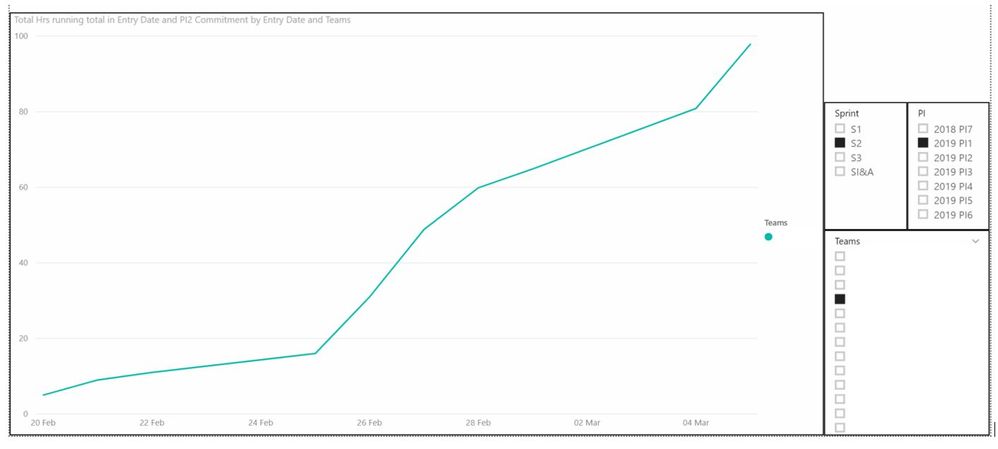
I'm working on creating a burnup chart of sorts in Power BI, and am trying to compare a team's cumulative hours (based on timesheet submissions) with their no. of committed hours to the project over PI2 (period of seven weeks). I've already created a new measure that calculates cumulative hours spent by each team, but have no idea how to create an accumulating linear trend line that pro ratas their committed hours over X time period (e.g. % of committed hours reached / exceeded at a certain point in time).


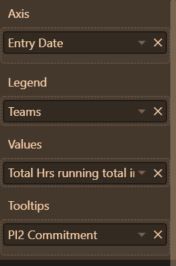
The source data is sorted per single entry: username / project name / task name / hours spent on project today / department name. I then created a "PI2 Commitment" conditional column to input committed hours (If team name is X, committed hours is 55).
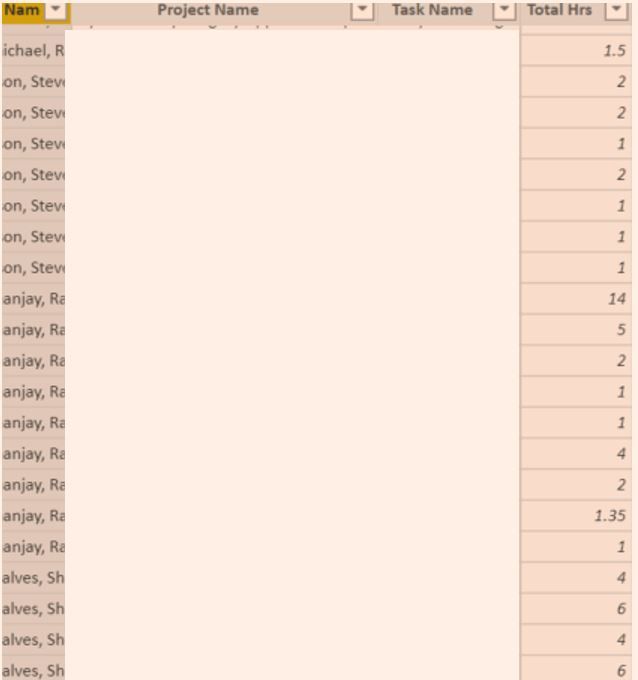

 

user submit hours.JPGpi2 commitment.JPG

cumulative hours filters.JPGcumulative hours.JPG

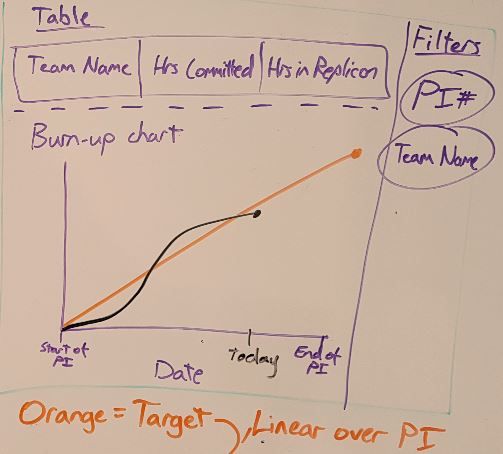
Final goal:

Capture.JPG


Already tried:

In-built trend line doesn't fit this purpose, as it creates a trend based on the diagram, rather than tracking committed hours over PI based on source data.


I'm a complete newbie to power bi, so any help would be appreciated! Thanks

2 REPLIES 2
v-yuta-msft
Community Support
Community Support

@Anonymous ,


So can I understand that in the trend line you want to add a few conditions(e.g.: The "PI" or other X-axis, legend values) based on the data in your source?


If so, actually the built-in trend line may not meet your requirement because it's too naive. As suggestion, have you tried any Custom visual or Python/R visual?


Community Support Team _ Jimmy Tao

If this post helps, then please consider Accept it as the solution to help the other members find it more quickly.

Anonymous
Not applicable

@v-yuta-msft the orange linear line should be the original, total time committed by the team at the start of the sprint e.g. 55 hours. Based on whiteboard diagram, The black line records the cumulative hours the team has recorded to date e.g. 22 hours. In the future, if the team exceeds the 55 hour estimation and instead spends 75 hours on the project, the black line will rise above the orange linear line 


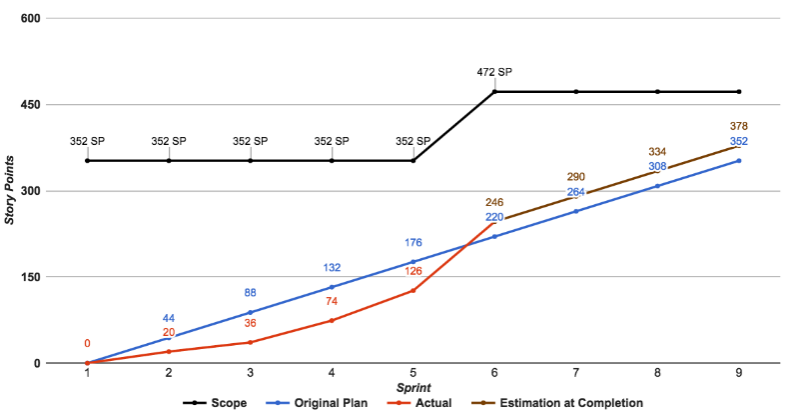
Example from another website - the red line has risen above the blue linear line (committed points) because they are making good progress:


Picture4.png

Helpful resources

Announcements
Power BI DataViz World Championships

Power BI Dataviz World Championships

The Power BI Data Visualization World Championships is back! Get ahead of the game and start preparing now!

November Power BI Update Carousel

Power BI Monthly Update - November 2025

Check out the November 2025 Power BI update to learn about new features.

FabCon Atlanta 2026 carousel

FabCon Atlanta 2026

Join us at FabCon Atlanta, March 16-20, for the ultimate Fabric, Power BI, AI and SQL community-led event. Save $200 with code FABCOMM.