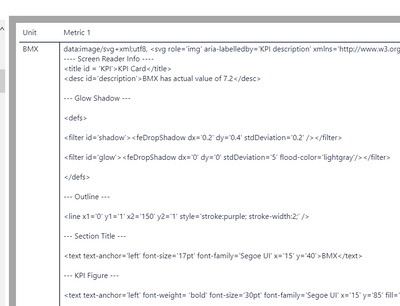
Hi,
I've been trying to create bullet charts within table with variables. It does not work and outputs "image" icon. I bet that it is SVG code related problem, but since i am not an expert with it and i cant find solution to resolve this problem i would be pleased to get some help 🙂 Here is code below, thanks in advance!
Bullet =
VAR vBackground = "%23ffffff"
VAR vBarColor = Switch(
True(),
[losspln] <= [targetpln], "%2339a964",
[targetpln] = 0, "%23ffa160",
[losspln] > [targetpln], "%23cd1319"
)
VAR vActBarColor = "%23333333"
VAR vTargetBarColor = "%23888888"
// Base Text for drawing
VAR vBaseText =
"data:image/svg+xml;utf8, <svg width='100' height='100' version='1.1' xmlns='http://www.w3.org/2000/svg' style= 'background: " & vBackground & "'>
<rect x='0' y='25' rx='2' ry='2' width='100' height='50' style='fill:" & vBarColor & ";stroke-width:0;fill-opacity:1' />
<rect x='0' y='45' rx='2' ry='2' width=""#Actual"" height='10' style='fill:" & vActBarColor & ";stroke-width:0;fill-opacity:1' />
<rect x=""#Budget"" y='30' rx='2' ry='2' width='6' height='40' style='fill:" & vTargetBarColor & ";stroke:black;stroke-width:0;fill-opacity:1;stroke-opacity:1' />
</svg>"
VAR vObjects = ALL(Resource[Resource Short])
VAR vMaxActual = MAXX( vObjects, [losspln] )
VAR vMaxGoal = MAXX( vObjects, [targetpln] )
VAR vXAxisRangeBase = MAX( vMaxActual, vMaxGoal )
VAR vActual = INT( DIVIDE( [losspln], vXAxisRangeBase ) * 90 )
VAR vGoal = INT( DIVIDE( [targetpln], vXAxisRangeBase ) * 90 )
VAR vReturn = SUBSTITUTE( SUBSTITUTE( vBaseText, "#Actual", vActual ), "#Goal", vGoal )
RETURN IF( [losspln], vReturn, BLANK() )