Join us at FabCon Atlanta from March 16 - 20, 2026, for the ultimate Fabric, Power BI, AI and SQL community-led event. Save $200 with code FABCOMM.
Register now!Learn from the best! Meet the four finalists headed to the FINALS of the Power BI Dataviz World Championships! Register now
Hi,
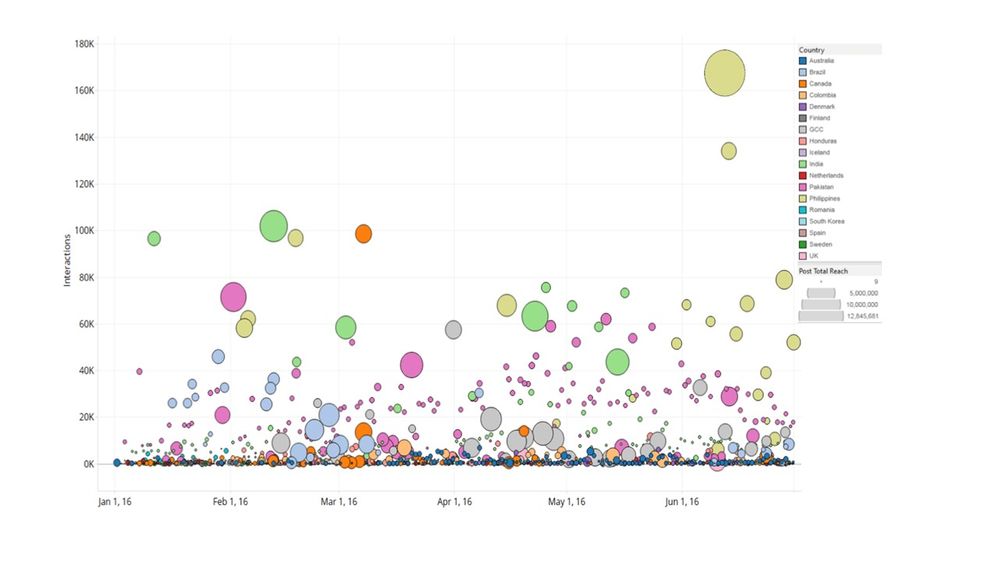
I am developing Power BI reports and I am trying to recreate the attached graph. The scatter chart doesn't work in my case as it doesn't allow to put in the x-axis a timeserie. Till now I manage to make something similar by using either the pulsechart or the spline chart but unfortunetely the first doesn't allow me to colour the bubbles according to the attribute "country" while the second doesn't allow me to give different sizes according to my measurement "post total reach".
Please advice!
Does putting Country field into the "Legend" section of the scatter graph not colour by Country automatically?
Yes it does but the problem with the scatter plot is that it doesn't allow to put dates on the x-axis
I see. This should help: http://community.powerbi.com/t5/Desktop/Scatter-with-date-on-X-and-time-on-Y/m-p/19030
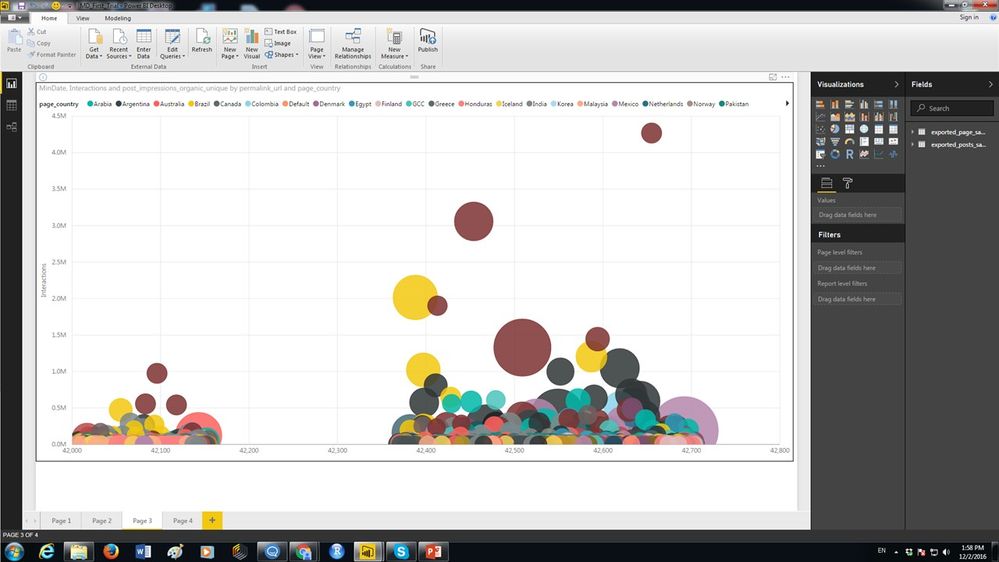
Thank you very much!! That was really helpfull! I manage to make this by creating a new measure with the value of minimum date:
my only problem now is that I wish I could have date format instead of number format which unfortunately I cannot fix it from the Modelling tab.
Any ideas??
Hi @elenirapti8,
As only aggregated data(value is usually a number) is supported for Axis in Scatter Charts, it is not possible to format the X Axis to date currently. You can vote the similar idea here.![]()
Regards
Share feedback directly with Fabric product managers, participate in targeted research studies and influence the Fabric roadmap.
Check out the February 2026 Power BI update to learn about new features.
| User | Count |
|---|---|
| 61 | |
| 54 | |
| 41 | |
| 17 | |
| 13 |
| User | Count |
|---|---|
| 106 | |
| 99 | |
| 38 | |
| 29 | |
| 28 |