cancel
Showing results for 
Search instead for 
Did you mean: 

The Power BI Data Visualization World Championships is back! Get ahead of the game and start preparing now! Learn more

Reply
bfaivre
Regular Visitor

Bring MySQL JSON data type / query into Power BI

Hello,


I’m attempting bring data from a MySQL query into Power BI. The table has two columns “TagId” data type is INT and Value data type is JSON. The path I am wanting to return from Value is “pv”.


Here is the query that executes fine:


SELECT TagId, JSON_EXTRACT(Value, "$.pv") pv FROM TagValue;


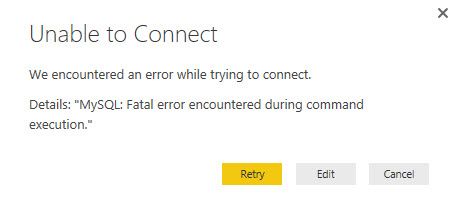
When I put this query in the “SQL statement” in “Advanced options” of my “Get Data” I get the following error message:


2016-10-20_21-29-50.jpg


Anyone have experience or recommendations on how I can accomplish this?


Thanks,


Brian

1 REPLY 1
v-micsh-msft
Microsoft Employee
Microsoft Employee

Hi bfaivre,


I am not very familiar with MySQL, I suggest that we take a look at the general query log in MySQL, see if the query language putted into Power BI Desktop would get the proper result in MySQL.

Also, please enable Power BI Desktop Tracing:

File -> Options & Settings -> Options->Global->Diagnostics, check the tracing

By the way, would it be available to select the table item through the Table List?

Regards


Helpful resources

Announcements
Power BI DataViz World Championships

Power BI Dataviz World Championships

The Power BI Data Visualization World Championships is back! Get ahead of the game and start preparing now!

December 2025 Power BI Update Carousel

Power BI Monthly Update - December 2025

Check out the December 2025 Power BI Holiday Recap!

FabCon Atlanta 2026 carousel

FabCon Atlanta 2026

Join us at FabCon Atlanta, March 16-20, for the ultimate Fabric, Power BI, AI and SQL community-led event. Save $200 with code FABCOMM.